Add-On
🧾 History
| Date | Changes | Link | By |
|---|---|---|---|
| March 14, 2025 | - | Private (https://app.clickup.com/9003122396/docs/8ca1fpw-11562/8ca1fpw-35556) | Umam |
| January 16, 2025 | This PRD | Umam |
📕 About
| Context | Add-On |
|---|---|
| Problem | Currently, Hungry Hub users can book main packages but lack the flexibility to customize their dining experience with additional options. This limitation may lead to missed opportunities for upselling and reduced user satisfaction. |
| Solution | Select add on packages during the booking process |
| Name of Feature | Add-On |
| Objective | Add-On Overview Packages List in Specific Restaurant Add-On Setting Page Create/Edit Booking Booking List |
| Gains | By offering add-ons, we aim to boost the average transaction value. Provide restaurant partners with opportunities to promote special add-ons, leading to increased collaboration. Allow users to tailor their dining experience to their preferences. |
| Pains | Users might feel misled if the total price isn't clearly shown as they add options (dynamic pricing, promo code etc) Adding a new layer of complexity could introduce bugs or slow down the existing booking flow |
| Figma Link | https://www.figma.com/design/HFWUL1wrPoe92uMxPJDYml/Add-On-Client-Side?node-id=0-1&t=uUGV93XOvF58iwPH-1 |
| Available Platform | Web and App |
| Sprint | TBD |
| Related PRD | - |
| Out of Scope | - |
Glossary
- Main Package → AYCE, Party Pack and Xperience
🎯 User Story & Requirement
Add-On Overview
| User Story | Requirement |
|---|---|
| Navbar | Add the Add-On option in the Packages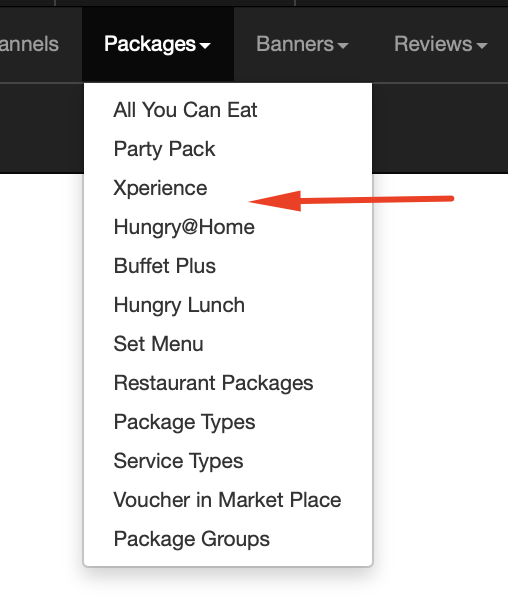 |
| Add-On Overview Page Flow : Navbar → Packages → Add-On | Elements in the page Title Filter Table |
| Filter | Enable users to retrieve precise results by filtering based on multiple parameters such as ID, Name, Date Range, Outlet Name, Selling Price, and Selling Limits. How the Date Filtering Logic Should Work (can check below) Provide a "Clear All" button to reset filters easily and start a new search. Ensure users can execute a filtered search efficiently by clicking the "Search" button after setting their criteria. Help users track add-on sales by filtering based on Limit Selling per day. |
| Table | The table should display add-on details including ID, Name, Start to End Date, Selling Price, Limit Selling, Created At, Updated At, Outlets, and Actions. The table should support sorting and filtering for easy navigation and data retrieval. Pagination should be implemented for large datasets. Show a page number navigation bar at the top/bottom. Display maximum 25 rows per page |
| Edit | Opens a form to modify the add-on details. Allows changes to price, date range, outletes etc. (explained below) |
| Duplicate | Allows users to create a copy of an existing add-on. Prefills the duplicate form with the same details but assigns a new ID. |
| Delete | Clicking Delete should trigger a confirmation dialog (e.g., using SweetAlert2 or a native modal). The user must confirm before the record is permanently deleted. The add-on is removed from the database. The table updates automatically (without requiring a page refresh). Show a success message after deletion. If deletion fails (e.g., due to dependencies in the system), show an error message. |
How the Date Filtering Logic Should Work
When filtering add-ons by a Start to End Date range (e.g., January 1 – January 15), the logic should check whether an add-on’s active period overlaps with the selected range.
Scenarios and Expected Behavior:
| Add-On Active Period | Filtered Date Range (Jan 1 - Jan 15) | Should It Be Included? |
|---|---|---|
| Jan 2 - Jan 5 | ✅ Yes | Overlaps with the filter range (Jan 1-15). |
| Dec 30 - Jan 20 | ✅ Yes | Spans across the filter range, so it should be included. |
| Jan 10 - Jan 25 | ✅ Yes | Overlaps partially with the filter range. |
| Dec 1 - Dec 29 | ❌ No | Ends before the filter range starts. |
| Jan 16 - Jan 31 | ❌ No | Starts after the filter range ends. |
Table Details
| Column Name | Description | Sorting Required |
|---|---|---|
| ID | Unique identifier for each add-on | ✅ Yes |
| Name | The name of the add-on item | ✅ Yes |
| Last Booking Was Made | Displays the last booking date (if applicable) | ✅ Yes |
| Start to End Date | The duration during which the add-on is available | ✅ Yes |
| Selling Price | The price of the add-on, including currency and pricing unit (Per Person/Per Item) | ✅ Yes |
| Limit Selling | Maximum quantity available per day (if applicable) | ✅ Yes |
| Created At | Timestamp of when the add-on was created | ✅ Yes |
| Updated At | Timestamp of the last update made to the add-on | ✅ Yes |
| Outlets | List of outlets where the add-on is available | ✅ Yes |
| Action | Buttons for Edit, Duplicate and Delete actions | ❌ No |
Packages List in Specific Restaurant
| User Story | Requirement |
|---|---|
| Package Restaurant Overview Restaurant List → Choose a restaurant → Action Button → Packages | The Add-Ons section should display essential details including ID, Name, Rank, Start & End Date, Selling Price, Limit Selling, Active Status, and Actions. The system must handle performance constraints effectively, ensuring that data retrieval and display remain fast and efficient. No changes to Packages, focus is solely on Add-Ons. |
| Sorting & Filtering | Add-ons should be sortable by ID, Name, Start Date, End Date, Selling Price, Limit Selling, and Active Status. |
| Maximum Active Packages | Main Packages (There is no logic changes) Alert Green Alert → Client Side Blue Alert → Partner Portal  Client Side 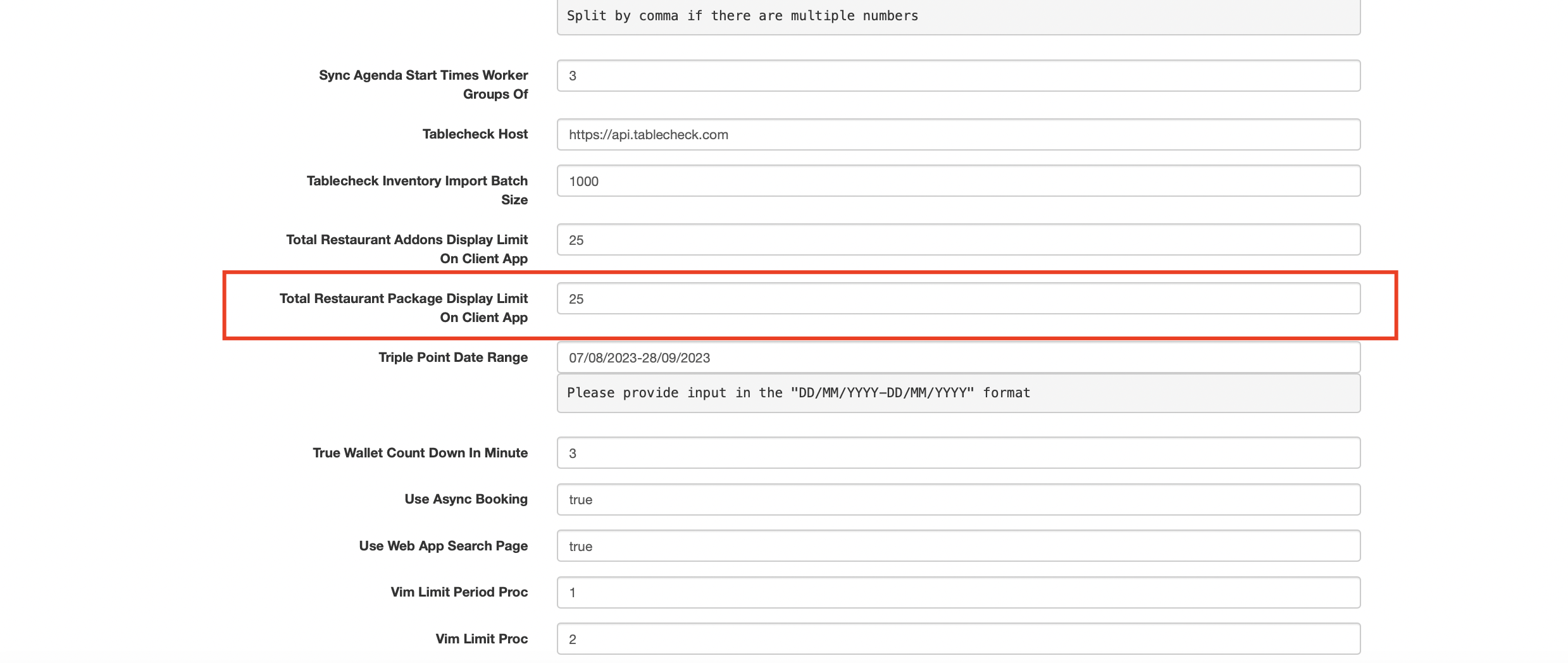 Partner Portal Change the wording to Limit Packages on Partner Portal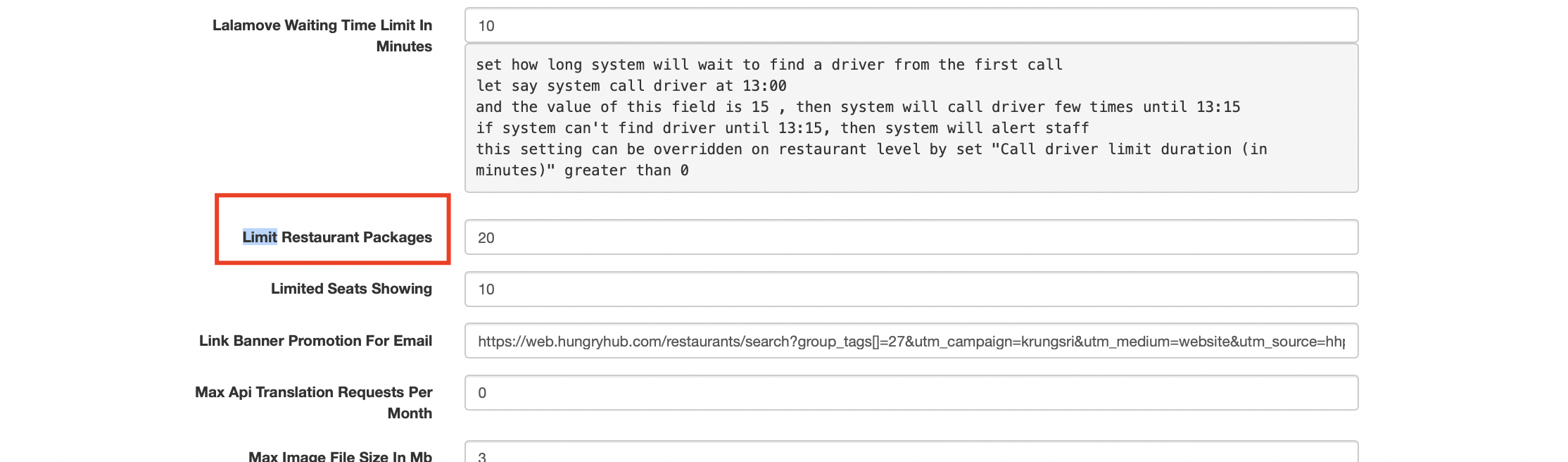 Add On (There is no logic changes) Alert (Put it inside the Add-On section) Green Alert → Client Side Blue Alert → Partner Portal Client Side 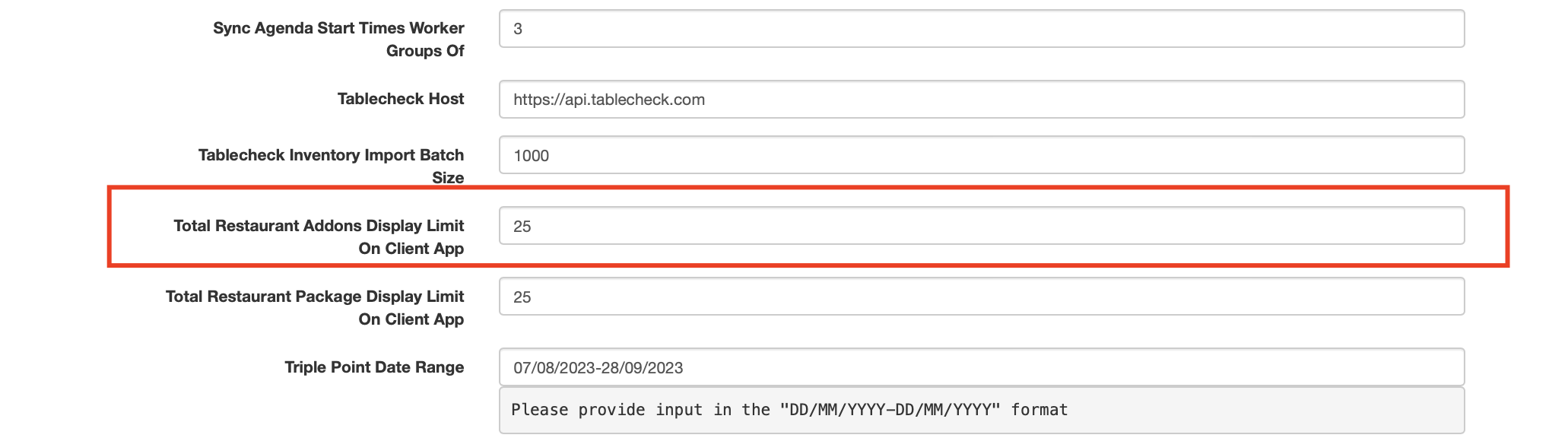 Partner Portal Wording → Limit Add-On on Partner Portal |
| Action Button | Same logic as main package Edit Button → Opens a form allowing users to modify the add-on’s details Rank → Users can manually set a ranking value for the add-on within an outlet. Feature this package → make the add on featured |
| Other Case | A restaurant tries to activate a 21st add-on → Show an error: " Maximum 20 active add-ons allowed. Please deactivate one before activating another."An add-on reaches its End Date → It should automatically become inactive and no longer be shown in the user app. A user attempts to filter add-ons but none match → Show a "No results found" message instead of a blank table. |
Add-On Setting Page
| User Story | Requirement |
|---|---|
| Package Details Page | The Add-On Details Page should open when a user clicks on an add-on from the list. It should allow users to view, edit, delete, and save add-on details. The UI should be responsive and support multi-language inputs. If required fields are missing, highlight them. (use the existing alert) If there are unsaved changes, prompt the user before exiting. |
| Basic Info | There is no logic changes, same as main packages Country (Prefilled from restaurant setting) Currency (Prefilled from restaurant setting) Package Group Name (TH) Name (EN) Name (CN) Add-On Image Description (TH) Description (EN) Description (CN) Terms & Conditions (T&C) Time in Advance |
| Menu, Pricing Configuration, Kid Price, Agenda and Outltes | There is no changes for the logic. same as main packages Menu Options Available options include: Menupro, HH Menu Only, HH Menu V2, HH Menu V2 and Image, HH Menu V2 and Menupro, Image and HH Menupro.Price Total Price = Selling Price × Quantity of package Per Person Quantity of package should be same number as people in the booking. Can't add/reduce the quantity Per Item Quantity of package can be managed by user manually Can't add/reduce the quantity Test Case : Private (https://app.clickup.com/9003122396/docs/8ca1fpw-11562/8ca1fpw-46056) |
| Limit Setting (Phase 2) | Can activate/deactivate the setting Per Day Limits the total number of add-ons available per day. 5 per day → Only 5 add-ons can be purchased each day across all bookings. Show message when user forces to click the add button: "Maximum add-ons per day reached. Try again tomorrow." Per PAX The number of people per booking 2 per PAX → A booking for 3 people can purchase up to 6 add-ons (2 × 3). Show message when user forces to click the add button: "You can only purchase X add-ons per person." If per person (price type) is selected, per pax input form will be 1 as default (can't change the input) Per Booking Limits the total number of add-ons allowed per booking. 3 per booking → No matter how many people are in the booking, they can only purchase a max of 3 add-ons. Show message when user forces to click the add button: "Maximum add-ons per booking is X." User changes a limit after add-ons are purchased → System should adjust limits but not affect existing purchases. Validation Limit must be at least 1Test Case : Private (https://app.clickup.com/9003122396/docs/8ca1fpw-11562/8ca1fpw-46036) |
Create/Edit Booking
| User Story | Requirement |
|---|---|
| Select Add-On Flow : Create booking Edit Booking | Add input form for add-on (dropdown)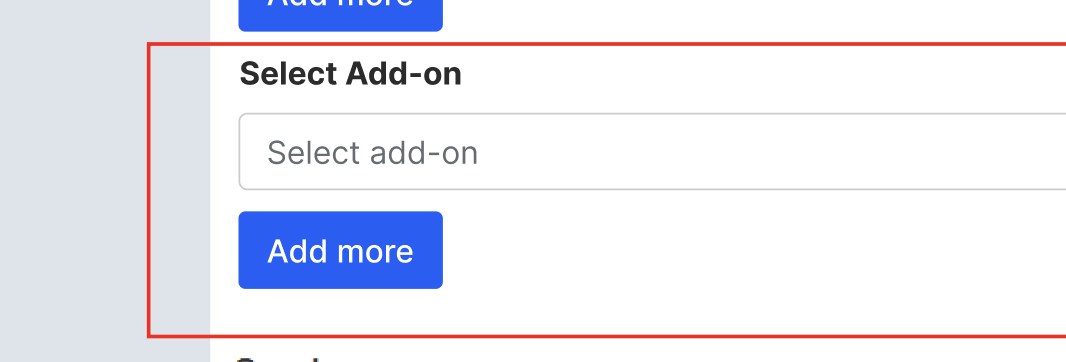 Will show when have selected the restaurant |
| Per Person | Add-on quantity will be calculated basd on the person quantity (adult) Automatically calculate the price based on the quantity of add-on 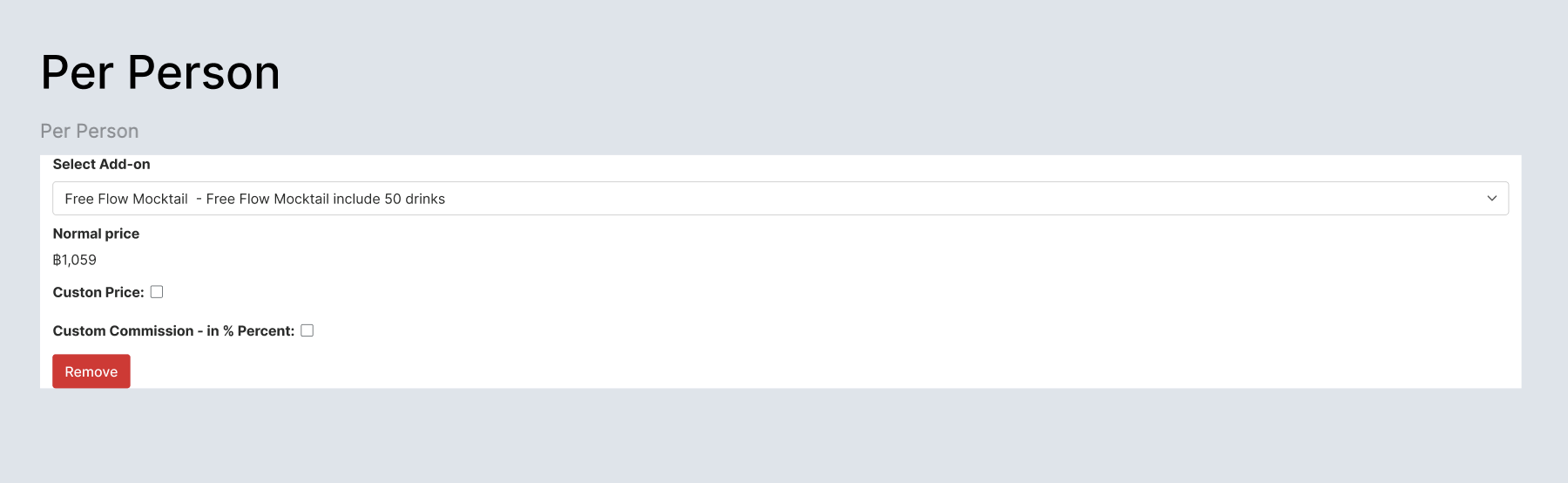 |
| Per Item | Add-on quantity can be managed by admin (manually) Automatically calculate the price based on the quantity of add-on 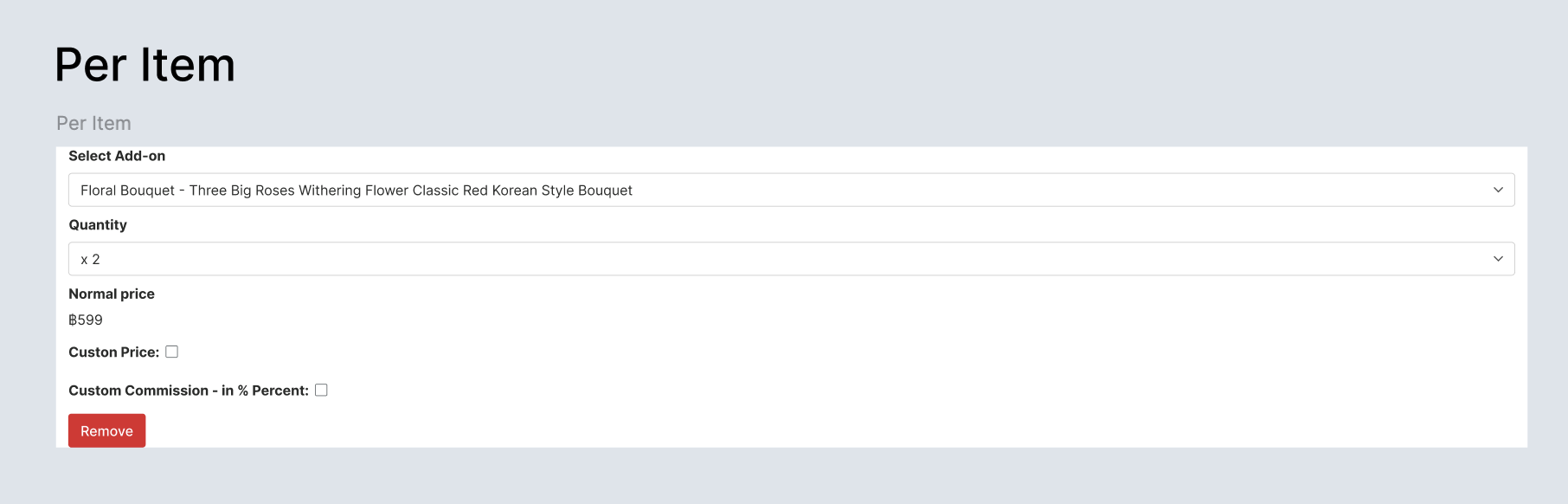 |
Booking List
| User Story | Requirement |
|---|---|
| Display | Add Add-On sectionUse Orange Dot for Add-On Section 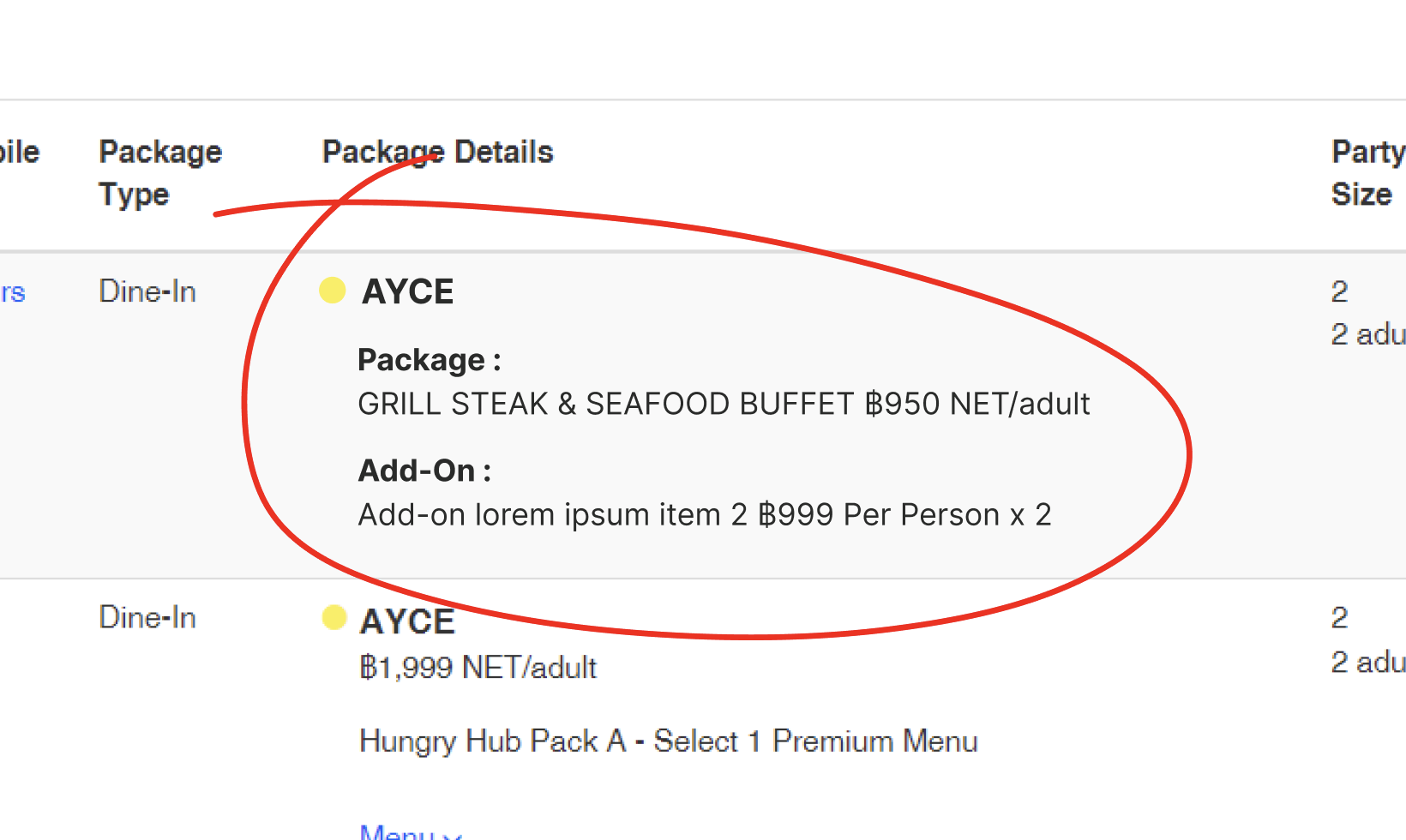 |
❓ FAQ
| Question | Answer |
|---|---|
| Translation? | Pls check on Add-On here : https://docs.google.com/spreadsheets/d/1TQelRnKn6iepFavj09Nyig9CWyQycGqHVvWZHeJie1Q/edit?usp=sharing |
| Other question | Some documents that contain question https://docs.google.com/document/d/10DjMmNd8nQSJKPiRdQ1XI2U7ps0MXb97ZKiBSB7VTQ8/edit?usp=sharing https://docs.google.com/document/d/1L5mwWIRI-gUY3kuuYcABNap77otrWYpUaB-YDfKUqkI/edit?usp=sharing |