Hotwire Turbo Adaptation
- Hotwire
- Capacitor JS
Our hybrid app is inspired by hotwire turbo but different. Our hybrid is event-based, but the turbo is more navigation-based. There are 3 most important things:
- Path configuration (navigation)
- UI component
Path Configuration/Navigation
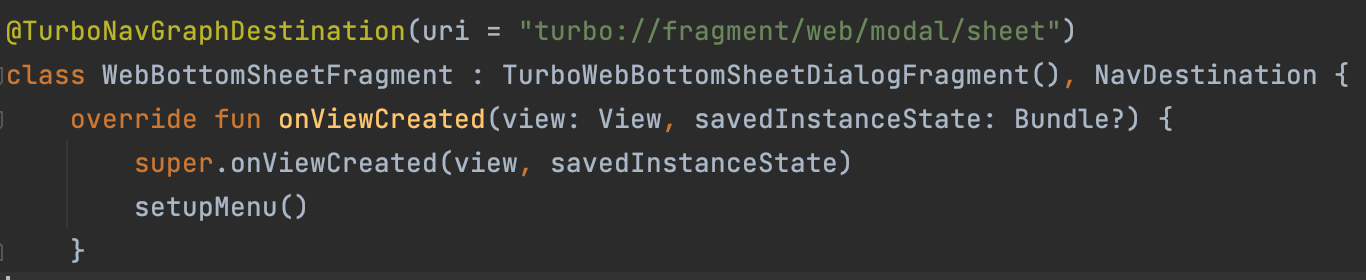
Turbo has a path configuration that maps JSON files to navigate which page will use which component. Turbo uses the path base or checks the URL pattern and sets the properties to decide which component will they used. In example:
{
  "patterns": [
    "/new$"
  ],
  "properties": {
    "context": "modal",
    "uri": "turbo://fragment/web/modal/sheet",
    "pull_to_refresh_enabled": false
  }
}
In this configuration if the url {base_url}/new will show a modal sheet. Turbo use uri as navigation annotation. So, it will navigate to specific components that turbo has.
UI Component
There are 5 UI Component that they used:
- Web Page
- Bottom Sheet
- Modal (Dialog)
- Image Viewer Page
- Native View
Function Component (additional)
- QR Code
- NFC Reader
- etc.
Our Hybrid Adaptation
We also plan to do dynamic implementation. So, no need to create every screen everytime create new features. We can reuse default page, bottom sheet, dialog, and image viewer. Except for specific cases like payment or authentication, we’ll keep it on native.
Default Page
We’ll try to open simple page with some default functions. For example, open restaurant, open browser, etc. Event: onOpenPage Payload:
{
	"toolbar": {
		"type": "none/normal/search/custom?",
		"hint": "Search Menu",
		"title": "Name Something",
	},
	"content_url": "http://pegasus.hungryhub.com/en/some-page",
	"data": {
		"restaurant_id": "997",
		"adult": "1",
		"date": "03-03-2024",
		"time": "12:00",
	},
	"require_token": true,
	"require_location": false,
    "version": 4
}
On App Launch:
- use remote config
- config bottom navigation
On App Resume: *
On Page Changed: *
On App Finished: *
web: onMounted app: doSetupData
Bottom Sheet
Event: onOpenBottomSheet
{
	"title": "Dialog Something",
	"default_button": "Agree",
	"positive_button": "Confirm",
	"negative_button": "Cancel",
	"content_url": "pegasus.hungryhub.com/en/some-page",
	"function": "?"
}
Custom Dialog
Event: onOpenDialogButton
{
	"title": "Dialog Something",
	"default_button": "Agree",
	"positive_button": "Confirm",
	"negative_button": "Cancel",
	"content_url": "pegasus.hungryhub.com/en/some-page",
	"function": "?"
}
Image Viewer
Event: onOpenImage
[
	{
		"title": "Some Image",
		"description": "Some Description",
		"img_url": "http://hh.com/something.jpg"
	},
	{
		"title": "Some Image",
		"description": "Some Description",
		"img_url": "http://hh.com/something.jpg"
	},
	{
		"title": "Some Image",
		"description": "Some Description",
		"img_url": "http://hh.com/something.jpg"
	},
	{
		"title": "Some Image",
		"description": "Some Description",
		"img_url": "http://hh.com/something.jpg"
	}
]
Native View
We’ll implement this if we have some specific page that have dynamic function
Default Function That Should Available
reference: https://turbo.hotwired.dev/
1. Pencocokan library version pas pertama kali Setup - buka app, jika native belum punya version yg dipake web
   maka minta user untuk update mobile app
2. Setiap ngirim event, kirim attribute version
{
  meta: {
    version: 1,
  }
  data: [xxx]
}
coba implement
- image viewer
- clipboard