Installation on Ubuntu
- install MySql 8 or up
- install nodejs version 14, using nvm
- install imagemagick v6 (already installed on ubuntu 18.04)
- install rvm (follow https://rvm.io/rvm/install)
- install redis (follow: https://tecadmin.net/install-redis-ubuntu/)
- install memcached (follow: https://tecadmin.net/install-memcached-with-php-on-ubuntu/)
- install openssl (sudo apt-get install libcurl4-openssl-dev) if error while installing curb gem
- install libsasl2-dev (sudo apt-get install libsasl2-dev) if error while installing memcached gem
- install libmysqlclient-dev (sudo apt-get install libmysqlclient-dev) if error while installing mysql2
- install libmagickcore-dev libmagickwand-dev (sudo apt-get install libmagickcore-dev libmagickwand-dev) if error while installing rmagick 4.0.0
- install webp-ffi dependency (sudo apt-get install libjpeg-dev libpng-dev libtiff-dev libwebp-dev)
- if found this error can't resolve 'date-fns/locale/en' run this
yarn add vue-timeago@^5.0.0and after that run thisyarn add vue-timeago@^5.0.0
DB dummy:
Setup Project
$ cd ~/hh-server
$ rvm --default use ruby-2.7
$ bundle install
$ rake db:create
$ rake db:migrate  (import the database first before you run the migration)
`Top level ::CompositeIO is deprecated, require 'multipart/post' and use `Multipart::Post::CompositeReadIO` instead!
Top level ::Parts is deprecated, require 'multipart/post' and use `Multipart::Post::Parts` instead!
Run Rails Server with warn level logs
$ cd ~/hh-server
$ rails s webrick
Run Rails Server
$ cd ~/hh-server
$ rails s
Run webpack server
$ cd ~/hh-server
$ bundle exec bin/webpack-dev-server
Run kafka
bundle exec karafka-web install
Passenger vs Puma Passenger has very fast reload time, but slower startup time. but Passenger doesn't work with Pry gem. So if you need to run Pry a lot during development, you can use Puma instead.
How to run the app with Passenger in development
bash
bundle exec passenger start --port 3000 --environment development
How to run the app with Puma in development
bash
bundle exec rails server -p 3000 -e development
Run sidekiq
$ cd ~/hh-server
$ bundle exec sidekiq
Run memcached
$ memcached -l localhost
Run redis
$ redis-server
Import database.sql dump file
$ mysql -u root -p < dbfile.sql
Use NVM 12
$ nvm use 12
Install Yarn
$ yarn install
Notes:
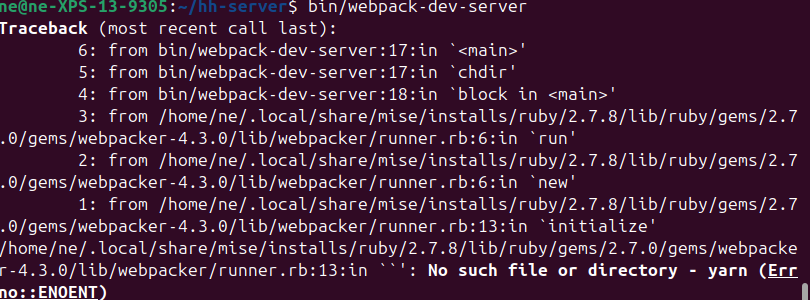
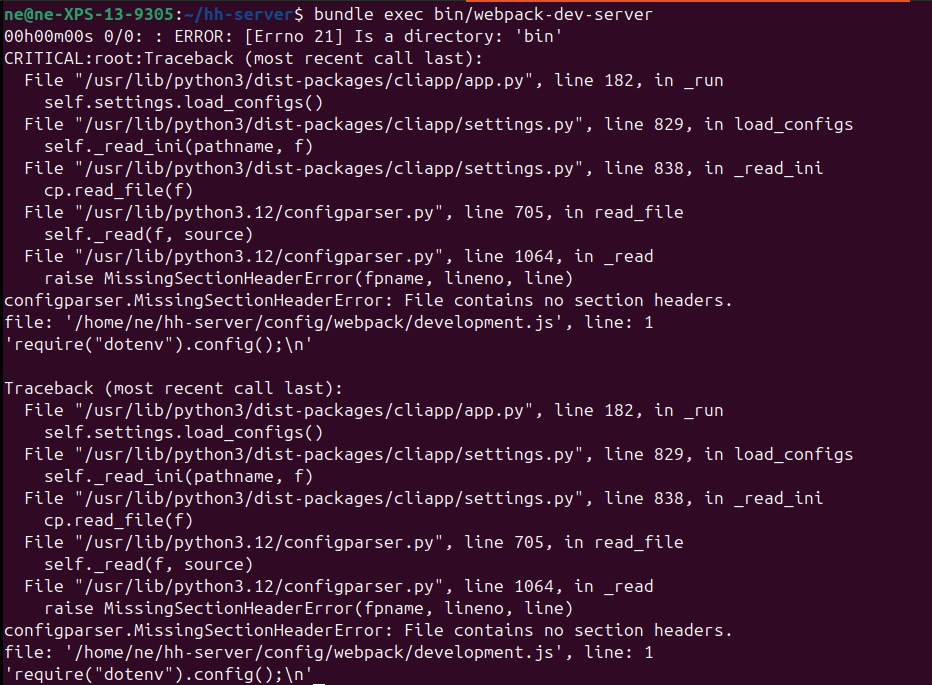
if you get the error on your Ubuntu system when try to run the bundle exec bin/webpack-dev-server
- please try to re install your yarn
- If you are using cmdtest, remove it first and install the yarn using npm https://classic.yarnpkg.com/en/docs/install/#debian-stable
- run the
bundle exec bin/webpack-dev-serveragain, it whould work