How to install HH-Search
Clone the Repository
Clone the repository to your local machine :
git clone https://github.com/hungryhub-team/hh-search.git
Checkout to main if you want to use production code
git checkout main
Checkout to develop if you want to use staging code
git checkout develop
OpenSearch, OpenSearch Dashboard, Kafka & Redis Setup
Install Docker:
docs.docker.com https://docs.docker.com/engine/install/ubuntu/
Turn the docker into non-root user
- Create the
dockergroup.
$ sudo groupadd docker
- Add your user to the
dockergroup.
$ sudo usermod -aG docker $USER
- Log out and log back in so that your group membership is re-evaluated. You can also run the following command to activate the changes to groups:
$ newgrp docker
- Verify that you can run
dockercommands withoutsudo****.
$ docker run hello-world
If you receive this message than the docker successfully turn into non-root user
Hello from Docker!
This message shows that your installation appears to be working correctly.
Install Docker Desktop
- Download latest docker desktop DEB package.
- Install the package with apt as follows:
$ sudo apt-get update
$ sudo apt-get install ./docker-desktop-<arch>.deb
- Launch Docker Desktop
systemctl --user start docker-desktop
[
Linux post-installation steps for Docker Engine
Find the recommended Docker Engine post-installation steps for Linux users, including how to run Docker as a non-root user and more.
https://docs.docker.com/engine/install/linux-postinstall/
](https://docs.docker.com/engine/install/linux-postinstall/)
[
docs.docker.com
https://docs.docker.com/desktop/install/ubuntu/
](https://docs.docker.com/desktop/install/ubuntu/)
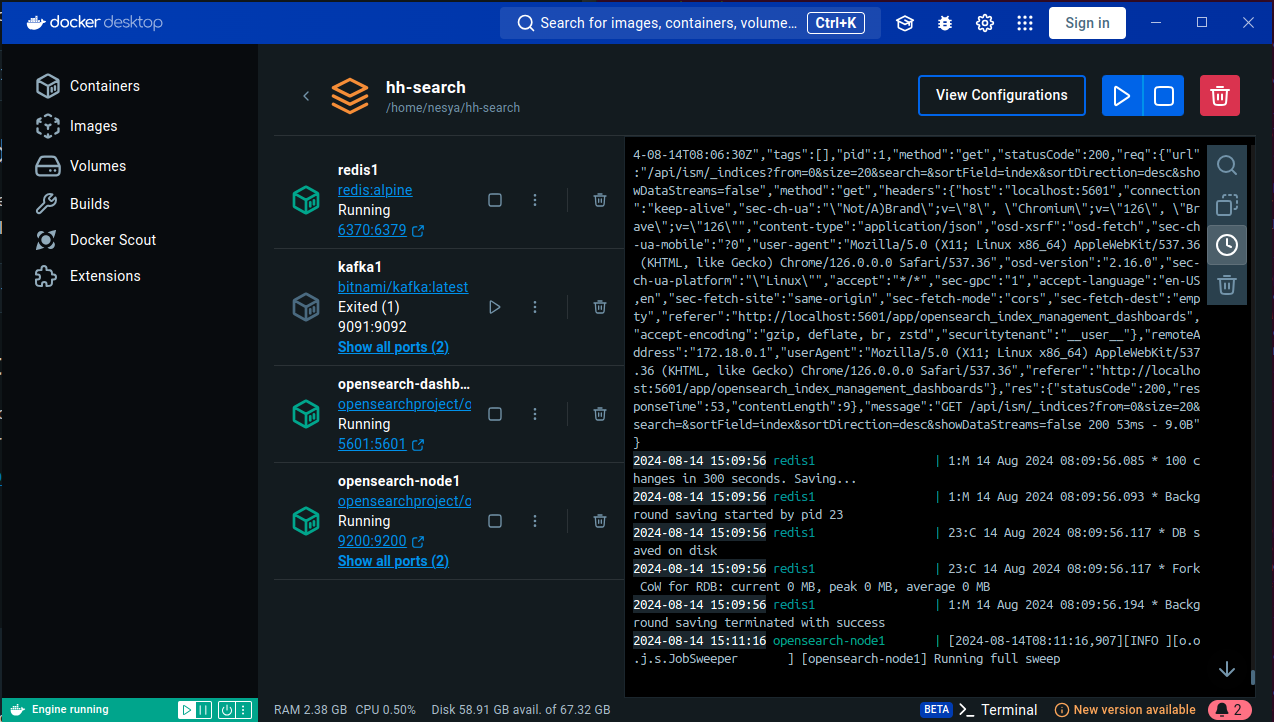
The OpenSearch, OpenSearch Dashboard, Kafka and Redis services are set up using Docker Compose. To start these services, run the following command:
docker compose up redis1 kafka1 opensearch-node1 opensearch-dashboards
Node.js Server Setup
The Node.js server is set up using Fastify. To start the server, follow the steps below:
1. Navigate to the apps/server Directory
cd apps/server
2. Copy the .env.example file to .env
cp .env.example .env
Change the NAMESPACE to localhost
NAMESPACE=localhost
3. Install Dependencies
npm install
4. Run Index Migration
This command will create the index and its mappings in OpenSearch. If an index with the same alias already exists but has a different version, it will create a new index with the new version and reindex the data from the old index to the new index.
npm run index:migrate
5. Run Index Seeder
This command will seed the index with data from the data directory. The data is in .jsonl.gz or .jsonlformat and contains restaurant data.
npm run seed:populate
6. Start the Server
npm run dev
7. Check the OpenSearch Dashboard
The OpenSearch Dashboard can be accessed at http://localhost:5601. You can use the OpenSearch Dashboard to manage and visualize the data in the index.
For the username and password check the .env file:
OPENSEARCH_USER=admin
OPENSEARCH_PASSWORD=P@ss1234!!
OpenSearch Dashboard:
8. Run Index Reset
If the data on the OpenSearch Dashboard remains empty following the execution of the index migrate and index seed processes, please execute the following command :
npm run index:reset
Fastify Server
The Fastify server can be accessed at http://localhost:4000. You can use the Fastify server to query the data in the index.