How to Login and Register as Admin and User
Glossary
- Staging server Private (https://app.clickup.com/9003122396/docs/8ca1fpw-30916/8ca1fpw-34036)
Client App or Website
How to Register as User
using Email and Password
-
Open the following link: [https://hungryhub-build-staging.netlify.app/?locale=th](https://hungryhub-build-staging.netlify.app/?locale=th) - Make sure to choose the correct environment when using the client web by referring to the options available at https://hungryhub-build-staging.netlify.app/flipper/environment?locale=en.
- Once you have selected the environment, click on "Join" on the navbar.

- If you want to login on production you can open https://web.hungryhub.com/?locale=en and click on "Join" on the navbar.
- It will launch the pop up window for registration
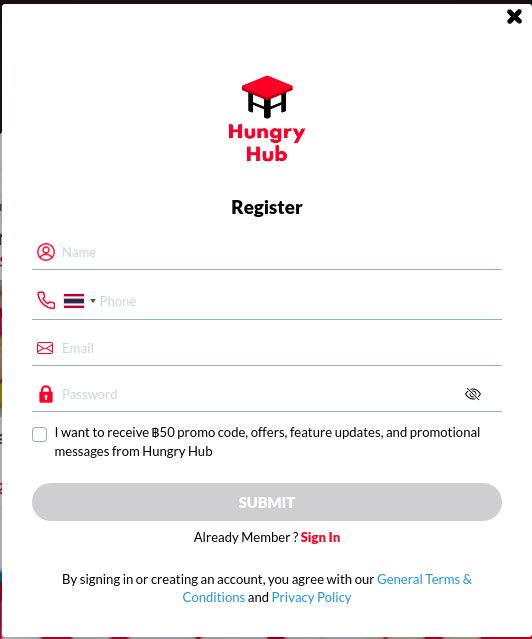
- Fill the form and Click "Submit"
using Social Media
You can't use social media option on staging
- If you want to try register using social media, you can try it on production
- Download Hungryhub App on Play store or App store
- Open HungryHub app ➝ Profile ➝ Register
- Pick the social media(Facebook or Google account)
- You will redirect to the social media login page
- After you login or pick the account that you want to register, it will redirect back to HungryHub app
using API
- Download the API Collection
- Import the API Collection to your Insomnia
- If you want to create user, you can register first using this endpoint
{{ base_api }}/users.jsonyou can pick 4 type of sign up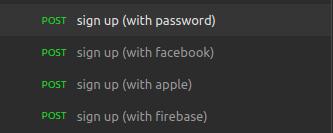
- use sign up with password if you use staging server
json { "minor_version": "{{ minor_version }}", "name": "SaiqulHaq", //your name "password": "secret12", //your password "email": "your_email@gmail.com", "phone": "85217037876", //your phone number "calling_code": "+62", //your county code "r_code": "REF-QAZYQ", //if you have refferal code "provider": "hungryhub", "language": "en-US", //you can pick en or thai "guest_booking_ids": [] }
How to Login as User
using Email and Password
- Open the following link: https://hungryhub-build-staging.netlify.app/?locale=th
- Make sure to choose the correct environment when using the client web by referring to the options available at https://hungryhub-build-staging.netlify.app/flipper/environment?locale=en.
- Once you have selected the environment, click on "Sign in" on the navbar.
- If you want to login on production you can open https://web.hungryhub.com/?locale=en and click on "Sign in" on the navbar.
- It will launch the pop up window for sign in
- Fill the form and Click "Sign in"
using Social Media
You can't use social media option on staging
- If you want to try register using social media, you can try it on production
- Open hungryhub app ➝ Profile ➝ Sign In
- Pick the social media(Facebook or Google account)
- You will redirect to the social media login page
- After you login or pick the account that you want to register, it will redirect back to hungryhub app
using API
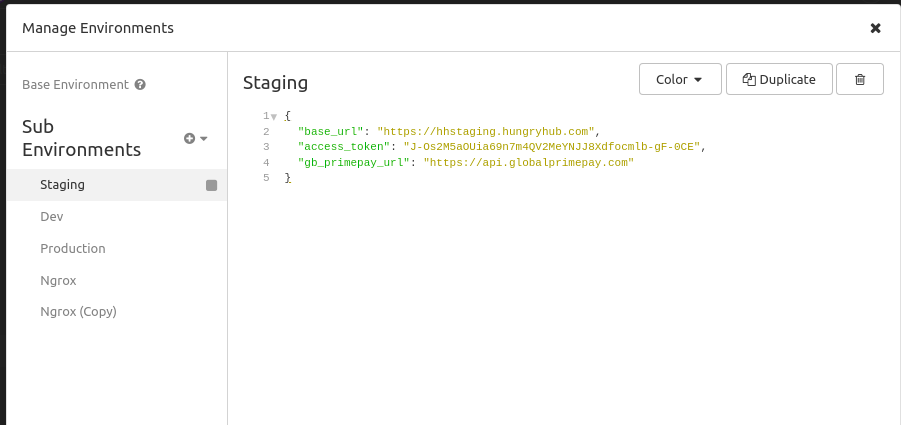
If you already have account you can sign in using {{ base_url }}/oauth/token.json and hyou will get you access_token
💡 If you already sign up or sign in copy the “access_token” and paste into environment → access_token if you using insomnia
If you are using another API client you can add access token on your body JSON payload
Admin
How to Create Admin Account
On Production
- Open
https://web.hungryhub.com/?locale=enand sign up using google(or form) and HungryHub email - Then open
https://hungryhub.com/admin/sign-in?locale=th - Click Sign In
- Sign In with your hungryhub email
On Staging
- Open
https://hungryhub-build-staging.netlify.app/?locale=thand sign up using form and HungryHub email - make sure that the environment that you use on client web is correct, please check the environment here: https://hungryhub-build-staging.netlify.app/flipper/environment?locale=en
- pick the environment based on which admin side you want to register in
- Then open this link Private (https://app.clickup.com/9003122396/docs/8ca1fpw-30916/8ca1fpw-34036)
- Click Sign In
- Sign In with your HungryHub email