Dynamic Booking Flow Setting
- Open admin dashboard
- Find a restaurant that you want to set a dynamic booking flow
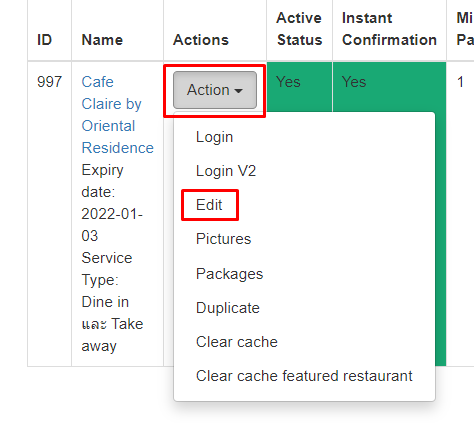
- Click “Action” on the restaurant, then click “Edit”
- Scroll down and look for “Booking Flow”
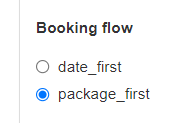
- If you select “date_first” : the first flow that appears after selecting adult is select the date
- If you select “package_first” : the first flow that appears after selecting adult is select package
- Click “Update Restaurant”