Singapore Landing Page & Admin Adjustment
Document Feature
Title
Singapore Landing Page & Admin Adjustment
Description / Background
Currently, our product can use within Thailand (both as partner + client) so if we would like to expand to another country we don’t have anything to set up to specific country. We need to be ready to onboard Singaporean Partners and Users.
Objectives
- All Singaporean user will redirect to new landing page
- You can find singapore on dropdown city list
- On partner app and Owner dashboard it will show EN as default language
- The default language for singaporean user from web is using personalized based on the browser language
- On app we can add pop up to choose default language
- For singaporean user package its only available for Dine in(AYCE and PP) and Xperience
- We add new currency SGD(S$) In Booking step and confirmation, stylize Singapore currency as S$xxx (Other than this, we stylize Singapore currency as $ only)
- Admin can change currency on package type to SGD
- If user sign up from Singaporean Landing Page it will force display singapore city everytime they use our platform
- If user sign up from Thai Landing Page it will force display thai city everytime they use our platform
- Have new districts, Popular zone, Public transport cuisine type, and pricing tier
- We can choose SG time zone on sign up, restaurant page and package page
- New opening hour format for singaporean restaurant
- All singapore user can see promo or deals for Singapore only
- For singaporean user will receive notification via email, sms and WhatsApp Business
- Can see this section:
- Trending outlets
- Top cuisines
- Near me outlets (if location service is turned on)
- Book Again outlets (if the user has past bookings)
- Gift Card banner
- Hide the what’s on your budget section
- Hide 6 home icon section
- Hide the new restaurants
- About reward first review, we can show it along with we prepare the reward for singapore
- Admin can select country on:
- Create Restaurant page
- Create Package page
- Create Voucher page (Voucher in marketplace)
- Create Promo Code page
- Booking List page filter
- Resturant list filter
- User list filter
- the default country for existing data was THAI, and the selected country determines the currency.
- Its mandatory to pick the country
- Admin can see which country the User signed up from, on User page
Scope
- All platforms
- Admin Dashboard
Sequence Diagram / Flow
ERD
Singapore expansion (1).drawio
DB Schema / Database Migration
| Column Name | Data Type | Description |
|---|---|---|
| country_id | foreign key | Add country_id to: hh_package_package_ayces hh_package_package_hungry_at_homes hh_package_package_hungry_sets hh_package_package_party_packs hh_package_package_xperiences hh_package_package_set_menus hh_package_package_buffet_extras ticket_groups restaurants |
API Blueprint
| Method | Path | URL | Description | Payload |
|---|---|---|---|---|
New Query
Notes, Constraint & Assumptions
- City dropdown list Figma link
- Alphabetical order
- Country flag icon before the City name
- Service Type shortcut Figma link
- Dynamic
- Determined by the available Service Type in that City
- Link to the Search page with the clicked Service Type filtered on
- Recommended for you Figma link
- Display after the user completes the survey
- Other logic, refer to this PRD
- Promotion banner Figma link
- Display promotion tagged to the City
- Setting from Admin Dashboard
- Link to the promotion landing page
- Trending outlet cards Figma link
- Follow the logic here
- Top Cuisine Figma link
- Only display the Cuisines which the City has
- Near me Figma link
- Display “Turn on location service” UI if it’s off Figma link
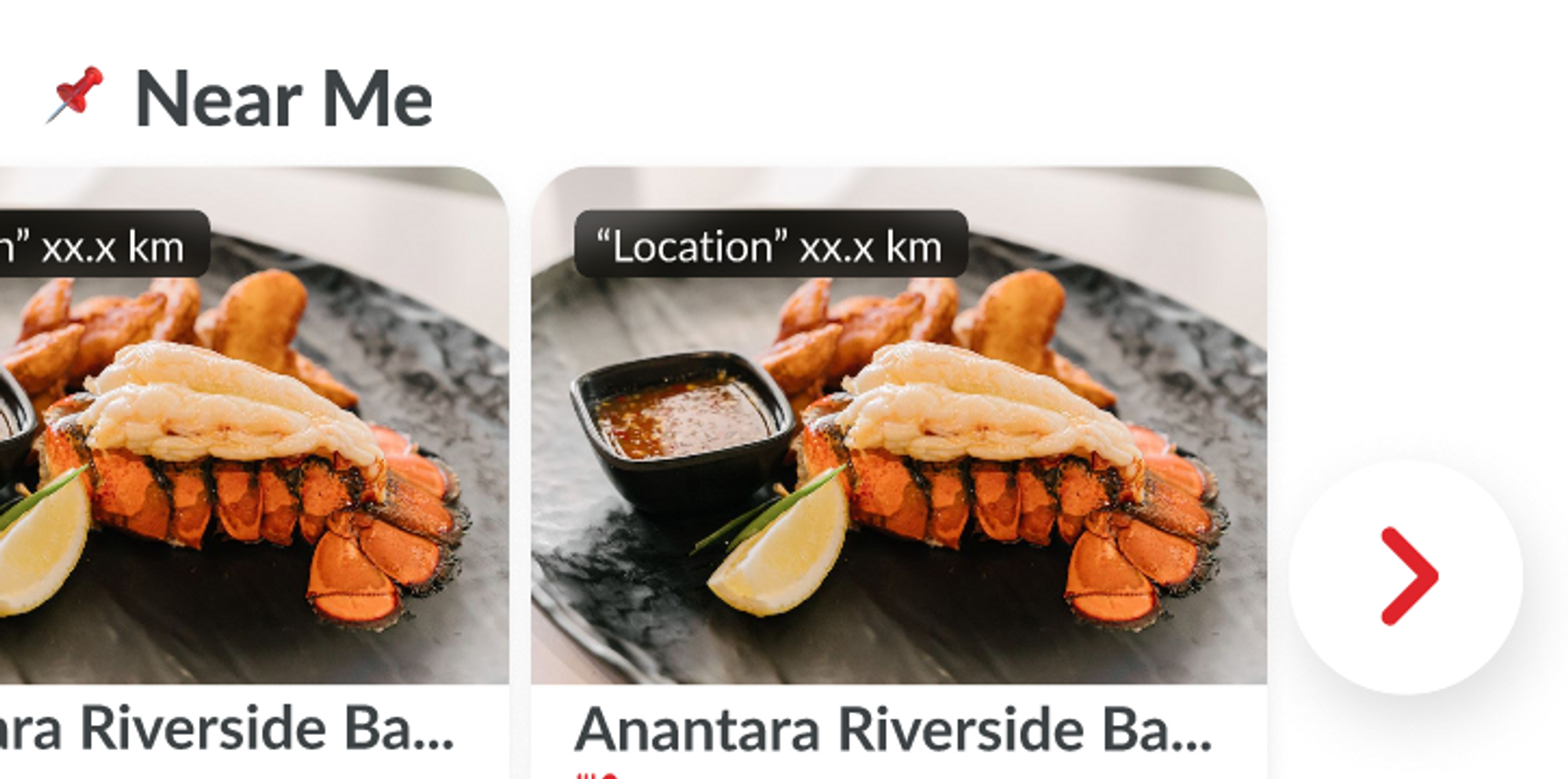
- Display outlet cards near the user
- Once this is on, all outlet cards should have the distance displayed
- Book again Figma link
- Display if the user is logged in and has past bookings
- Gift Card banner Figma link
- Upload via admin dashboard
- One banner for all cities
- Link to the specific country/currency Gift Card page
- More to explore Figma link
- Display all of that City’s outlets
- Load 8 cards at a time
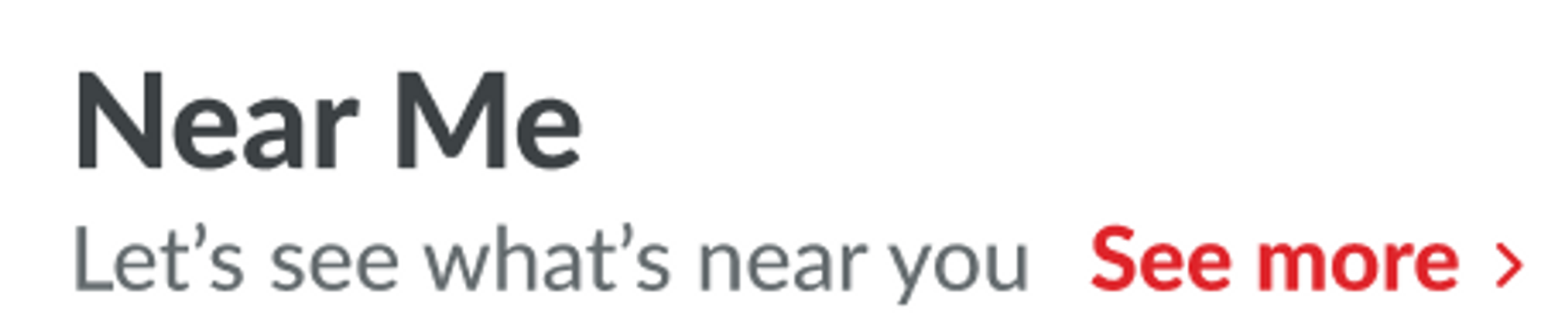
- Section heading
Desktop a. Heading and tagline setting via admin
b. See more > comes after the tagline
c. Link to the Group landing page
Mobile
a. Heading setting via admin
b. Button at the end of the slider to see more
c. Link to Group landing page
About Price Currency Format
Since we will have multiple currency. For now, please make sure there is no hardcoded ฿ or THB in our code.There are object and parameter that we’ll use:
Restaurants Object
https://hh-engineering.my.id/api/v5/restaurants/search.json https://hh-engineering.my.id/api/v5/restaurants/1572.json https://hh-engineering.my.id/api/v5/user_restaurant_histories.json?access_token=CTf5ECNXmRv1Ld4UwLgGGxTtegnDwK8zmcmat07l890
Example: recommended for you, book again, near me. For this restaurant object, we’ll use price_and_pricing_type for the right value will be adjusted by the backend team.
 For search results there is one more conditional will use lowest_price or highest_price depend on filter that we used.
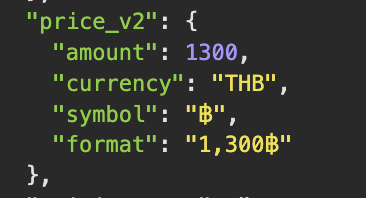
Featured-restaurants object
https://hh-engineering.my.id/api/v5/homes/section_3.json?city_id=1 https://hh-engineering.my.id/api/v5/homes/section_8.json?city_id=1
Example: New Partner, Trending, Daily Pick, or any Group Landing Section. For this restaurant object we’ll use price_v2.
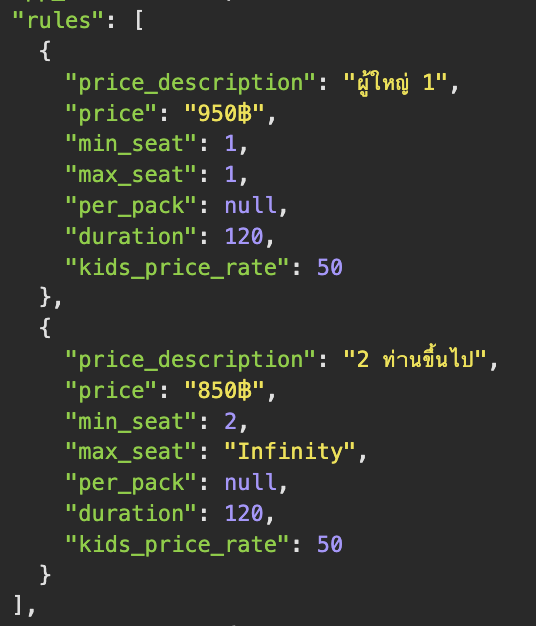
Restaurant-packages object
https://hh-engineering.my.id/api/v5/restaurant_packages.json?restaurant_id=1572
Example: Restaurant Detail or Select Package. For this section we’ll use rules for the price value. In restaurant detail we usually use the lowest one, and if multiple data in select package we show based on selected adult.
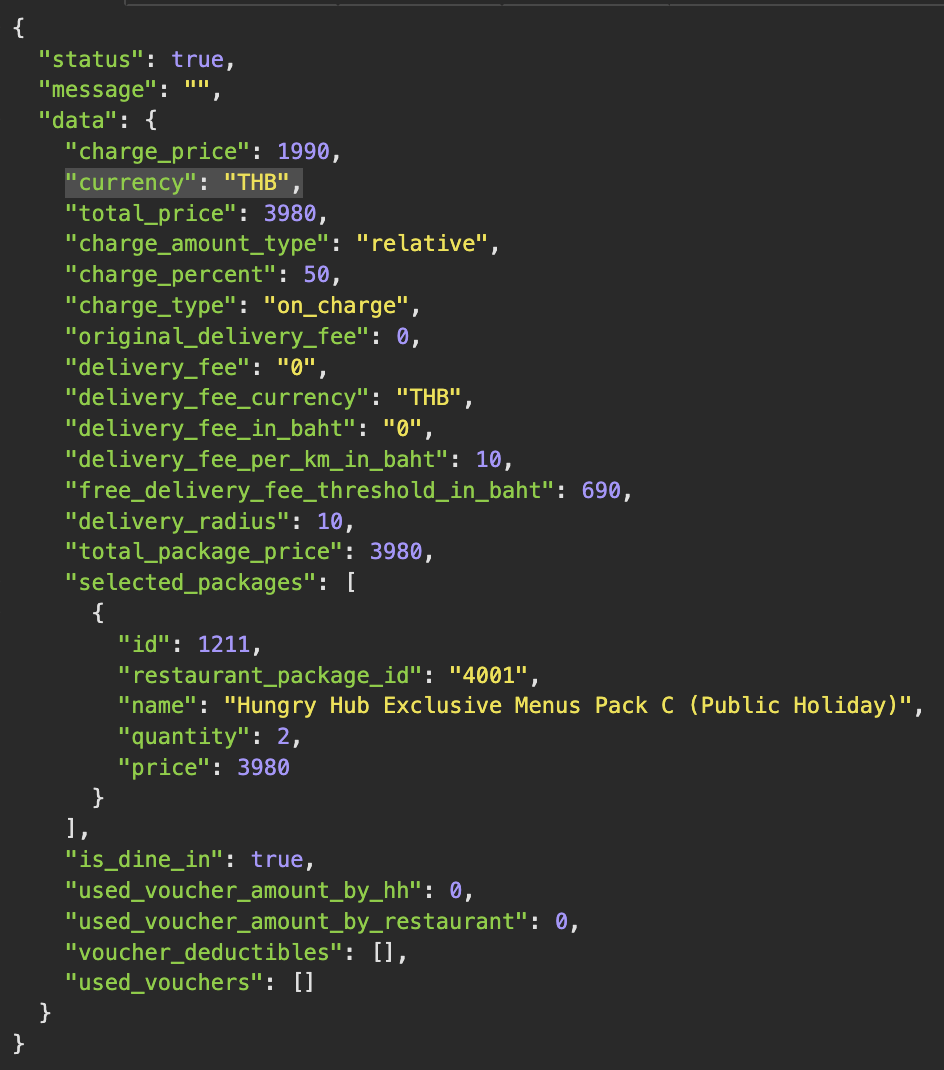
Charge Summary / Confirmation Booking
https://hh-engineering.my.id/api/v5/restaurants/837/calculate_package_price.json
The logic is still the same. But, we need to read currency format. If “THB” we will use xxx ฿ and if currency “SGD” will use S$ xxx
Dynamic Service Type
Previously when implementing service type we hardcode on client app. But since Singapore only needs 2 types, I think it would be better to make it dynamic. So, in the next expansion or adding city will automatically decide which service type should we show. Requirement: API url: {{ base_api }}/service_types.json query: city_id If client send city_id, backend can query the restaurant by city id that contains a specific package type, if city doesn’t have restaurants that have package hah we hide Delivery and if doesn’t have xp we hide Experience.
Expected response:
{
	"data": [
		{
			"id": "1",
			"type": "service_types",
			"attributes": {
				"name": "Dine in",
				"type_code": "dine_in",
				"logo": {
					"url": "/img/default-restaurant-logo.png"
				},
				"package_types": [
					{
						"name": "All You Can Eat",
						"type_code": "ayce"
					},
					{
						"name": "Party Pack",
						"type_code": "pp"
					}
				]
			}
		},
		{
			"id": "2",
			"type": "service_types",
			"attributes": {
				"name": "Delivery",
				"type_code": "delivery",
				"logo": {
					"url": "/img/default-restaurant-logo.png"
				},
				"package_types": [
					{
						"name": "Hungry@Home",
						"type_code": "hah"
					}
				]
			}
		}
	]
}
TODO / Task List / Action Items
https://3.basecamp.com/5190892/buckets/30554213/todosets/5625431123
References
https://www.figma.com/file/P3Ca3Jp1HaFKm6jEbe5Wbs/SG-Landing-page?node-id=0%3A1&t=m7tMC0KaqE5DDaP5-1https://docs.google.com/document/d/1Z5ge467Eyty4Sq_aSd00PX97odzeL09wbkXmJV4VM2c/edit
Change History
| NO | Date Time | What Chaged | Description |
|---|---|---|---|
| 1 | 09 Dec 2022 | - | Initial Document |
| 2 | 23 Dec 2022 | note and objective | Add new note and objective |