Group Landing Client Technical Documentation
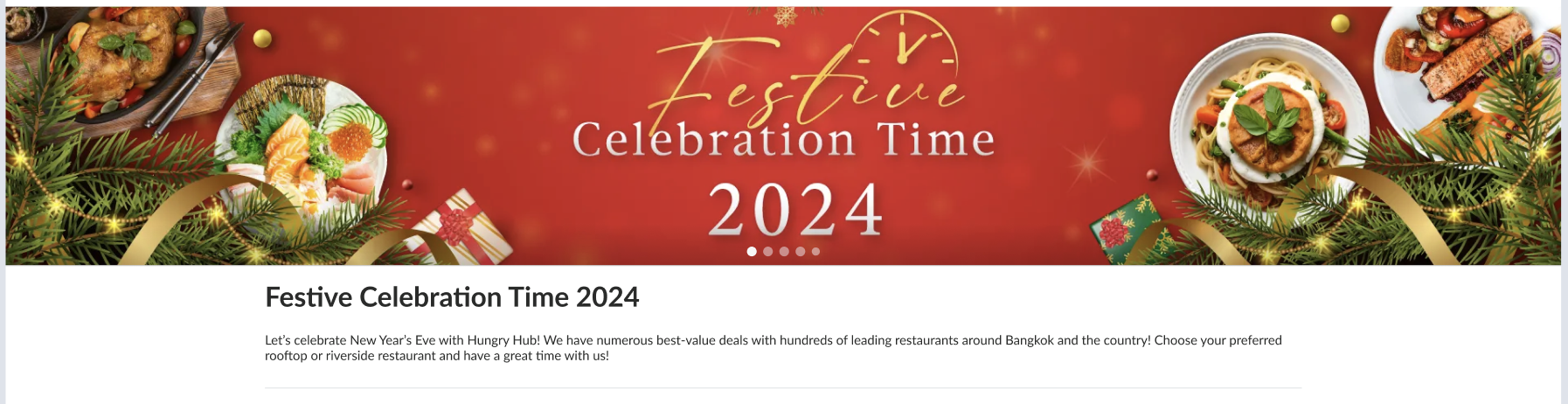
As we know, the new group landing page’s design is similar to the UI of the search page. The following explains the changes.
Current API:
{{ base_api }}/group_landing_pages/{slug}.json {{ base_api }}/group_landing_pages/{slug}/reviews.json?review_type=blogger {{ base_api }}/group_landing_pages/{slug}/reviews.json?review_type=user
Restaurant Data:
{{ base_api }}/branch/{id}/restaurants.json {{ base_api }}/restaurant_tags/{id}/restaurants.json {{ base_api }}/restaurant_tag_groups/{id}.json
API Updates
{{ base_api }}/group_landing_pages/{slug}.json Before:
{
	"data": {
		"id": "269",
		"type": "group_landing_pages",
		"attributes": {
            .......
			"compact_restaurant": false,
			"total_restaurants": 9,
			"group_tag_id": null,
			"branch_id": 135,
			"tag_id": null,
            .......
		}
	},
	"success": true,
	"message": null
}
After:
{
	"data": {
		"id": "269",
		"type": "group_landing_pages",
        "attributes": {
            .......
			"compact_restaurant": false,
			"total_restaurants": 9,
			"group_tag_id": null,
			"branch_id": null,
			"tag_id": 12,
            "selected_ids": [
				{
					"id": "12",
					"type": "tag_id",
					"name": "New Year Celebration",
					"rank": 1,
                    "outlet_rank": [
				    {
				    	"id": "930",
			    		"rank": 1,
			    		"name": "Cafe Satu"
		    		},
		    		{
						"id": "977",
						"rank": 2,
						"name": "Resto Satu"
					}
				  ]
				},
				{
					"id": "5",
					"type": "branch_id",
					"name": "Mie Gacoan Group",
					"rank": 2,
                    "outlet_rank": [] // default empty
				},
				{
					"id": "15",
					"type": "group_tag_id",
					"name": "Sweet Valentine",
                    "outlet_rank": [] // default empty
				}
			],
            .......
		}
	},
	"success": true,
	"message": null
}
New:
{
	"data": {
		"id": "269",
		"type": "group_landing_pages",
        "attributes": {
            .......
			"compact_restaurant": false,
			"total_restaurants": 9,
			"group_tag_id": null,
			"branch_id": null,
			"tag_id": 12,
            "sort_type": "most_relevance",
            "landing_groups": [
				{
					"group_id": "12",
					"group_type": "RestaurantTag",
					"name": "New Year Celebration",
					"rank": 1,
                    "rank_sort_type": "default"
				},
				{
					"group_id": "5",
					"group_type": "Branch",
					"name": "Mie Gacoan Group",
					"rank": 2,
                    "rank_sort_type": "default"
				},
				{
					"group_id": "15",
					"group_type": "RestaurantTagGroup",
					"name": "Sweet Valentine",
                    "rank": 3,
                    "rank_sort_type": "manual"
				}
			],
            .......
		}
	},
	"success": true,
	"message": null
}
Outlets Rank Using HH Search
- Store outlet rank to hh-search
- Rank based on each group landing page
- Add group_tag_id
Update Get Restaurant Data
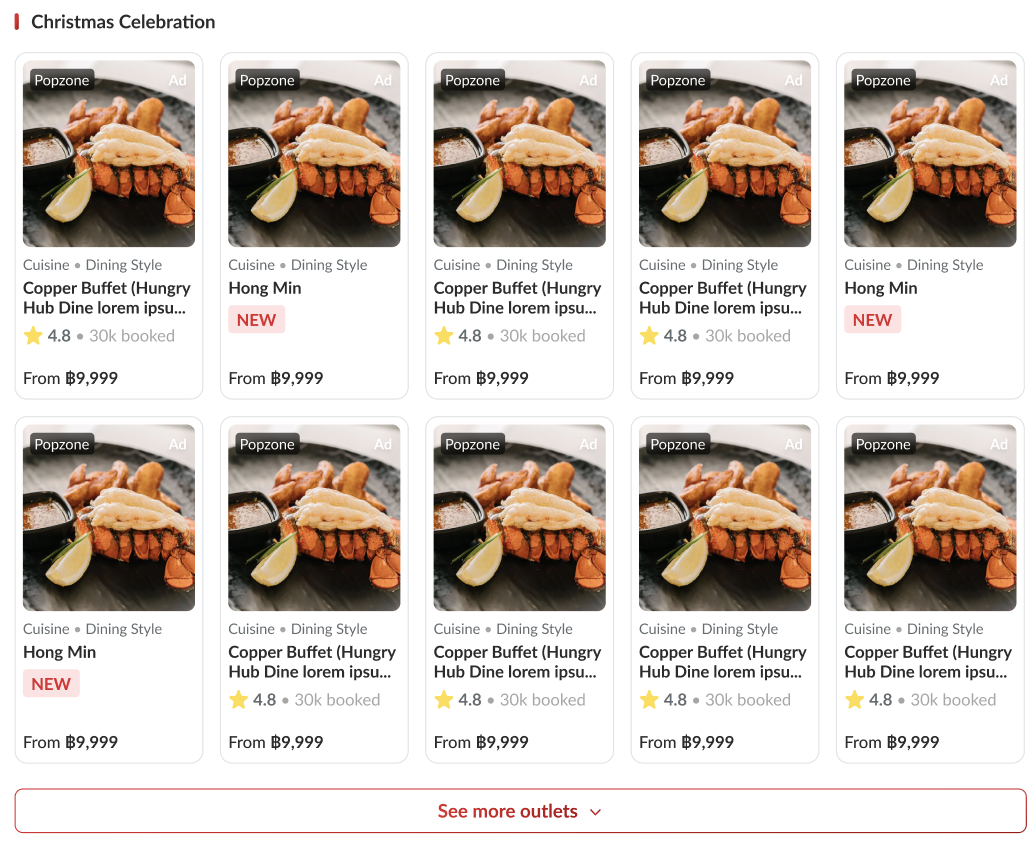
For the update we’re not use the previous API and going to use search API to get restaurant data: {{ base_api }}/restaurants/search.json?branch_id=5&location_ids=12 open search > graphql
Expected: Applied tag use AND with another filter.
The filter works the same as the search page. But for this group landing should we have a new filter type?
Existing: Sesama cuisine OR Sesama location OR Between AND If our current filter use OR this might show more restaurant than expected?
Tag: Cuisine Filter: Location/package type, xxx_tag_id=xx
tag (cuisine) AND other tag (cuisine)
If branch_id and group_tag_id use AND with other filters, that should be safe. Just make sure that if tag_id still uses OR, create a separate tag specifically for group landing by tag_id Japanese 100 Thai&Japanese 30 (irisan) 130
Group Landing Section Home
Note: will use old group landing page for section restaurants. We have another group landing that customize/hardcoded from home setting. It’s called group landing section home. In example: Step:
- check slug on: https://hungryhub.com/api/v5/homes/sections.json
- after check slug get restaurant from param section_number: “section_number”: “section_9”
- get restaurant data https://hungryhub.com/api/v5/homes/section_9.json?city_id=1
Ignore: https://web.hungryhub.com/en/new-on-hungry-hub-179/web?rd=0 This group landing doesn’t get data by tag_id, branch_id or group_tag_id. But have their API: https://hungryhub.com/api/v5/homes/section_9.json?city_id=1 Can we extract the tag_id from sections API to load in our new group landing page? This is our current sections API: https://hungryhub.com/api/v5/homes/sections.json Need to check: section_9, section_8, section_3, section_1, section_6, section_11 If possible we can add 1 tag_id and use it for new group landing page:
{
"id": "1",
"type": "home_sections",
"attributes": {
"title": "New on Hungry Hub",
"icon": {
"url": "https://images.hungryhub.com/img/default-restaurant-logo.png"
},
"description": "Feeling hungry? Check out Hungry Hub's latest restaurant recommendations featuring over 1,500+ updated options across Thailand, including Thai and international restaurants, Chinese eateries, cafes, rooftop bars, and staycations. book now!",
"footer_description": " Don't miss it! With the first 5 reviews of new restaurants receive a free 100 baht voucher to use as a discount on restaurant and hotel reservations within Hungry Hub",
"tag_line": null,
"section_template": "outlet_4_card",
"punch_line": "New on Hungry Hub",
"active": true,
"slug": "new-on-hungry-hub-179",
"section_number": "section_9",
"section_image": null,
"tag_id": "750"
}
}
Hybrid Event
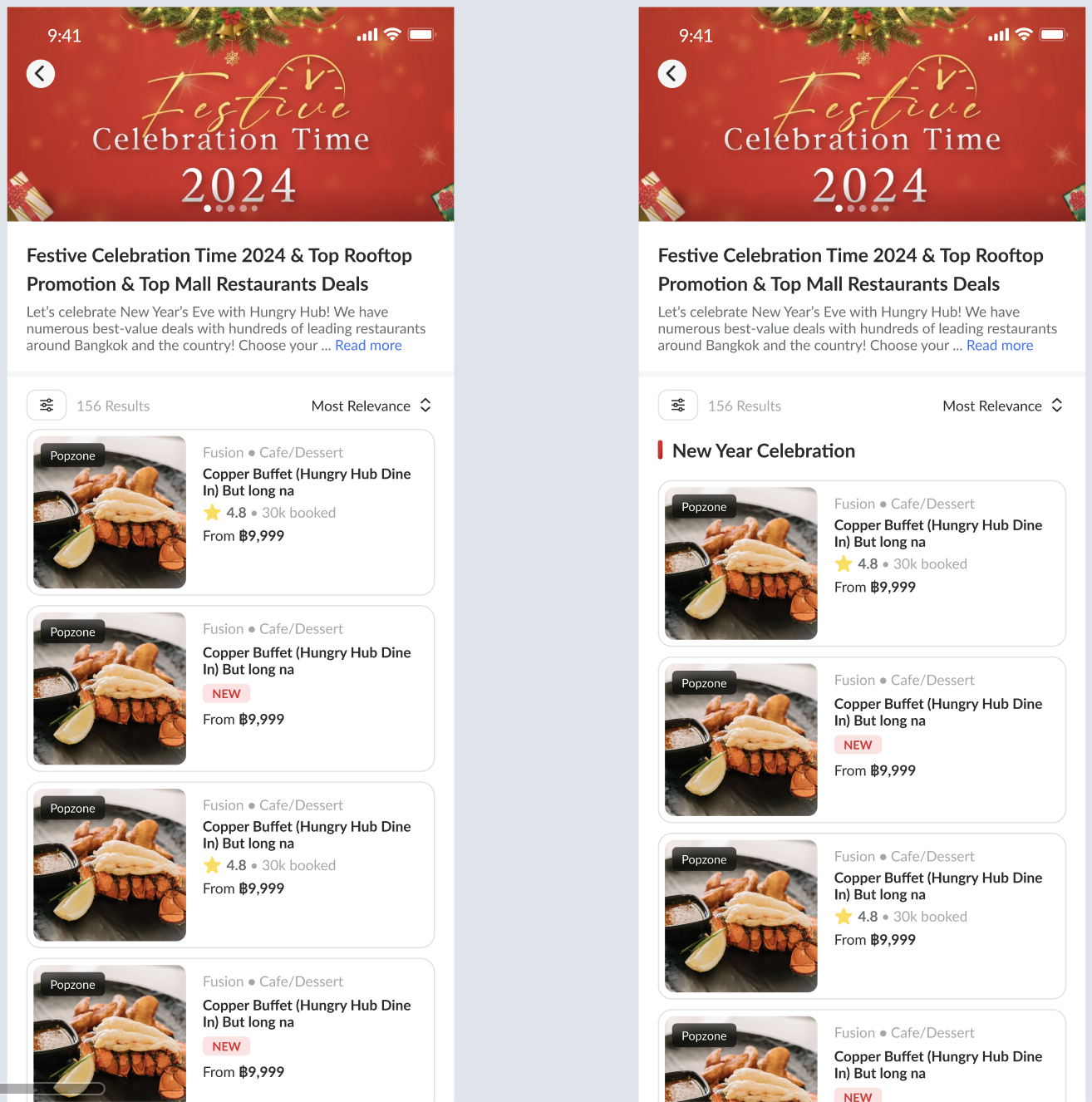 We have several types of group landing page:
- by branch
- by tag
- by group tag
- by section home
But since we gonna use hybrid, we only need to use the slug on the URL. In example:
In production we have this url: https://web.hungryhub.com/you-i-premium-suki-buffet if deeplink detected as group landing page. We’ll load group landing page hybrid with this URL:
https://pegasus.hungryhub.com/en/you-i-premium-suki-buffet?hybrid=true&client_type=android&layout=plain
Flipper Enable Group Landing Page
But we also will have flipper to adjust navigation. If enable_group_landing_page true will send the slug to new group landing page hybrid and if false will open existing old group landing page.
I just notice filter by nearest required latitude and longitude. At the beginning if client have location should send their location with this event:
doSetupData
{
	"lat": 13.730005,
    "long": 100.5770843,
}
If hybrid doesn’t receive latitude and longitude will trigger this event:
onRequestAccessLocation (I check this event already exist) And client will resend doSetupData again when allow location permission.
For group landing page we’ll use the same event like on the search page. If the search object is a “restaurants”
onClickRestaurant This is the param that we need:
{
	"restaurant_id": "12"
}
If the restaurant object is featured_restaurants
onClickFeaturedRestaurant
{
	"restaurant_id": "12",
	"branch_id": null,
}
If branch_id is null will open a single restaurant page
{
	"restaurant_id": null,
	"branch_id": 13,
}
If branch_id not null will open group landing page or search page by branch_id
 For additional we need to handle back press and will use this event:
onBackClicked
Ads in Group Landing Page and Homepage
Task: https://app.clickup.com/t/86cwm14f8
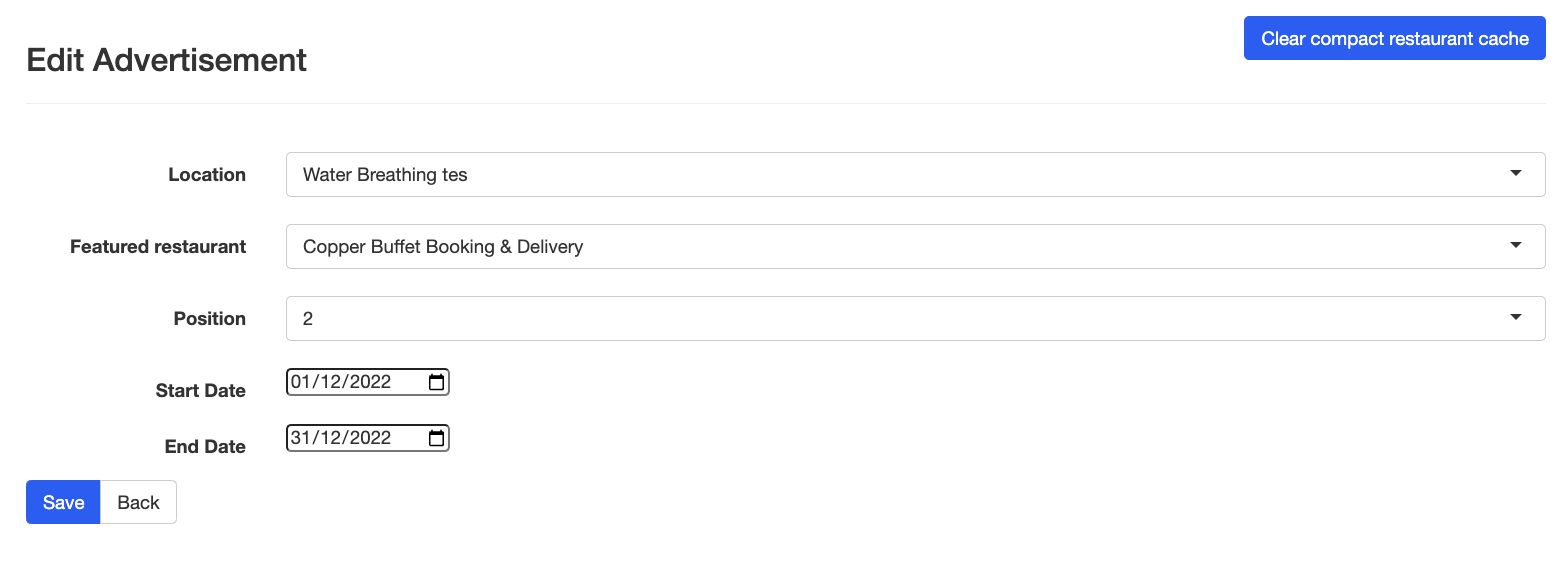
Our current ads setting:
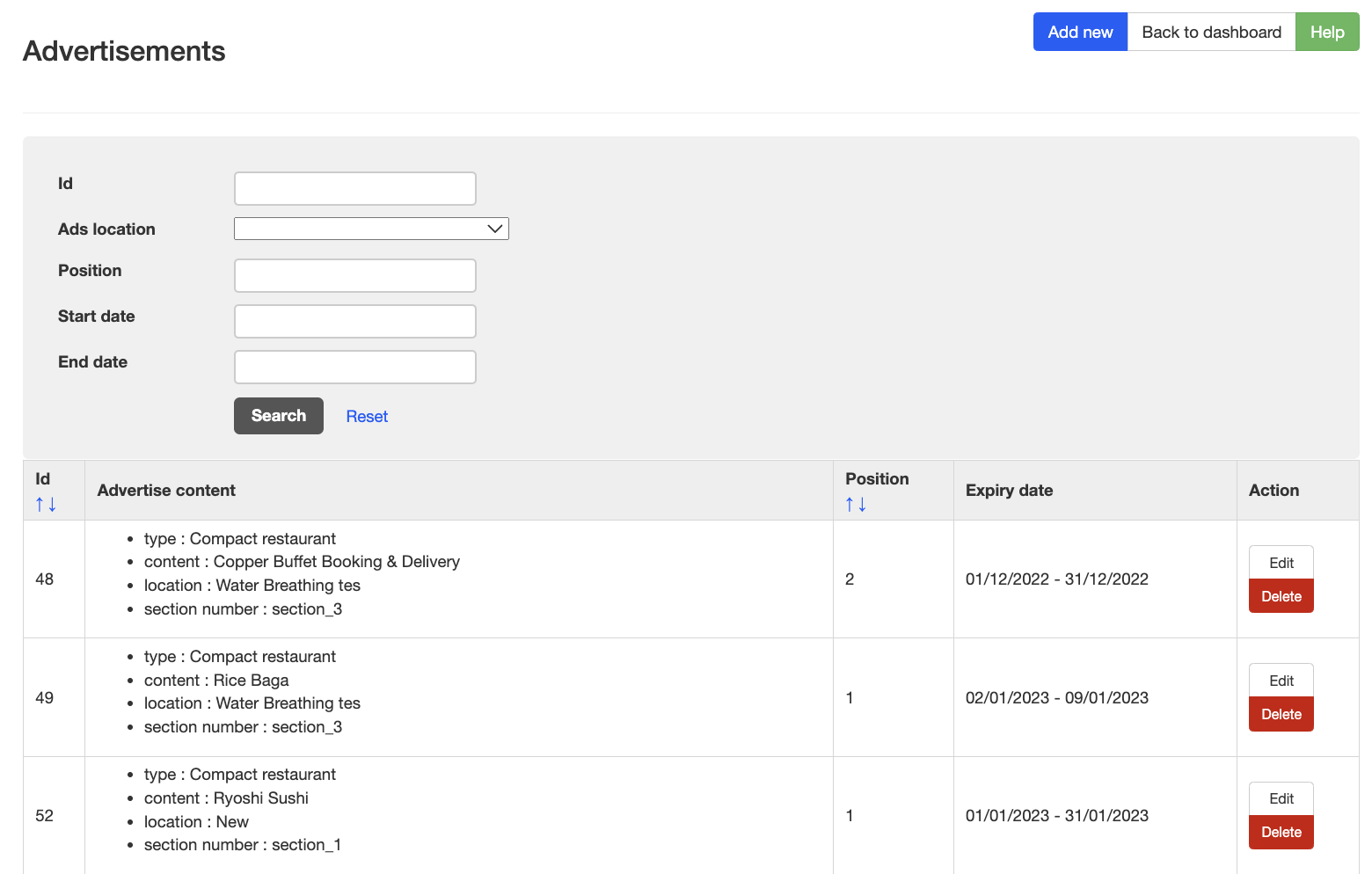
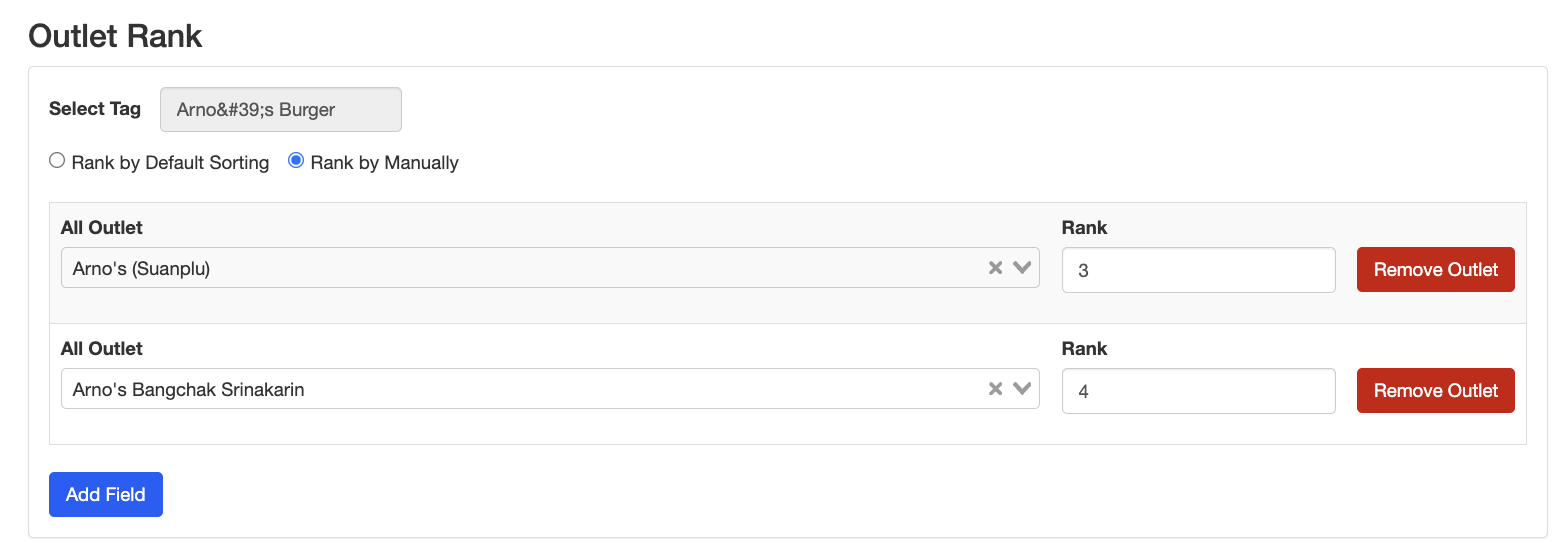
Our current group landing page rank setting:
Expected output: https://www.figma.com/design/GZrAdK5KZERe5kmD4GhExu/dummy-group-landing-ads?node-id=0-1&node-type=canvas&t=9RVmAnKWP8tF4whM-0
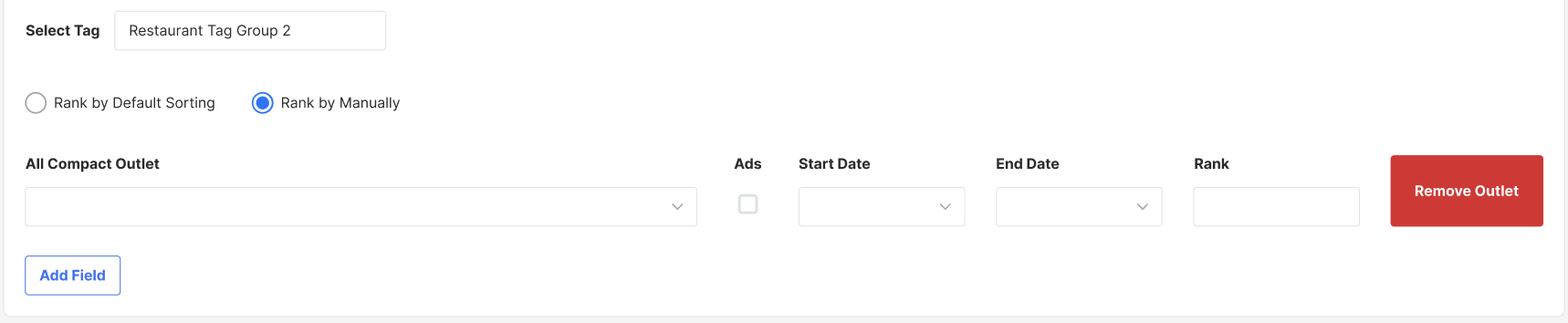
There’re 3 new parameters:
- ads
- start date
- end date
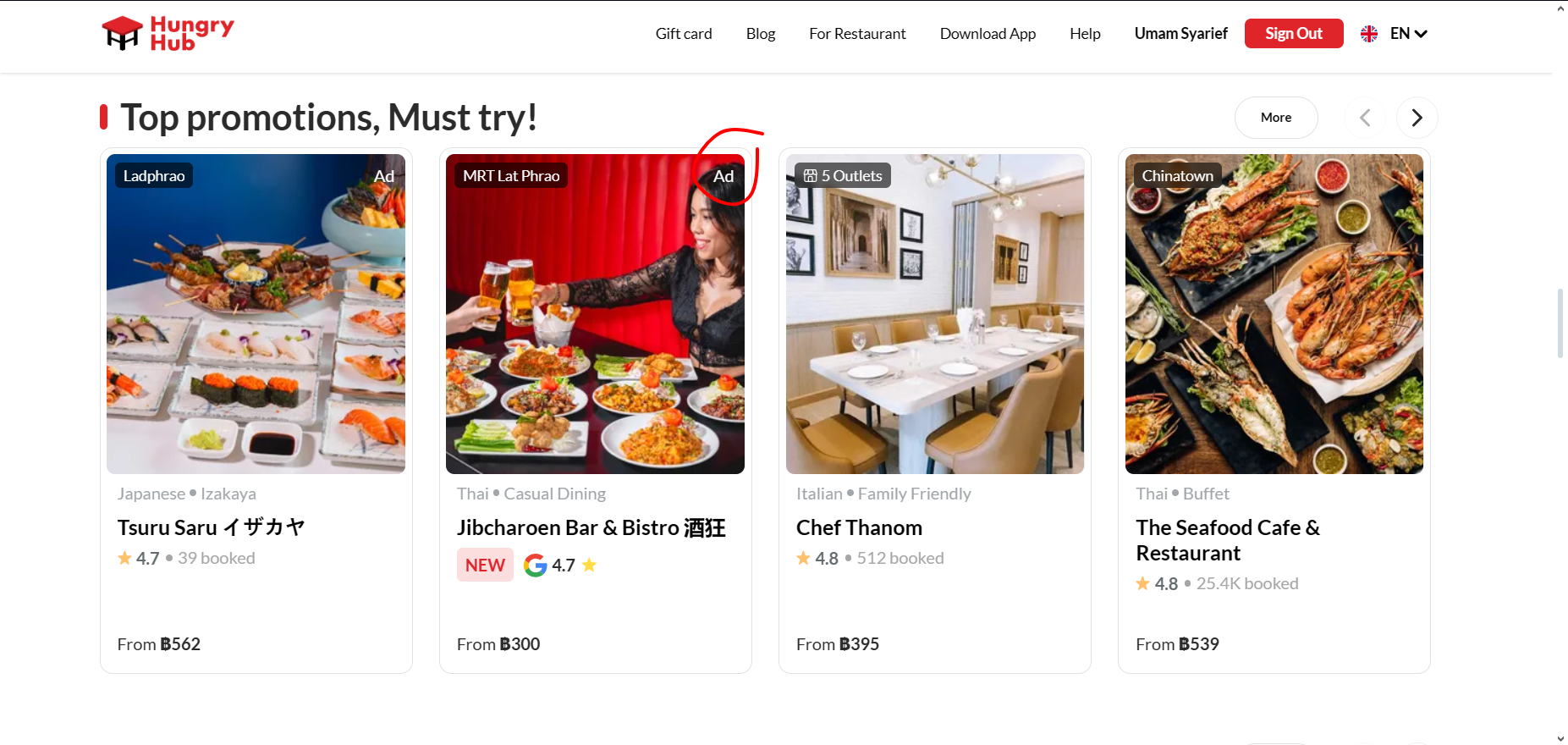
If ads checked and still in range of start date and end date. Will show up in group landing page card restaurant or homepage section (if added on home)
Backend Update
Add new group type with option Group Landing Page on homepage setting edit page
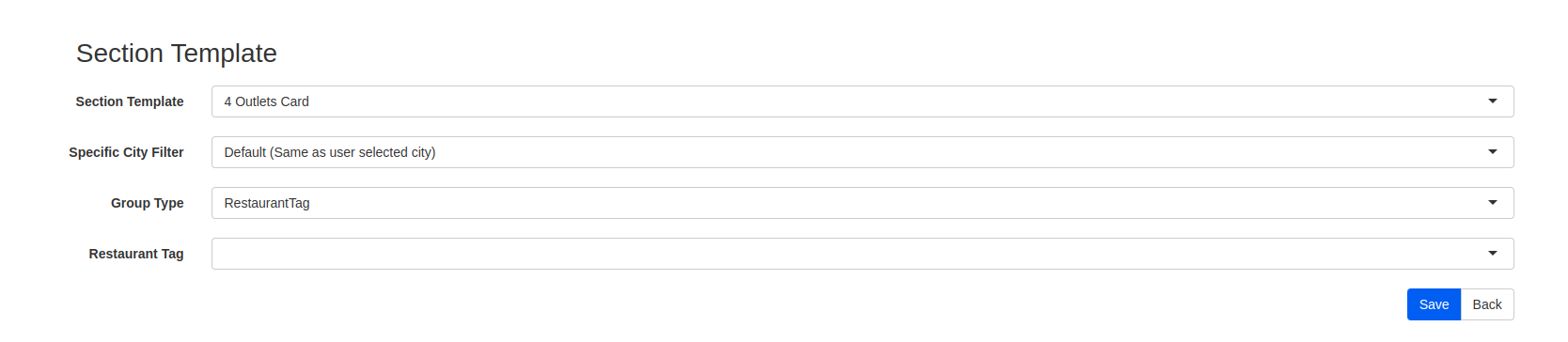
Homepage Section with HH Search
In our homepage we have this API: {{ base_api }}/homes/settings.json Current item:
		{
			"id": "133",
			"type": "home_sections",
			"attributes": {
				"icon": {
					"url": "https://hh-engineering.sgp1.digitaloceanspaces.com/img/default-restaurant-logo.png"
				},
				"position": null,
				"section_template": "outlet_4_card",
				"section_image": null,
				"active": null,
				"active_mobile": true,
				"active_web": true,
				"title": "โค้ดแนะนำเพื่อน",
				"punch_line": "โค้ดแนะนำเพื่อน",
				"description": "Six Feature Resto TH",
				"tag_line": "tag line Six Feature Resto TH",
				"footer_description": "footer Six Feature Resto TH",
				"slug": "halal",
				"type": "restaurants",
				"section_number": null,
				"end_point_api": "/restaurant_tags/228/restaurants.json",
				"image_cover_url": "https://hh-engineering.sgp1.digitaloceanspaces.com/img/default-restaurant-logo.png",
				"link": null,
				"branch_id": "",
				"group_tag_id": "",
				"tag_id": 228,
                "group_landing_page_id": 123, // add this new attribute
			}
		}
If a homepage item doesn’t have section_number but has branch_id/group_tag_id/tag_id, we currently read from end_point_api, but if we implement ads on that tag_id, we’ll replace the restaurant data with hh_search data.
So we need to add new attribute with name group_landing_page_id and fill with the chosen group landing pages on homepage section templates setting.
Things we need to make sure:
- Get restaurant data based on tag_id/branch_id/group_tag_id for the first 20 restaurants
- Make sure rank working properly
- Make sure ads working properly
- Ads will override rank position
Meeting 4 Nov Summary
Can start working: Frontend:
- Use hh-search for homepage section restaurants
- Can use API https://hungryhub.com/api/v5/group_landing_pages.json to check group landing page id
Backend:
- Add option select group landing page on group type homepage setting
- Add group_landing_page_id on API /homes/settings.json
To be confirmed:
- Change compact restaurants to single restaurants for ads and rank (confirmed: no need this changes, keep current)
- Share current conditions and benefits