Ghost staff
Description / Background
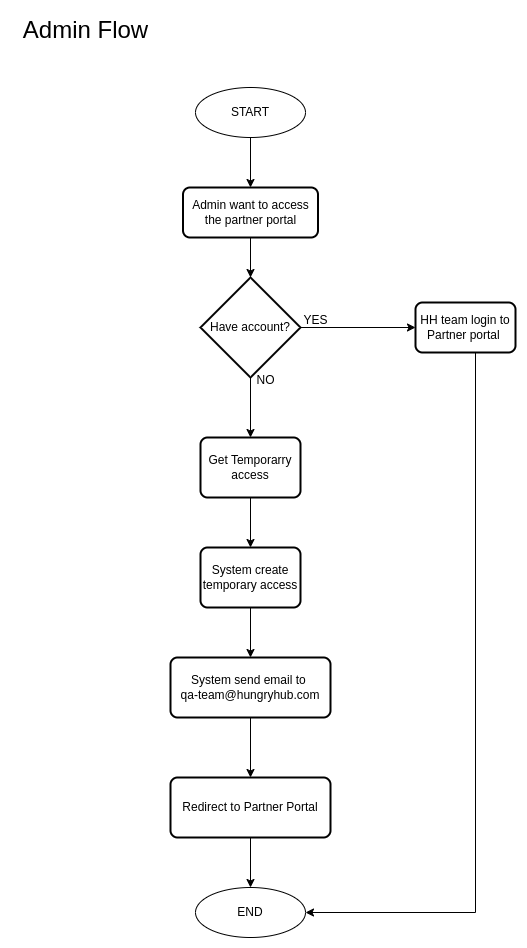
In the Partner Portal, users have access settings to manage their accounts. Occasionally, issues arise with a restaurant’s account, requiring the operations or tech team to investigate by logging into the restaurant’s Partner Portal. To improve this process, a new “Ghost Staff” role is being introduced to the account management system. This role allows restaurants to grant temporary access to designated users for a 24-hour period, ensuring that only authorized personnel can access their account. Additionally, admins can seamlessly log into the partner portal directly from the restaurant list on the admin dashboard, enhancing efficiency in resolving issues.
Glossary
https://app.clickup.com/9003122396/docs/8ca1fpw-35796/8ca1fpw-41516
Objectives
- Admin can access Partner Portal for 24 hours by clicking
Login Partner Portal
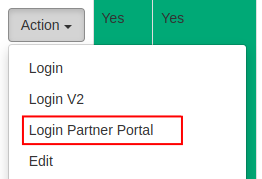
- After clicking this confirmation button, Admin will be redirected to the Partner Portal and will be automatically logged in using temporary staff access.
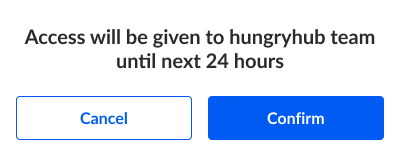
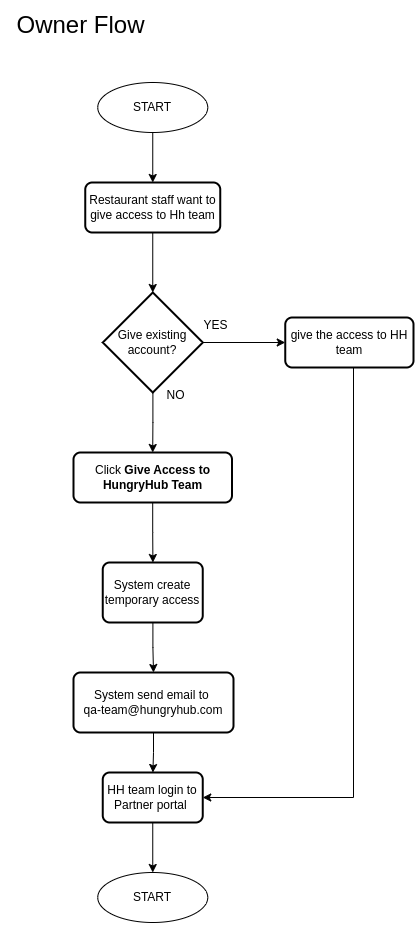
- Owner can give HH team temporary access to their partner portal

- Ask the QA team if you want to know the email and password for the generated temporary access account.
- System will generate temporary staff access with
temporaryrole
Scope
admin can login to partner portal for 24 hours.
Sequence Diagram / Flow
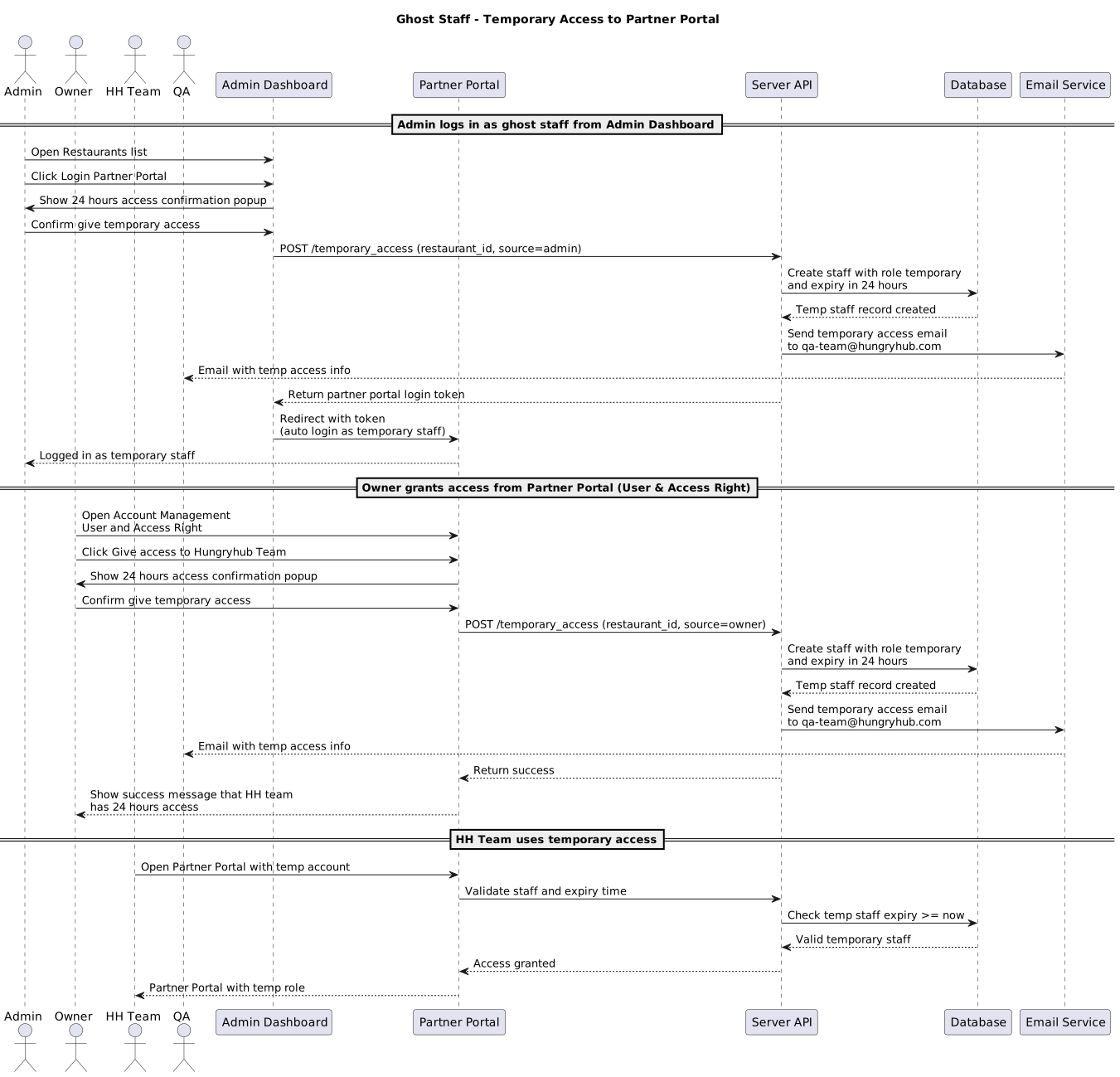
ERD
N/A
Backend Implementation
- Add API to get the temporary access for partner portal
- Add API to get the temporary access for admin dashboard
- When client hit API get temporary access system will generate new staff account (with temporary role) and will expired for the next 24 hours
- Send email to qa-team@hungryhub.com when the temporary access created
https://github.com/hungryhub-team/hh-server/pull/5742
Frontend Implementation
- Add a
Login Partner Portalmenu on admin dashboard ➝ restaurants ➝ actions column. - Add
Access will be given to hungryhub team until next 24 hourspopup on both admin dashboard and Partner Portal. - Add
Give access to Hungryhub Teamon Partner Portal ➝ Account Management ➝ User & Access Right
PRD & Task
https://app.clickup.com/9003122396/docs/8ca1fpw-30456/8ca1fpw-40416 - PRD
https://app.clickup.com/t/86cvyu7qe - Task
Design
API Blueprint
| Method | Path | URL | Description | Payload |
|---|---|---|---|---|
| POST | restaurant/login_partner | /admin/restaurants/${restaurantId}/login/partner | Get restaurant temporary access for admin | restaurant_id |
| POST | /staffs/create_temporary_staff | /api/v5/staffs/create_temporary_staff | Get restaurant temporary access for owner | restaurant_id |
New Query
- Add new validation role
temporaryto staff role
DB Schema / Database Migration
- Add
expired_atto staff table
Improvement:
N/A