Enhancement Homepage
Description / Background
After releasing the homepage design in November 2022, there are missing info, conflicts and new updates on the design to help enhance the experience and to help discover an outlet faster for the user. Thus this is an enhancement project.
Glossary
Objectives
- user can see the city list by the highest to the lowest total outlet when the city already selected
- user only see 8 carousell format
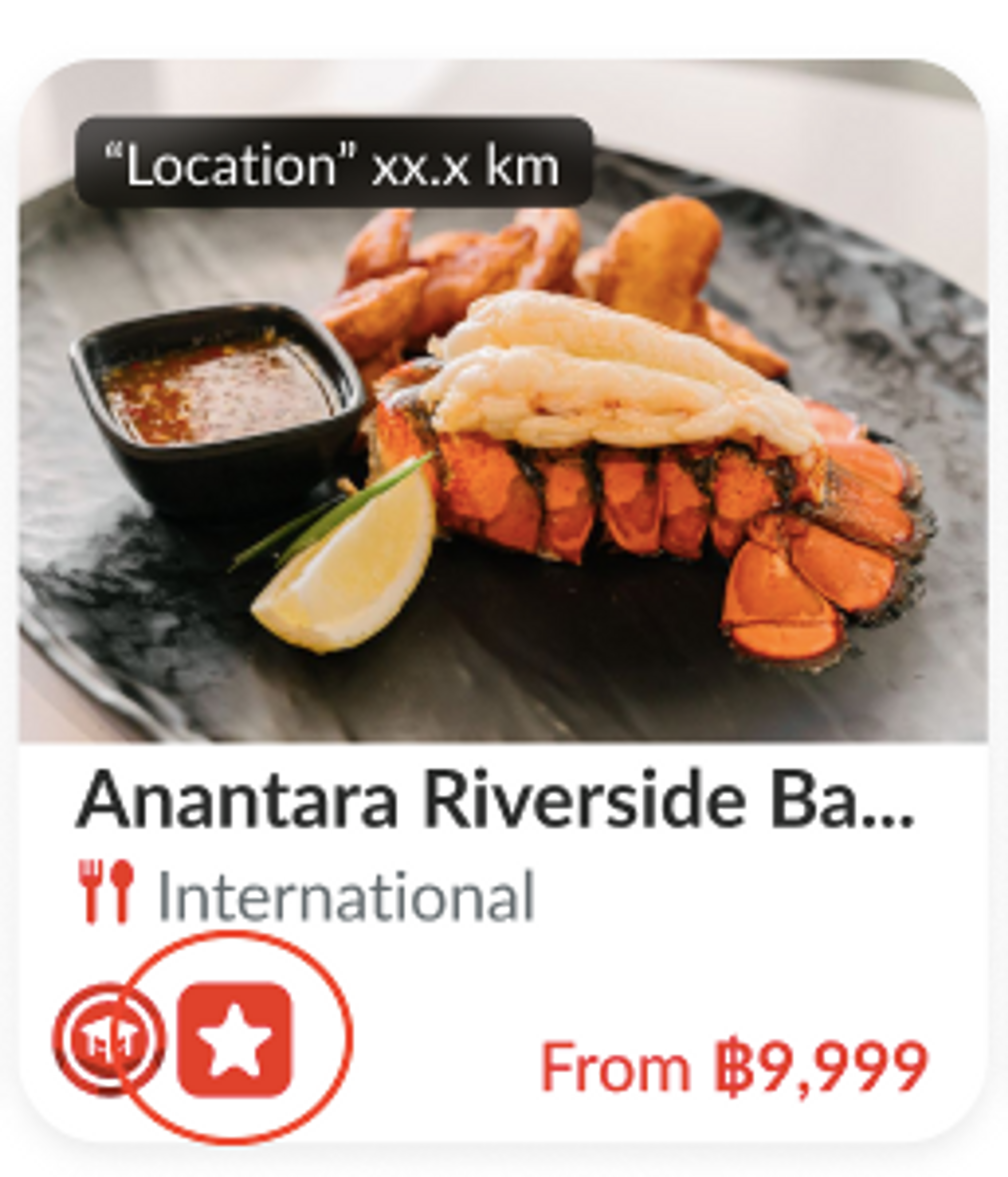
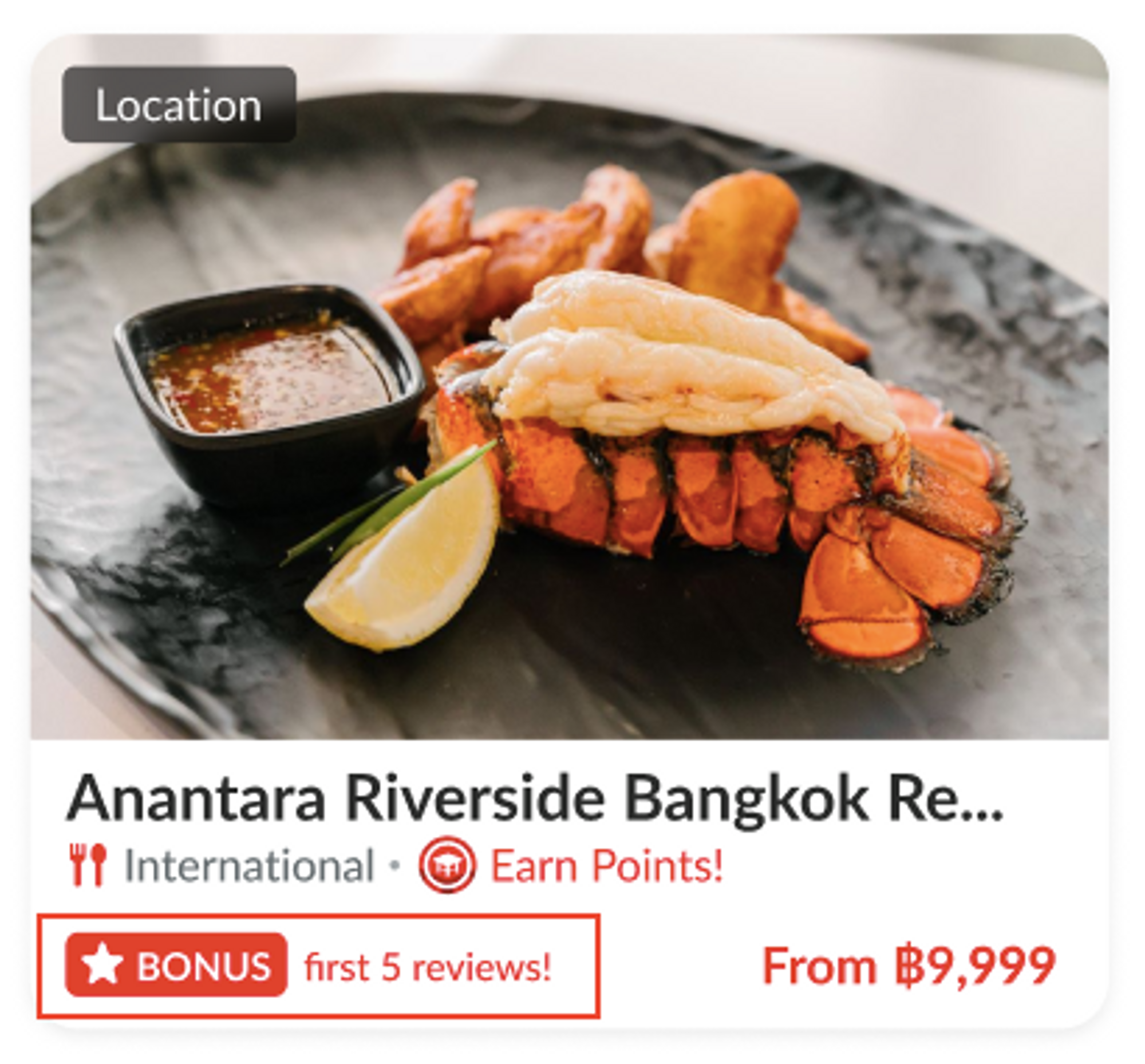
- user can see restaurant location from popular zone value on restaurant card
- user can see the number of outlets instead of popular zone if its a group
- user can see display distance after the location name if the location service is turned on.
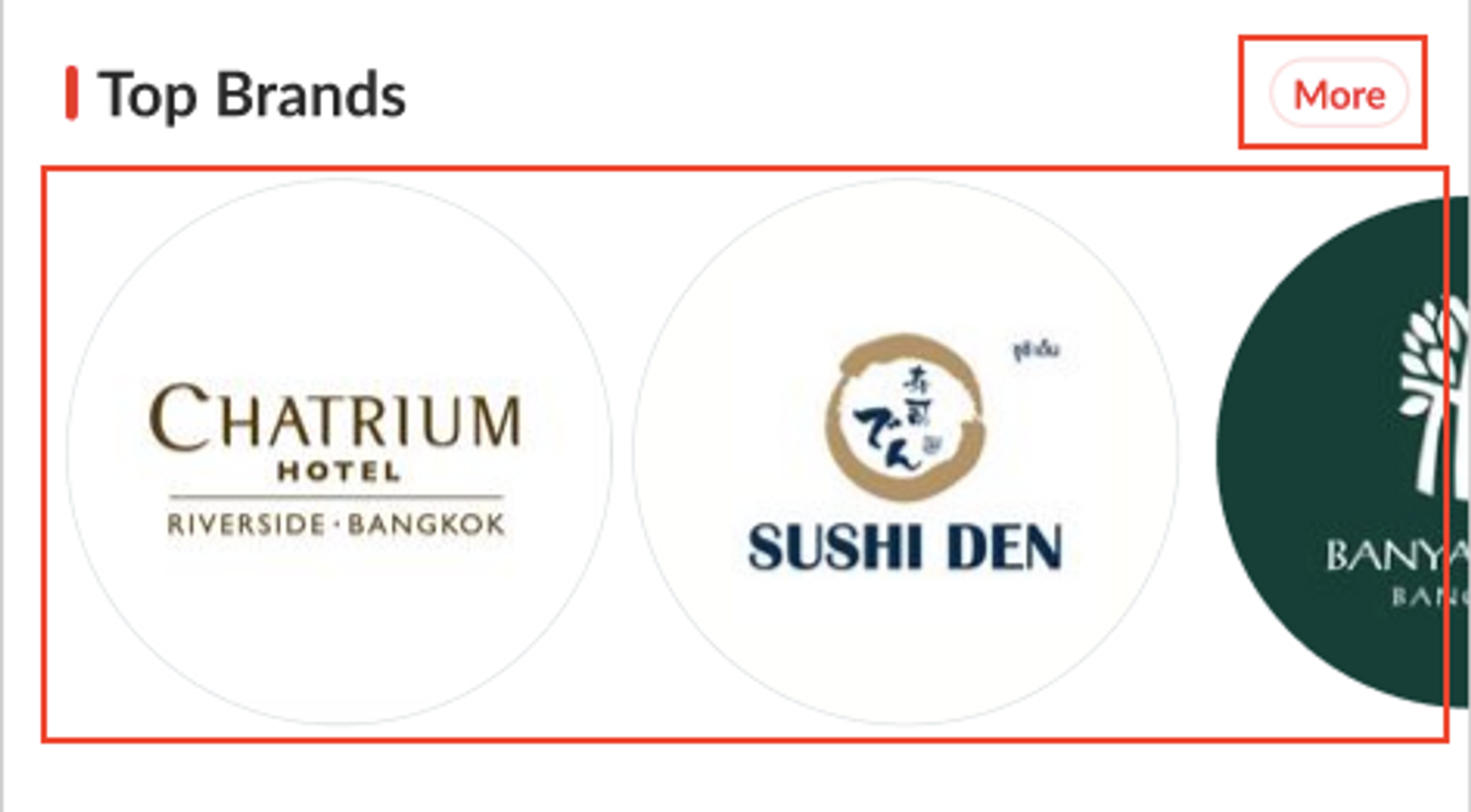
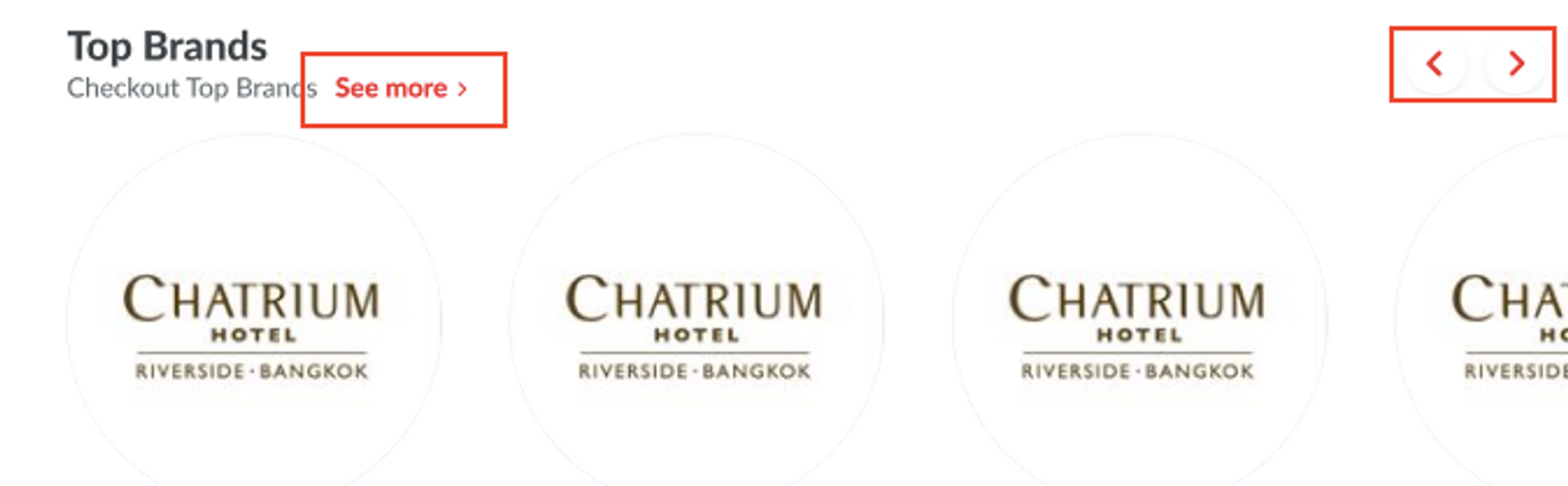
- user can see the Arrow at the end of the carousel to be More button in the same line of each section name.
- user can see the Next and Previous button on trending restaurant only for the website.
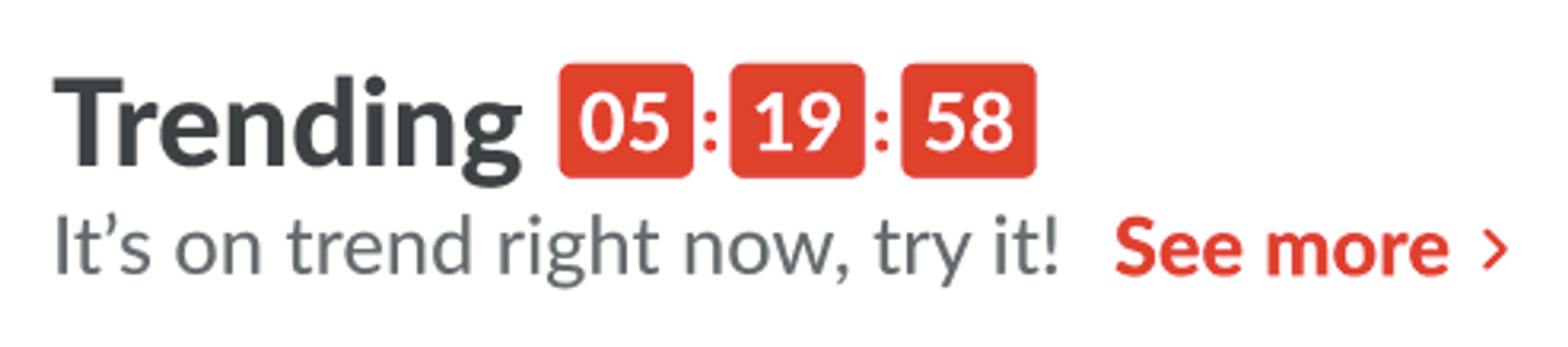
- user can see Countdown every 6 hours. So there will be 9.00 / 15.00 / 21.00 / 03.00 on trending restaurant section
- user can see “Bonus first 5 reviews” (new UI design) instead of NEW.
Scope
homepage
Sequence Diagram / Flow
-
ERD
-
Backend Implementation
Search Hashtag Logic
We have several tag_type of hashtag in restaurant_tags like cuisine, location, ShoppingMall, PopularZone, BtsRoute, MrtRoute, etc. Example data:
{
	"id": "1273",
	"type": "restaurant_tags",
	"attributes": {
		"cover": {
			"url": "https://hungryhub.com/img/hh_logo.png"
		},
		"title": "เซ็นทรัล ชิดลม",
		"title_en": "ShoppingMall:Central Chidlom",
		"tag_type": "ShoppingMall",
		"total_restaurants": 417
	}
}
So, when clicked we will send these payload to search page: Event Name: doSearch Cuisine Payload:
{
	"cuisine_ids": [
		{
			"id": "20",
			"name": "Steak"
		}
	],
	"city_id": "1"
}
Location Payload:
{
	"location_ids": [
		{
			"type": "location",
			"id": "38",
			"name": "Charoen Krung"
		}
	],
	"city_id": "1"
}
Shopping Mall Payload:
{
	"location_ids": [
		{
			"type": "shopping_mall",
			"id": "1269",
			"name": "Amarin Plaza"
		}
	],
	"city_id": "1"
}
Popular Zone Payload:
{
	"location_ids": [
		{
			"type": "popular_zone",
			"id": "206",
			"name": "Arun Amarin"
		}
	],
	"city_id": "1"
}
BTS Route Payload:
{
	"location_ids": [
		{
			"type": "bts_route",
			"id": "950",
			"name": "Ratchayothin"
		}
	],
	"city_id": "1"
}
MRT Route Payload:
{
	"location_ids": [
		{
			"type": "mrt_route",
			"id": "1050",
			"name": "Sam Yan"
		}
	],
	"city_id": "1"
}
Facility or Others or null or any type Payload:
{
	"facility_ids": [
		{
			"id": "1111",
			"name": "XXXXXXX"
		}
	],
	"city_id": "1"
}
Duplicate Top Categories
Top Location We'll create new API for Top Location with specification:
- All Top Location cards will use popular zone values.
- Add image to all Top Location cards.
- All Top Location cards will use popular zone values. (Excel link)
- Add image to all Top Location cards. (Image link)
- Use the same logic but sorting by the number of outlets from highest to lowest. URL: {{ base_api }}/homes/section_4.json Response:
{
	"data": [
		{
			"id": "206",
			"type": "restaurant_tags",
			"attributes": {
				"cover": {
					"url": "/uploads/restaurant_tag/cover/206/Spain.png"
				},
				"title": "Arun Amarin",
				"title_en": "PopularZone:Arun Amarin",
				"tag_type": "PopularZone",
				"total_restaurants": 5
			}
		},
.....
	"success": true,
	"message": null
}
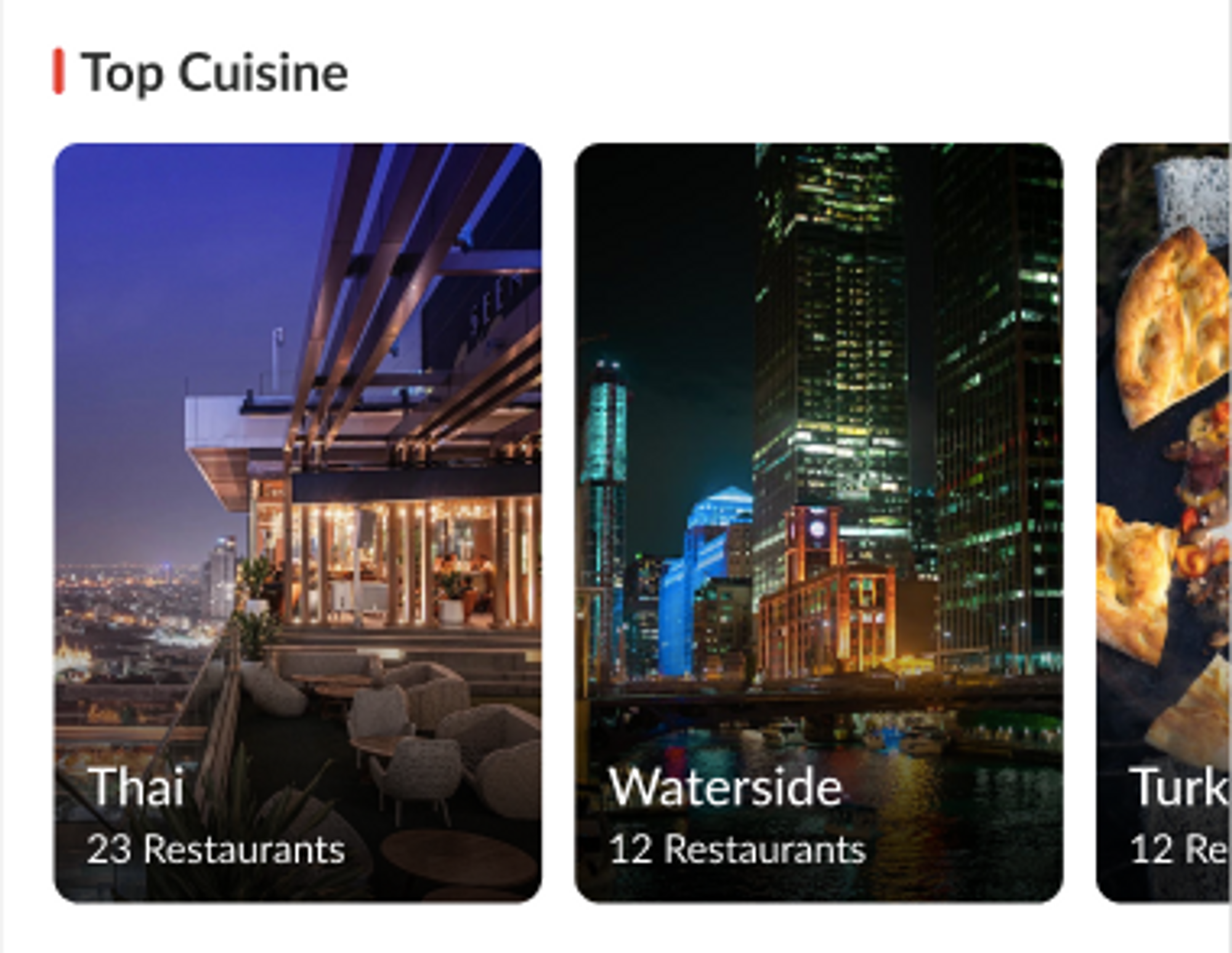
Top Cuisine We have some adjustment for Top Categories:
- Change the section name to be “Top Cuisines”.
- Use the same logic but sorting by the number of outlets from highest to lowest.
Re-generate popular zone Currently, the resto cards on the homepage still do not display popular zone values, changing all the resto cards on the homepage display popular zone values. Maybe need to re-generate again manually.
Recommended Tags API
URL: {{ base_api }}/restaurant_tags.json?city_id=1&recommended_tag=true&page%5Bnumber%5D=1&page%5Bsize%5D=10 Response:
{
	"data": [
		{
			"id": "999",
			"type": "restaurant_tags",
			"attributes": {
				"cover": {
					"url": "https://hungryhub.com/img/hh_logo.png"
				},
				"title": "รูฟท็อป",
				"title_en": "Facility:Rooftop",
				"tag_type": "Facility",
				"total_restaurants": 39
			}
		},
		{
			"id": "1002",
			"type": "restaurant_tags",
			"attributes": {
				"cover": {
					"url": "https://hungryhub.com/img/hh_logo.png"
				},
				"title": "ดีต่อสุขภาพ",
				"title_en": "Facility:Organic and healthy",
				"tag_type": "Facility",
				"total_restaurants": 6
			}
		},
....,
	"success": true,
	"message": null
}
Frontend Implementation
Homepage Log event
There are some events that we've implemented in our current homepage. CleverTap, facebook, google. Trigger: when click restaurant card Event Name: Homepage Section Tapped (Restaurant Object) Event Property:
| property name | property value | notes |
|---|---|---|
| section_name | New Restaurants | from title |
| section_template | outlet_4_card | from section_template |
| restaurant_id | 997 | |
| restaurant_name_en | Cafe Claire | |
| restaurant_name_th | Cafe Claire TH | |
| branch_id | 12 | (if any, not mandatory) |
| position | 3 | restaurant position |
Trigger: when click tag (cuisine, dining style, location) Event Name: Homepage Section Tapped (Tags Object) Event Property:
| property name | property value | notes |
|---|---|---|
| section_name | Top Cuisine | from title |
| section_template | tag_default | from section_template |
| tag_id | 10 | |
| tag_name | International | |
| tag_name_en | International | |
| tag_type | cuisine | |
| position | 3 | tag position |
Trigger: when click banner promotions Event Name: Homepage Section Tapped (Banner Promotions) Event Property:
| property name | property value | notes |
|---|---|---|
| section_name | Promotions | from title |
| section_template | promotion_banner | from section_template |
| banner_name | Mala Hub | |
| target_url | https://web.hungryhub.com/restaurants/group/mala-hub?locale=en | |
| position | 4 | banner position |
Trigger: when click group card Event Name: Homepage Section Tapped (Group Card) Event Property:
| property name | property value | notes |
|---|---|---|
| section_name | Trending | from title |
| section_template | group_card | from section_template |
| slug | trending |
Trigger: when click hh special Event Name: Homepage Section Tapped (HH Specials) Event Property:
| property name | property value | notes |
|---|---|---|
| section_name | Hungry Hub Special | from title |
| section_template | hh_special | from section_template |
| icon_name | Most Loved by Users | |
| target_url | https://web.hungryhub.com/restaurants/search?sort=most_reviewed&locale=th | |
| position | 4 | icon position |
Trigger: when click homepage icon Event Name: Homepage Section Tapped (Homepage Icons) Event Property:
| property name | property value | notes |
|---|---|---|
| section_name | Hungry Hub Icon | from title |
| section_template | homepage_icon | from section_template |
| title_name | All You Can Eat | |
| target_url | https://web.hungryhub.com/restaurants/search?tag_id%5B%5D=1541&tag_name%5B%5D=All+You+Can+Eat | |
| position | 4 | icon position |
| type | url_base | tag_base/url_base |
Hybrid Event: onCleverTapPushEvent Response:
{
	"event_name": "Homepage Section Tapped", // event name
	"data": [ // event property
		{
			"name": "section_name",
			"value": "New Restaurants"
		},
		{
			"name": "section_template",
			"value": "outlet_4_card"
		},
		{
			"name": "restaurant_id",
			"value": "997"
		},......
	]
}
in Android:
HashMap<String, Object> map = new HashMap<>();
for (int i = 0; i < dataList.size(); i++) {
    String name = data.get(i).getName();
    String value = data.get(i).getValue();
    map.put(name, value);
}
clevertapDefaultInstance.pushEvent(event_name, map);
in iOS:
let props = [
    "section_name": "New Restaurants",
    "section_template": "outlet_4_card",
    "restaurant_name": "Cafe Claire",
    .....
] as [String : Any]

CleverTap.sharedInstance()?.recordEvent(event_name, withProps: props)
Hybrid Event: onGooglePushEvent Response:
{
	"event_name": "Homepage Section Tapped",
	"data": [
		{
			"name": "section_name",
			"type": "string",
			"string_value": "New Restaurants",
			"number_value": null,
			"items": null
		},
		{
			"name": "section_template",
			"type": "string",
			"string_value": "outlet_4_card",
			"number_value": null,
			"items": null
		},
.....
	]
}
in Android will be like this:
Bundle bundle = new Bundle();
bundle.putString("section_name", "New Restaurants");
bundle.putString("section_template", "outlet_4_card");
.....

mFirebaseAnalytics.logEvent(event_name, bundle);
in iOS will be like this:
 var productDetails: [String: Any] = [
  "section_name": "New Restaurants",
  "section_template": "outlet_4_card",
......
]
// Log event
Analytics.logEvent(event_name, parameters: productDetails)
We will replace the 'What's on your budget' section with a 'Top Location' section on the homepage, the component will same as our current top categories. Every time we click location will open search page and filter by popular zone, for example: Event Name: doSearch Payload:
{
	"page_number": 1,
	"page_size": 10,
	"location_ids": [
		{
			"type": "popular_zone",
			"id": "206",
			"name": "Arun Amarin"
		}
	],
	"city_id": "1"
}
Trending Restaurant Card Mobile
We'll update trending restaurant more bigger.
- Update title section
- Adjust size and item position
- Add countdown timer every 6 hours. compare current time with refresh_time (will provide from API homes/section_8.json)
Add Refresh Time on Trending Restaurant
URL: {{ base_api }}/homes/section_8.json
- Add-on Countdown Timer
- Countdown every 6 hours, with times set at 9:00, 15:00, 21:00, and 3:00 Need to add 1 more parameter to show refresh_time. And on client will compare current time with refresh time.
PRD & Task
Private (https://app.clickup.com/9003122396/docs/8ca1fpw-7922/8ca1fpw-15282) Private (https://app.clickup.com/t/860qyxwht)
Design
https://www.figma.com/design/gYpD9zrdIkg7hMPuhR2Xy2/Homepage-Enhancement?t=yJBDYzmuueUUkyO1-0
API Blueprint
New Query
DB Schema / Database Migration
Improvement:
History of enhancement homepage:
Private (https://app.clickup.com/9003122396/docs/8ca1fpw-19382/8ca1fpw-24002)
Sprint 17
Document Feature
Title
Enhancement on homepage
Description / Background
After releasing the homepage design in November 2022, there are missing info, conflicts and new updates on the design to help enhance the experience and to help discover an outlet faster for the user. Thus this is an enhancement project (minor change) for the above design.
Objectives
- user can see the city list by the highest to the lowest total outlet when the city already selected
- user only see 8 carousell format
- user can see restaurant location from popular zone value on restaurant card
- user can see the number of outlets instead of popular zone if its a group
- user can see display distance after the location name if the location service is turned on.
- user can see the Arrow at the end of the carousel to be More button in the same line of each section name.
- user cann see the Next and Previous button on trending restaurant only for the website.
- user can see Countdown every 6 hours. So there will be 9.00 / 15.00 / 21.00 / 03.00 on trending restaurant section
- user can see “Bonus first 5 reviews” (new UI design) instead of NEW.
Scope
- All platforms
Sequence Diagram / Flow
ERD
DB Schema / Database Migration
| Column Name | Data Type | Description |
|---|---|---|
API Blueprint
| Method | Path | URL | Description | Payload |
|---|---|---|---|---|
New Query
Notes, Constraint & Assumptions
New tag header
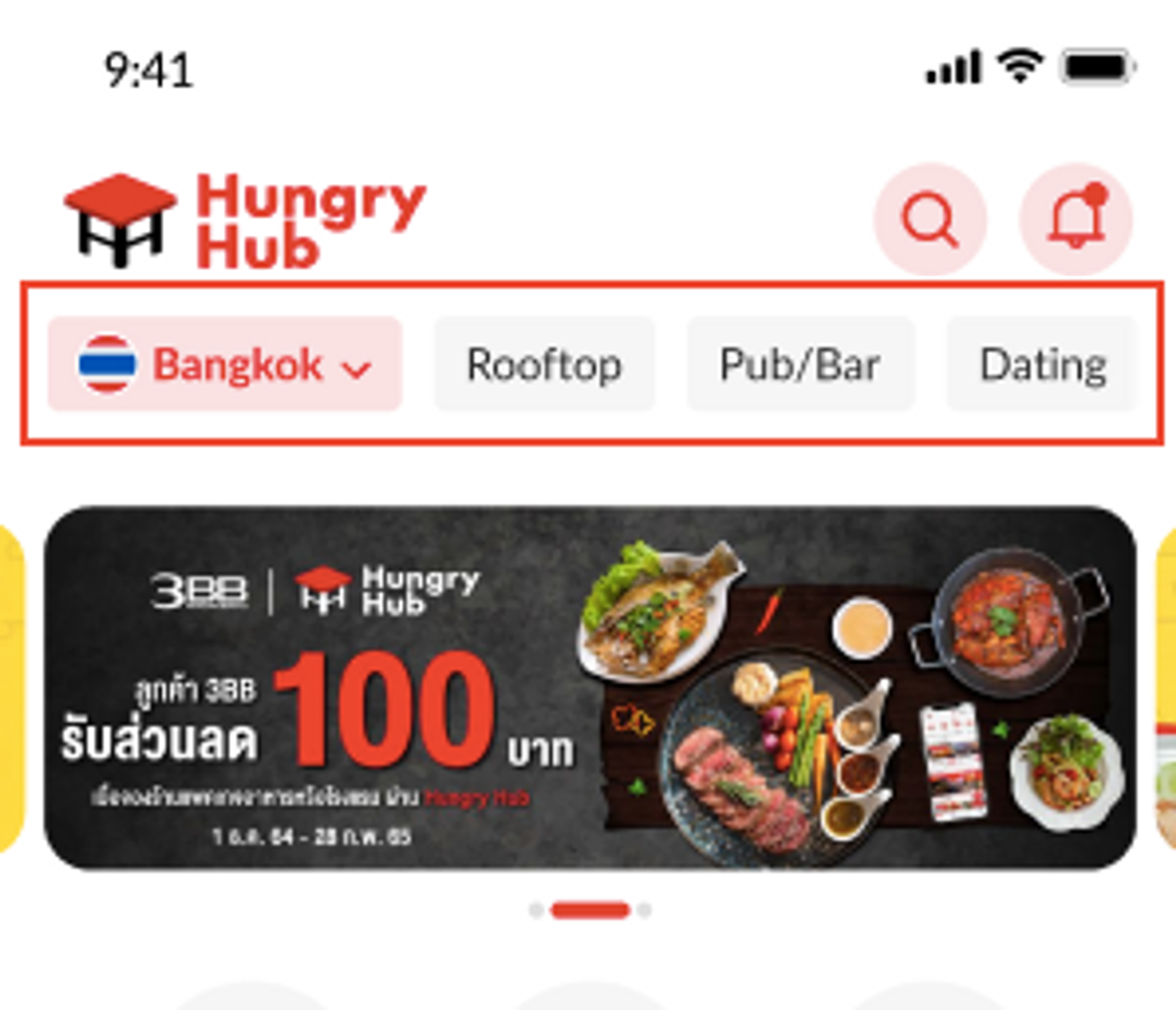
- Display for mobile app
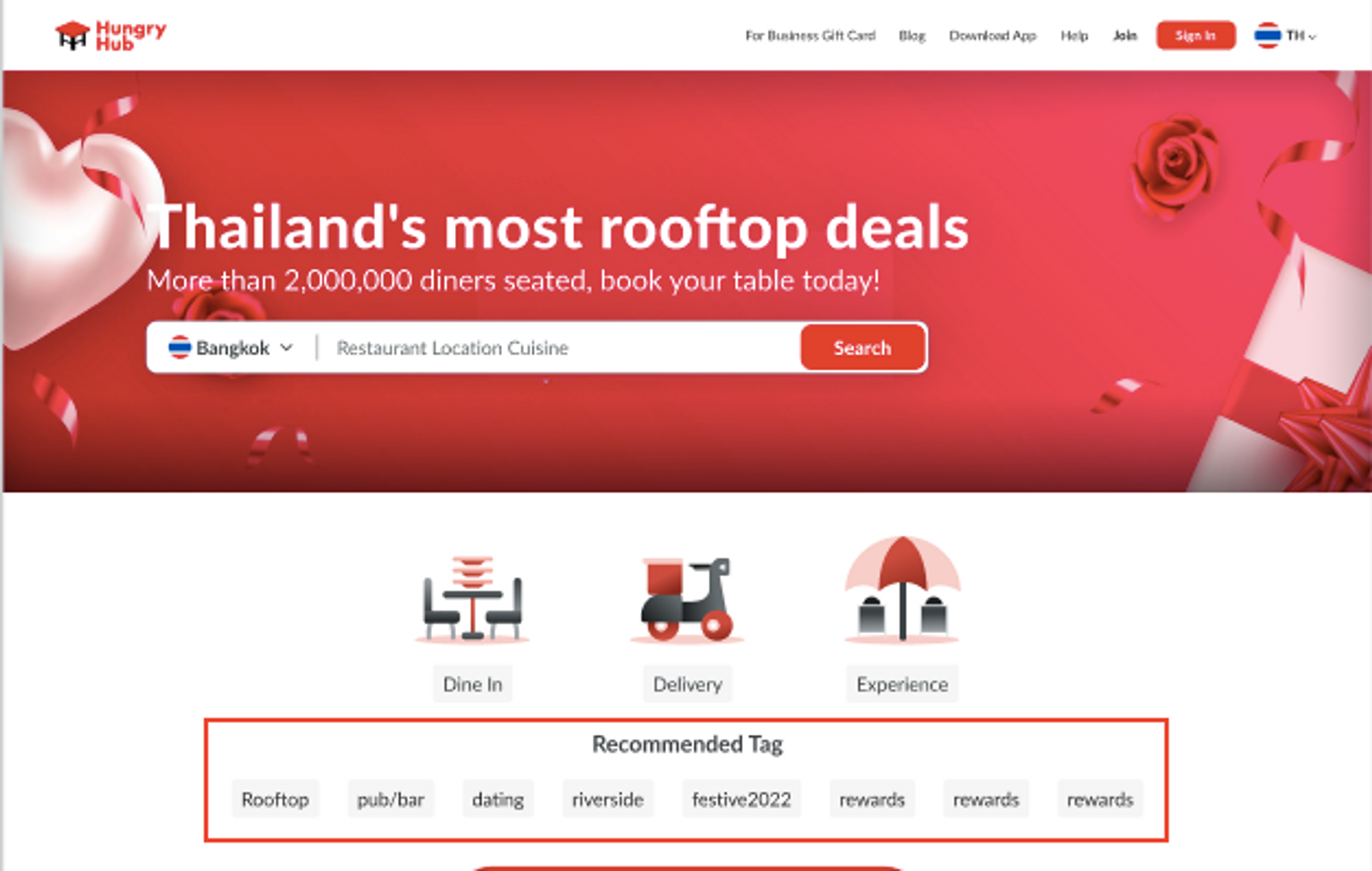
- Display for website
Trending restaurant card
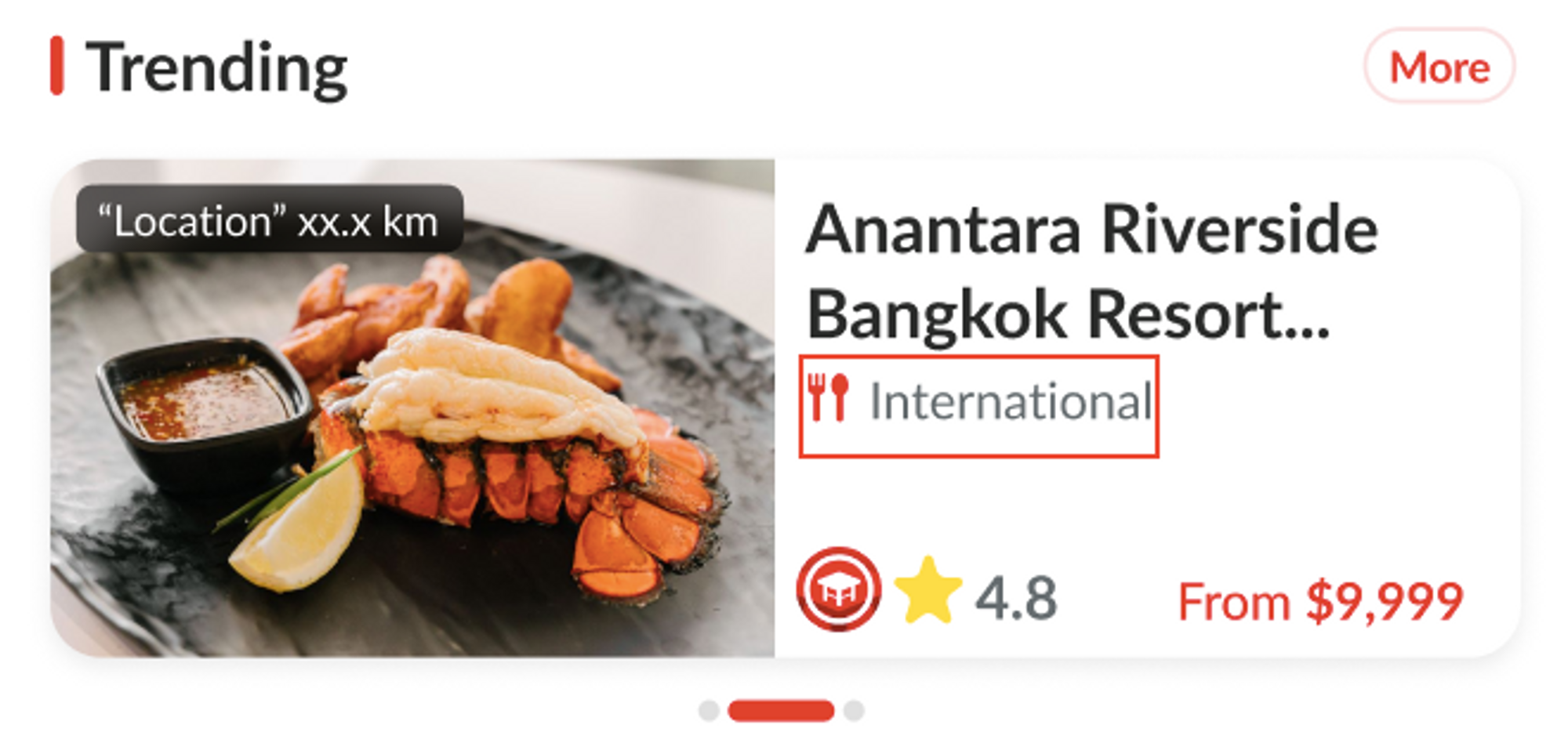
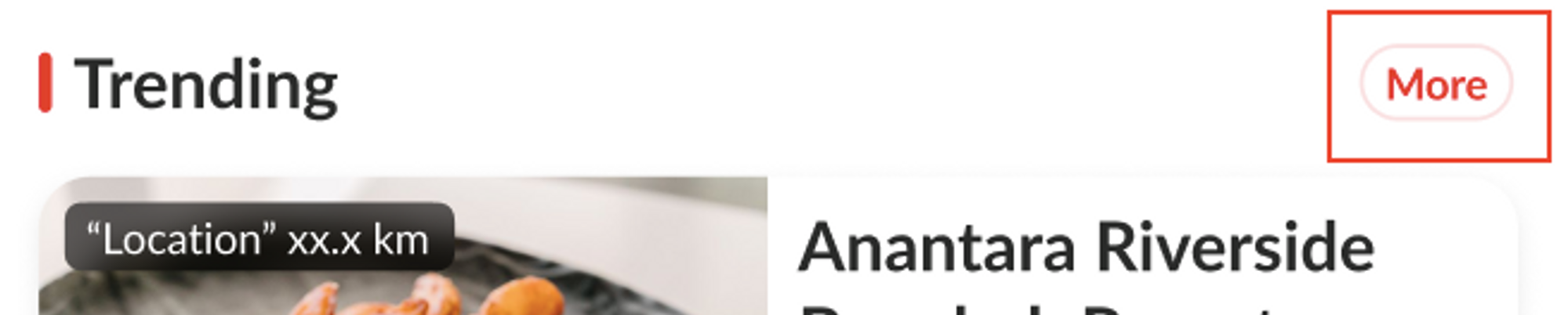
- Display for mobile app

 New restaurant card
- Display for mobile app
- Display for website
Popular brands
- Display for mobile app
- Display for website
Top cuisine card
TODO / Task List / Action Items
References
https://docs.google.com/document/d/1_GCQuCO19Ja4c4rg_mXINTO4B0VjHyM-GUqggMN98AI/edit