User Overview
Glossary
Features
Search Feature
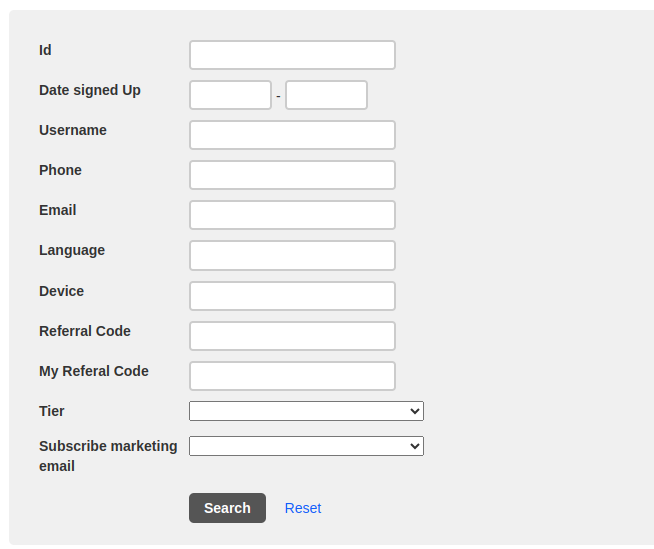
You can filter users by:
- Id → User ID
- Date signed up → User sign-up date
- Username → Username
- Phone → User phone number
- Email → User email
- Language → User language setting
- Device → User device type
- Referral Code → User referrer code
- My Referral Code → User referral code
- Tier → User tier level (loyalty level)
- Subscribe marketing email → To filter by users that subscribe to the marketing email
User List Table

- Id → User ID
- Date signed up → User sign-up date
- Username → Username
- Phone → User phone number
- Email → User email
- Language → User language
- Device → User device name
- Provider → User login provider
- R code → User referrer code
- My r code → User referral code
- Short my r code → User short referral code
- Total referrals → User total referrals
- Total devices → User total devices
- Action → User action list:
- Show → open the user details page User Details
- Edit → edit the user data
- Delete → delete user data
- Skip send marketing email → Skip the user from receiving the marketing email
- Flag → flag the user data
- All reservations count → User total reservation
- Active reservations count → User total active reservation
- No show reservations count → User total no-show reservation
- Cancel reservations count → User total cancelled reservation
- Avatar url → User avatar url