Restaurant List
Glossary
See glossary details: https://app.clickup.com/9003122396/docs/8ca1fpw-35796/8ca1fpw-41516
Features
Filter Feature
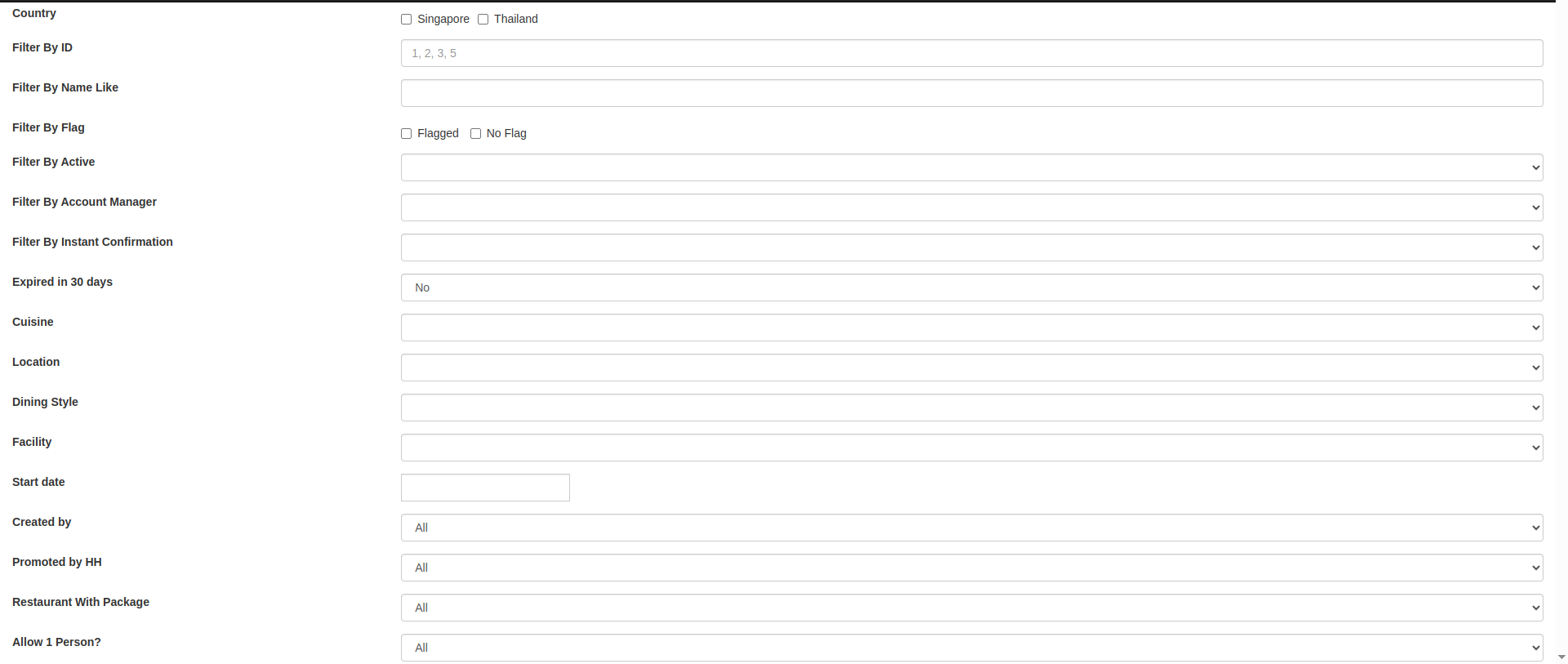
You can filter restaurants by:
- Country -> country name
- Filter By ID -> restaurant ID
- Filter By Name Like -> restaurant name
- Filter By Flag -> restaurants with flag
- Filter By Active -> active restaurants
- Filter By Account Manager -> account manager name and email
- Filter By Instant Confirmation -> instant confirmation setting
- Expired in 30 days -> restaurants expiring in 30 days
- Cuisine -> cuisine type
- Location -> location tag
- Dining Style -> dining style
- Facility -> facilities
- Start date -> restaurants start date
- Created by -> creator
- Promoted by HH -> whether promoted by Hungry Hub
- Restaurant With Package -> restaurants with package
- Allow 1 Person? -> restaurants that have minimum pax of 1
Restaurant Report Feature

This feature provides an export-ready operational overview of restaurants and key attributes for admin use.
Create New Restaurant
- Open https://www.hungryhub.com/en/restaurants/sign_up_premium.html to create a new restaurant.
- Fill the form data using information from marketing and sales teams.
Restaurant List Table
The restaurant list table displays the following information:
- ID -> restaurant ID
- Name -> restaurant name
- Actions -> action list:
- Login -> log in to old owner dashboard
- Login v2 -> log in to owner dashboard
- Login Partner Portal -> log in to new Partner Portal
- Edit -> edit restaurant data
- Packages & add-ons -> check package and add-on list
- Duplicate -> duplicate restaurant data
- Clear cache -> clear cache when image/data is missing
- Clear cache featured restaurant -> clear all featured cache related to this restaurant
- Inventories -> check inventory availability
- Cached Data -> view cached restaurant data
- Active Status -> describes whether the restaurant is still active
- Instant Confirmation -> describes whether booking does not require manual confirmation
- Minimum Pax -> minimum pax purchase
- Largest Table -> largest table available
- Restaurant / Owner Phone -> owner contact
- Manager and other emails -> account manager email https://app.clickup.com/9003122396/docs/8ca1fpw-47716/8ca1fpw-46776
- Dine In Minimum Booking Time (Minutes) -> minimum booking time for dine-in
- Delivery Minimum Booking Time (Minutes) -> minimum booking time for delivery (deprecated and no longer used)
- Reservation Duration (Minutes) -> dining duration in minutes
- Cuisine -> cuisine type
- Dining Style -> dining style
- Facility -> facilities
- Place -> location tag
- favorited -> deprecated and no longer used
- Weighted review score -> deprecated and no longer used