Package Page
Features
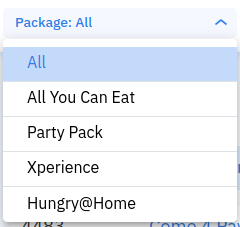
Package Type Filter Section
You can choose to show all packages or select a package type.
Package Name Search Bar
You can search package names by typing in the search bar and clicking the button.
Filter Button
You can add filters to show specific packages.
Create Package Button

You can create a new package by clicking this button and filling the form.
Export Button
You can export the package list based on package type to Excel or PDF.
Export example: Hungry-Hub-packages-list-report-2024-03-11-3005-3244048158.xlsx
Package List Section
- Package ID: It will show the Package ID.
- Toggle Button:
- Green toggle means the package is active.
- Grey toggle means the package is not active.


- Package Name: It will show the Package Name, and clicking it will redirect to the restaurant page on Hungry Hub website.
- Package Type: It will show the Package Type (AYCE, PP, XP).
- Price: It will show the package price and pricing type (per pack / per person).
- Booking Duration: It will show reservation duration for that package.
- Created At: It will show the date and time when the package was created.
- Updated At: It will show the date and time when the package was last edited.
- Action: It will show edit, duplicate, and delete actions.
- Click Edit to edit package details.
- Click duplicate icon to duplicate the package.
- Click delete icon to delete the package.

