Enable/Disable a Feature
There are two ways to control a feature.
The old way
We use the rails-settings-cached gem
How to use it in code
- update config/admin_setting.yml then add a new key, for example
feature_xfeature_x: false - Then we can call the config from
AdminSetting.feature_xexample:if AdminSetting.feature_xYou can change the value by:AdminSetting.feature_x = trueEvery key in admin_setting.yml will appear on the settings page. http://localhost:3000/admin/settings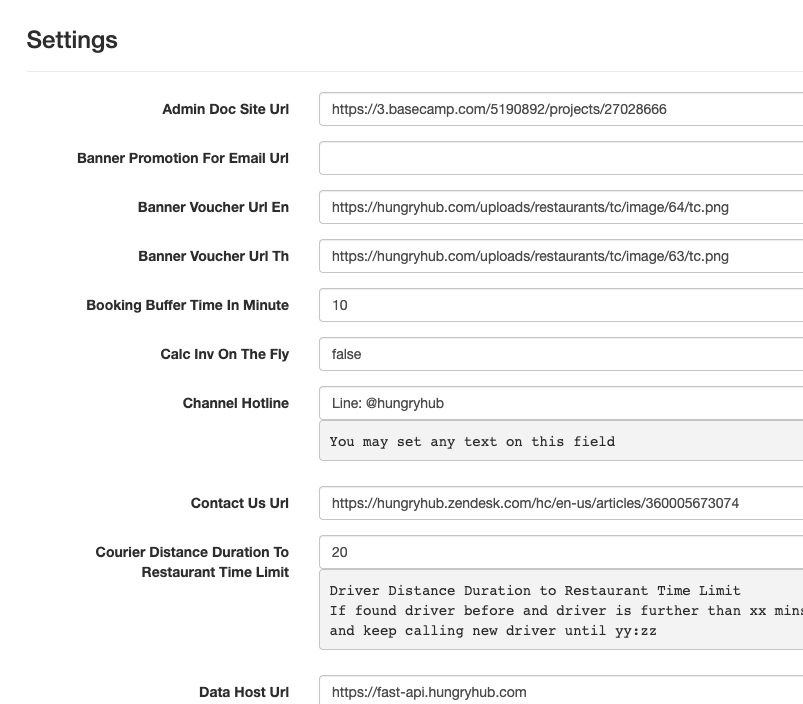
The new way
we use Flipper gem to toggle a feature availability, for example, https://hhstaging.hungryhub.com/admin/flipper/features see more about it at https://www.flippercloud.io/docs
How does the client app know if the feature is available or not
Update app/controllers/api/v5/pages_controller.rb, di app_config
add new key there
example :
feature_x: AdminSetting.feature_x.to_s == 'true'
From the new way add :
render json: {
  success: true,
  data: config.merge(
    feature_x: Flipper.enabled?(:feature_x)
  ),
  message: nil
}
add the flipper to data migration so the UI can be updated
def up
  Flipper.disable :xxx
end