Pre-select Special Menu Technical Documentation
PRD: Private (https://app.clickup.com/9003122396/docs/8ca1fpw-7922/8ca1fpw-7962)
We'll have pre-select menu in our checkout page for all you can eat package. The flow will looks like this:
Admin Dashboard
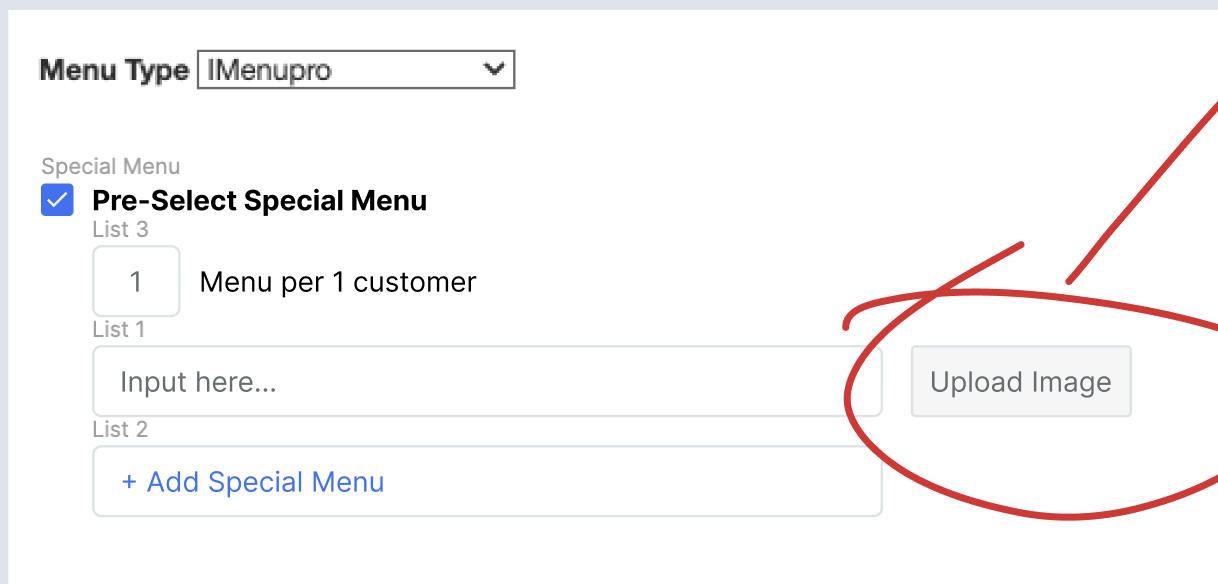
In admin dashboard, we'll have option to add pre-select special menu like this:
Restaurant Package Response
We'll have new response for package data attributes to get pre-select menu data: type: "restaurant-packages" API:
- {{ base_api }}/restaurant_packages.json
- {{ base_api }}/restaurants/{id}/find_available_packages.json
{
	//.....
	"enable_special_menu": true,
	"special_menu_limit": 1,
	"special_menus": [
			{
				"id": 3292,
				"name": "Bakso Urat",
				"img_url": ""
			},
			{
				"id": 3292,
				"name": "Bakso Telur",
				"img_url": ""
			},
			{
				"id": 3292,
				"name": "Mie Ayam",
				"img_url": ""
			}
	]

	// ....
}
Checkout Hybrid
On the client side, we'll handle that new response on native app to send to hybrid booking. We'll adjust payload on package data like this: (similar like when we add come more pay less)
	// from selected package data
	"packages": [
		{
			"id": "3600",
			"name": "Happy Premium - 4 Menu",
			"quantity": 1,
			//.......
			"enable_special_menu": true,
			"special_menu_limit": 1,
			"special_menus": [
  					{
 	 					"id": 3292,
  						"name": "Bakso Urat",
	  					"img_url": ""
  					},
	  				{
	  					"id": 3292,
	  					"name": "Bakso Telur",
	  					"img_url": ""
	  				},
	  				{
  						"id": 3292,
	  					"name": "Mie Ayam",
  						"img_url": ""
  					}
  			]
		// ..........
If enable_special_menu is true in checkout page will add new section like this:
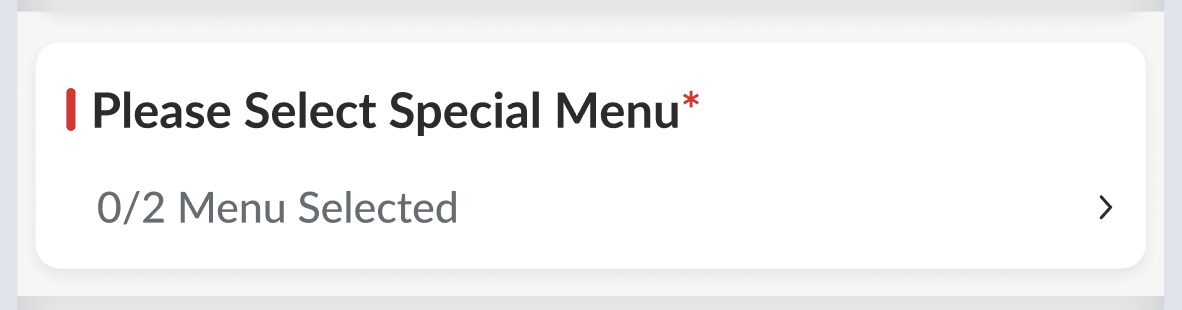
0/2 Menu Selected logic: {selected menu}/{selected adult*quantity_limit} "Menu Selected"
If we click that section will show UI like this:
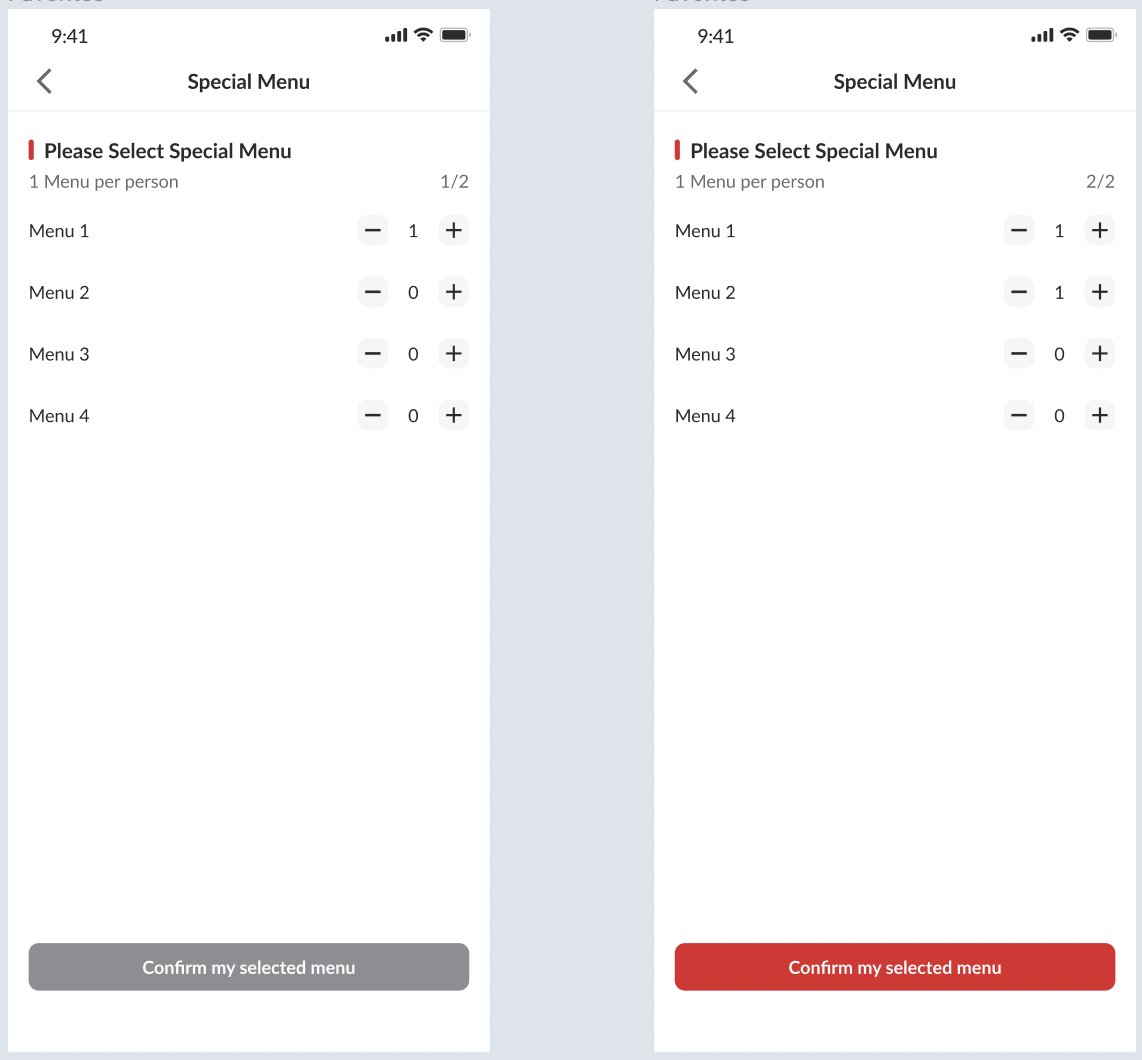 Button confirmation will show red if users already select the special menu. When click confirm my selected menu will show dialog like this:
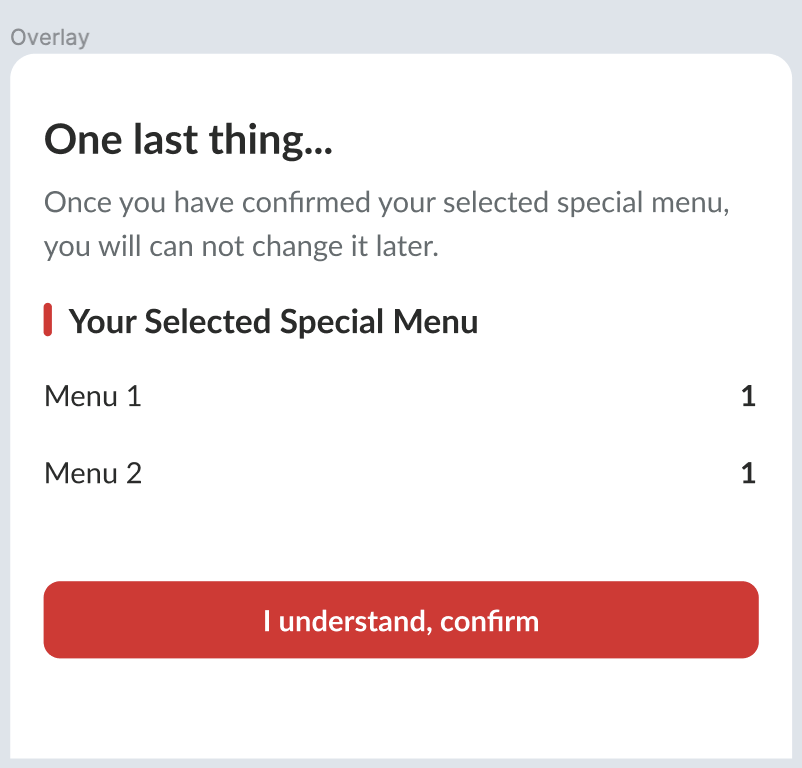 Since this UI use overlay if they want to dismiss just click the grey area.
Reservation
We'll add selected_special_menu on payload reservation like this:
{
      "minor_version": "3",
      "access_token": "{access_token}",
      "provider": "hungryhub",
      "source": "hh_android",
      "reservation": {
      // ....
      "selected_special_menus": [
	      		{
		      		"id": 3292,
				    "quantity": 1
			      },
      			{
	      			"id": 3292,
			      	"quantity": 1
      			}
	      	]
      // ....
}
After success, in reservation response will update like this:
{
	"data": {
		"id": "560219",
		"type": "reservations",
		"attributes": {
			"restaurant_id": 997,
			"date": "2023-04-27",
			"name": "Test First Time",
			"special_request": "",
			"adult": 4,
			// ....
			"selected_special_menus": [
				{
					"id": 3292,
					"name": "Bakso Urat",
					"quantity": 1
				},
				{
					"id": 3292,
					"name": "Bakso Telur",
					"quantity": 1
				}
			]
			// ....
Booking Confirmation
After successful booking we'll show on booking confirmation like this:
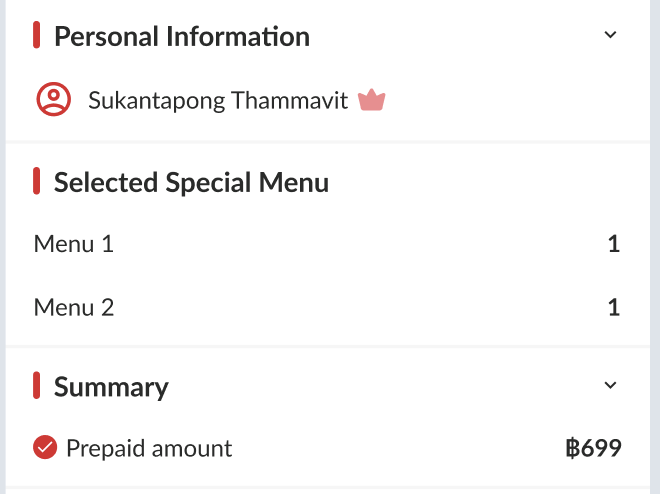 And for desktop (old UI) can use simple UI like this:
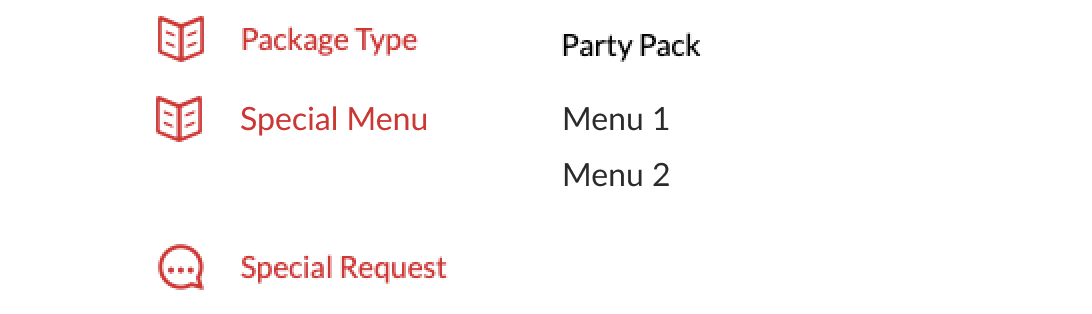
Email Confirmation:
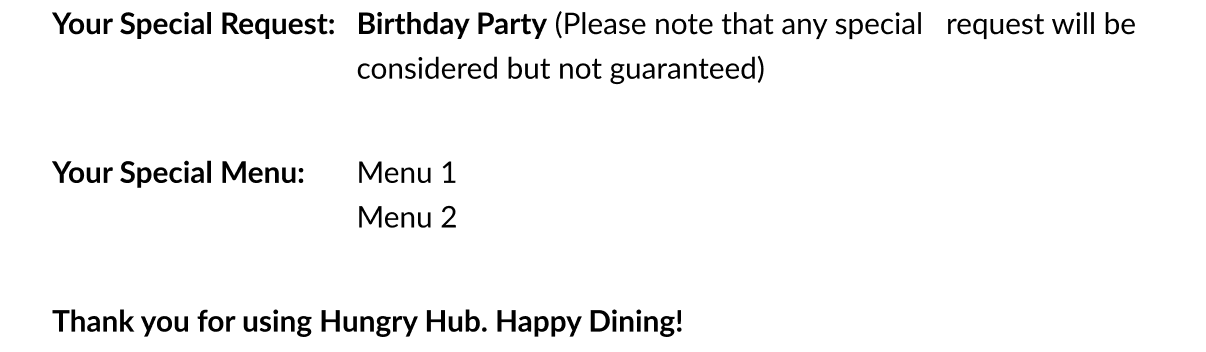
Admin/Owner Dashboard
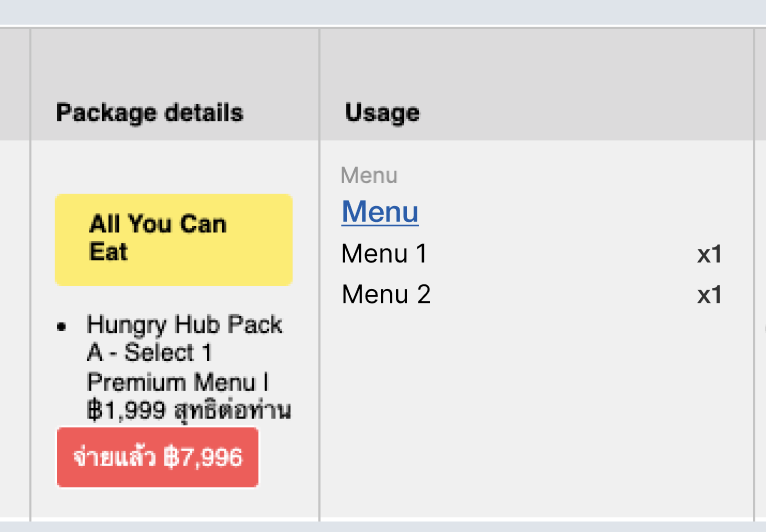
We also need to update selected special menu on admin dashboard:
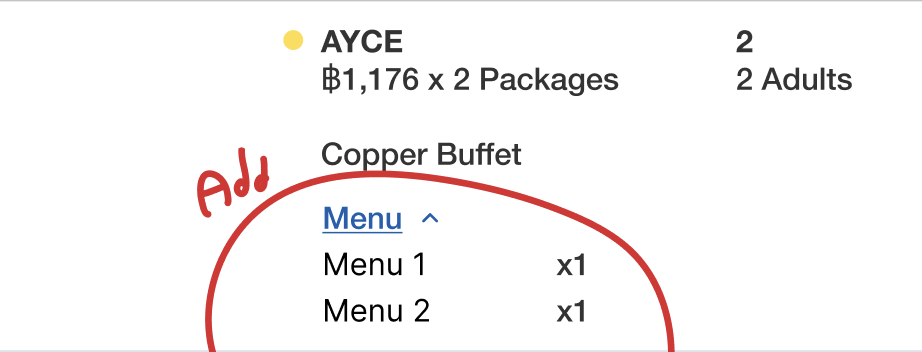 and owner dashboard:
Full figma cek check here: https://www.figma.com/file/kNtFG4WMXQqngMlB7mHU5p/Pre-Select-Special-Menu?type=design&node-id=2-3&t=eEHLnewP2KzoABJ0-0