Onboarding Screen Update
Change Language
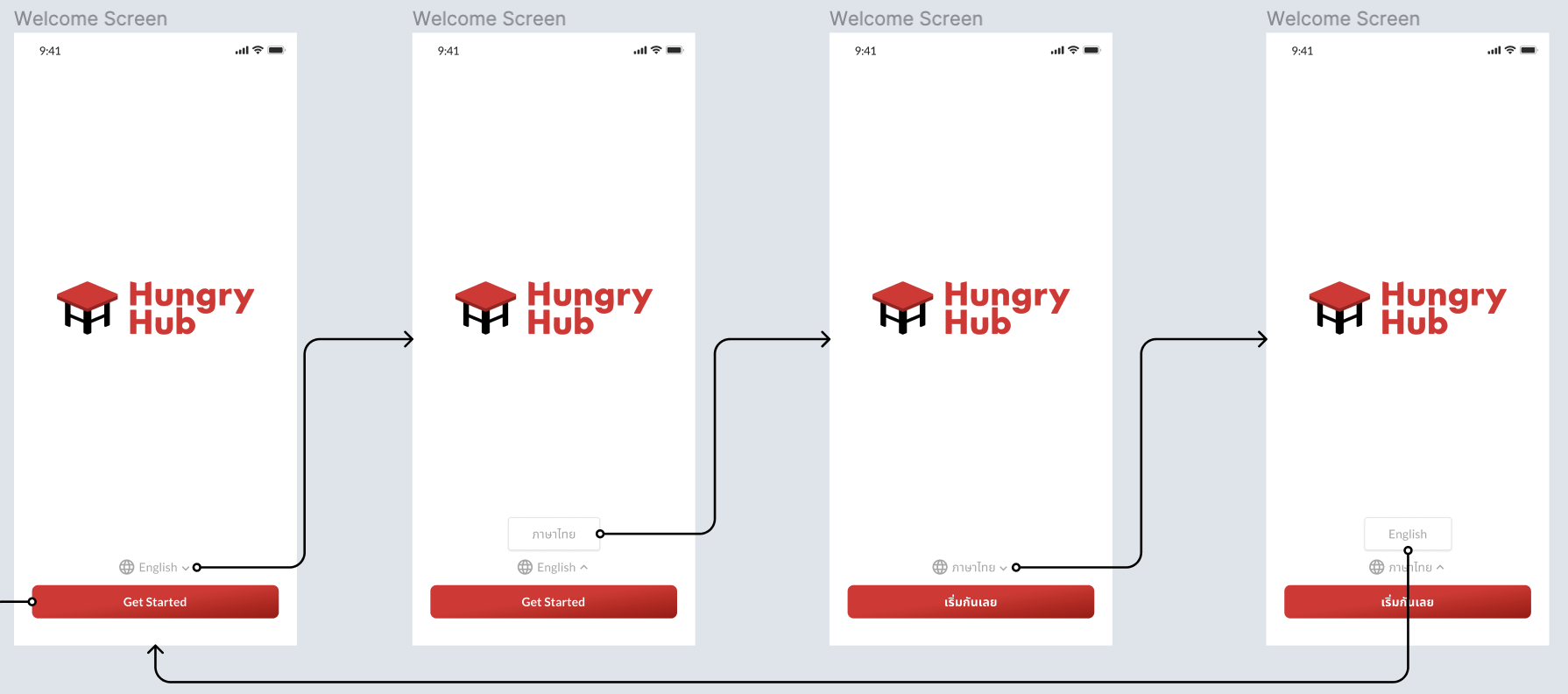
URL: {base_pegasus_url}/{language}/on-boarding/?hybrid=true
(can get system language to get user's current language or use 'th' as default language)
This screen will replace the select language screen when the first time installed. When click get started trigger this event:
Web Event: onLanguageSelected
response:
{
   "language": "en"
}
App client will set that value to local for use in any pages. After that event triggered will open the on boarding screen page.
On Boarding Screen
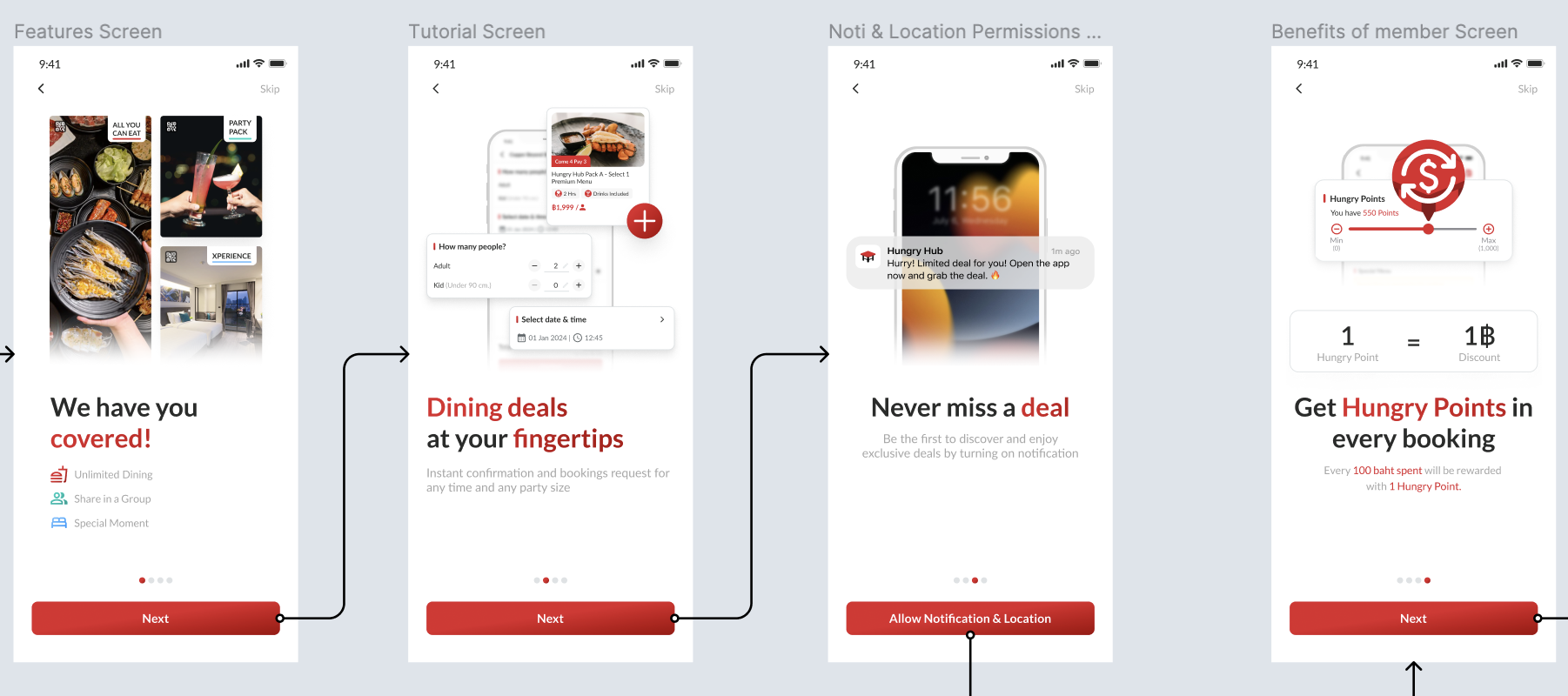
URL: {base_pegasus_url}/{language}/on-boarding/get-started?hybrid=true
 Web Event: onSkipClicked
response: (no need)
The client will redirect users to the homepage and mark the tutorial as seen. So, next time user won't see the tutorial or onboarding screen again.
Web Event: onSkipClicked
response: (no need)
The client will redirect users to the homepage and mark the tutorial as seen. So, next time user won't see the tutorial or onboarding screen again.
 Web Event: onAllowNotificationLocation
response: (no need)
The client will request permission to send notification and location to the user.
Web Event: onAllowNotificationLocation
response: (no need)
The client will request permission to send notification and location to the user.
Client Event: doNextPage Client trigger this event to see next page, in example after approve or denied permission need to trigger this to see the next screen.
 Web Event: onBoardingComplete
For the last next button, hybrid need to trigger this event, and after that client will redirect to register page.
Web Event: onBoardingComplete
For the last next button, hybrid need to trigger this event, and after that client will redirect to register page.
Create Account/Registration Page
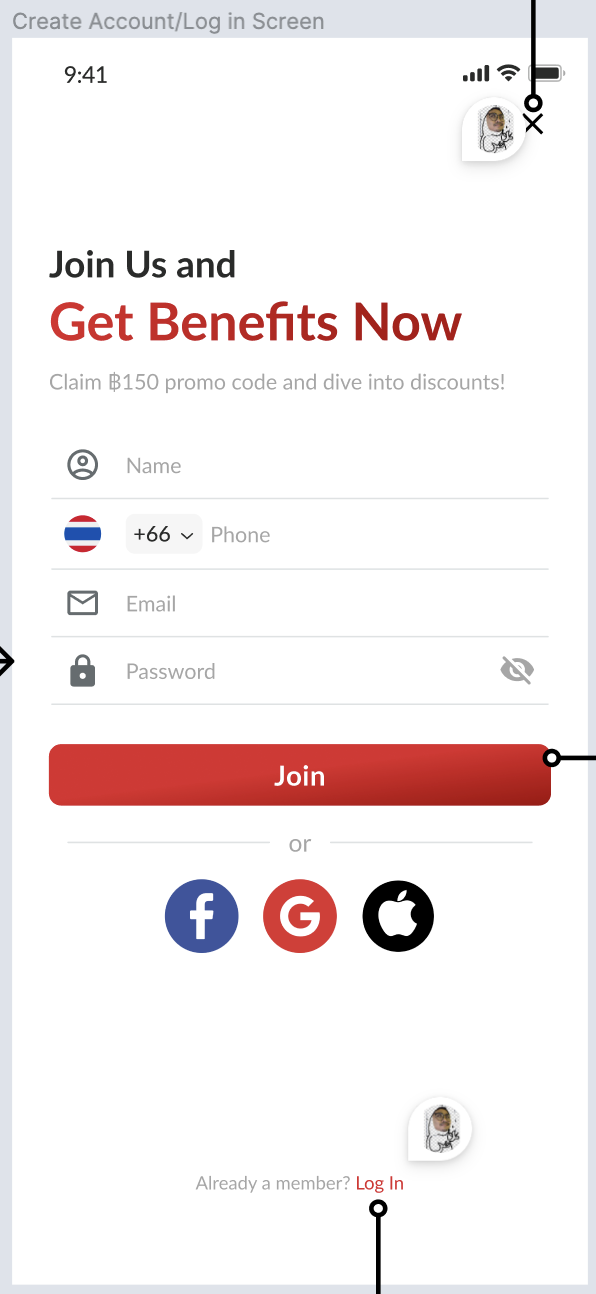
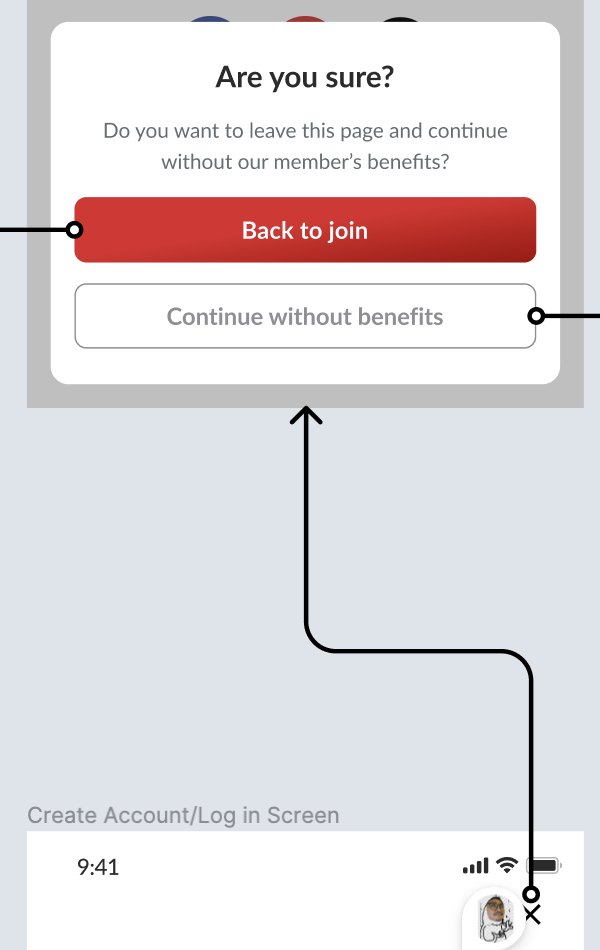 We'll do this in native, redesign, have the some function as existing. But we'll have close button and confirmation dialog if user press it.
Login Page
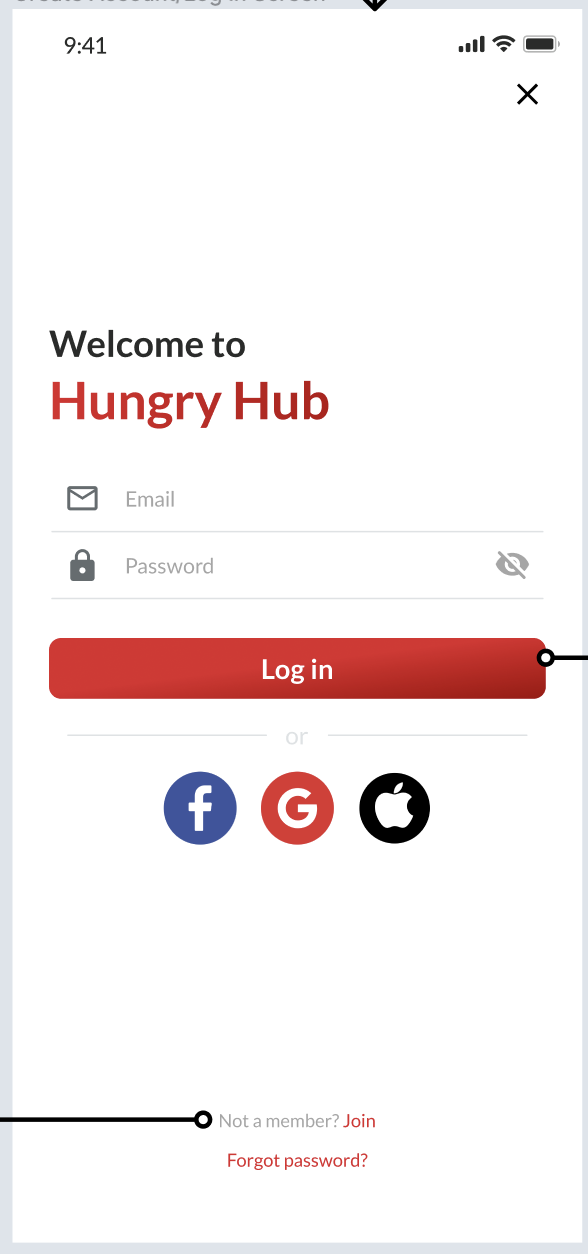 We'll do this in native, redesign but keep the same function as existing.
Term of Service PopUp
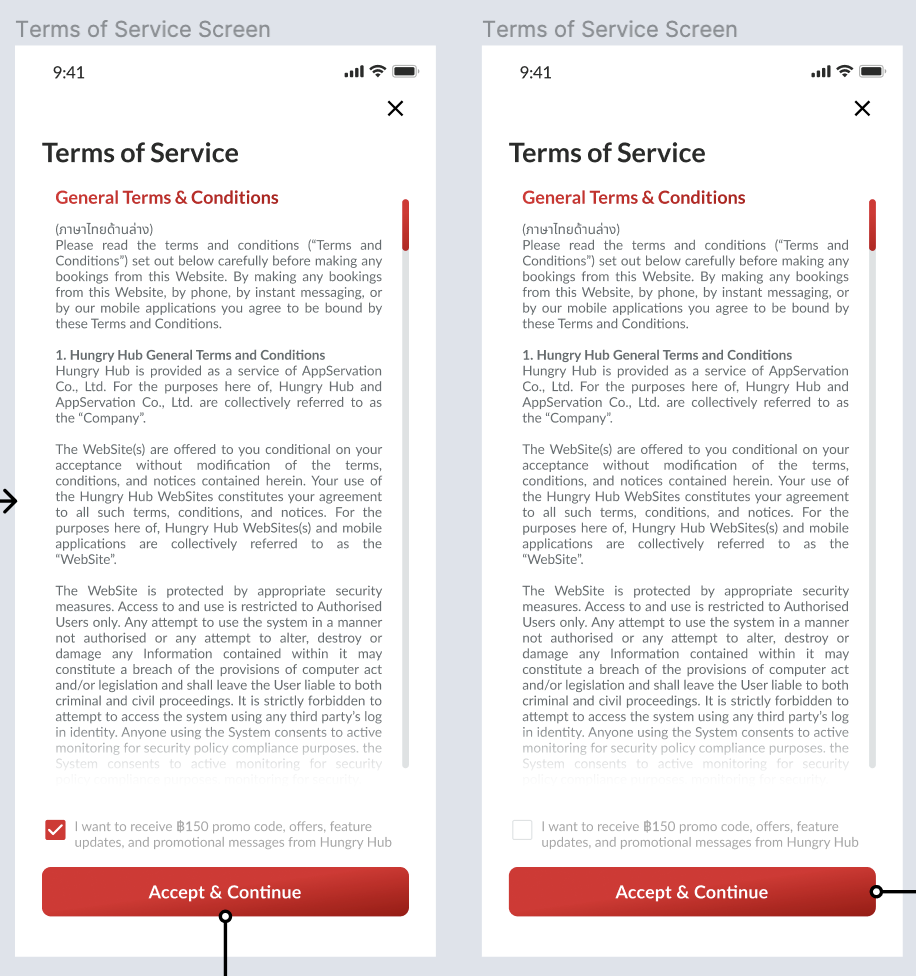
URL: {base_pegasus_url}/{language}/on-boarding/terms-of-service/?hybrid=true
We'll do it hybrid with these event:
Web Event: onAcceptContinue
response:
{
"subcribe_marketing_email": true
}
Value subcribe_marketing_email based on the checkbox above button accep & continue. If accepted, the client will process registration and will set subcribe_marketing_email value on payload register based on response.
Web Event: onCloseView Client will dismiss the dialog and show previous register page.
What's your birthday?
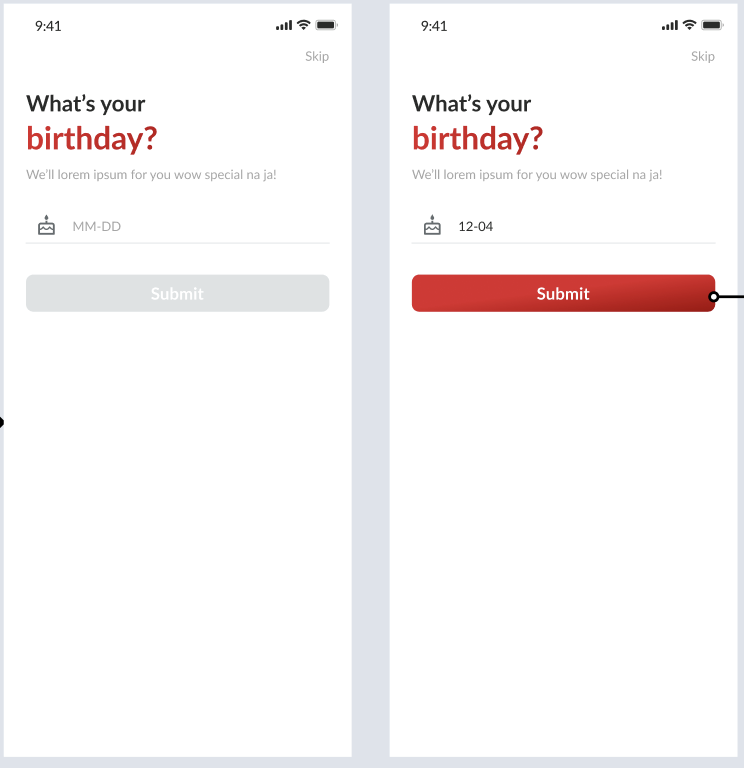 Trigger: After users sign in or register and open homepage, the client will check users' birthday data. We need to save the state if we already show the birthday pop-up or not. If the birthday is null and we haven't shown a birthday pop up we'll show it.
if (birthday == null && !isBirthdaySeen) {
    // show what's your birthday
}
After onMounted triggered will send doSetupData with access_token like this: Client Event: doSetupData payload:
{
    "access_token": "{access_token}"
}
Web Event: onSkipBirthday If this event is triggered we'll mark isBirthdaySeen true and not show again when opening the homepage.
When click submit, hybrid will hit this API: {{ base_api }}/users.json
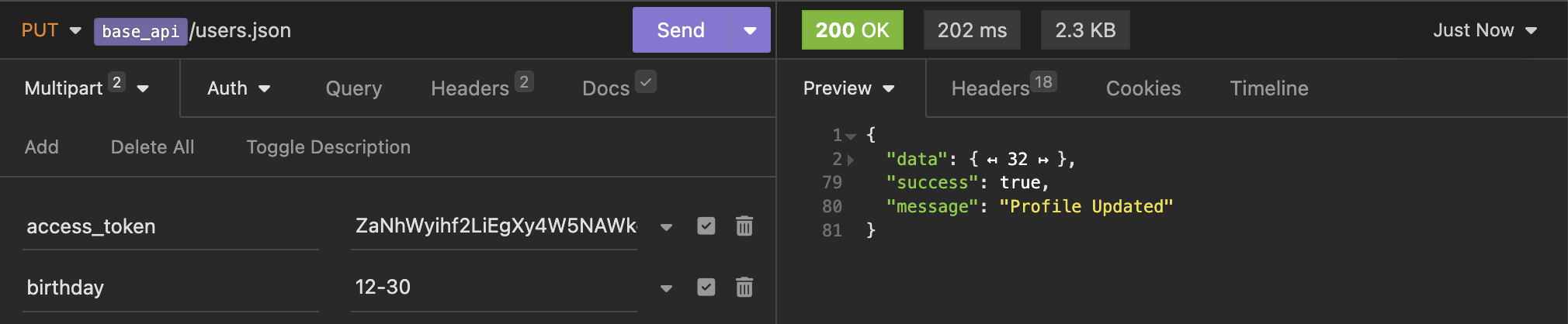 note: birthday format is MM-dd
After successfull update will trigger this event: Web Event: onBirthdaySubmitted Client app can get users profile again to update users local data.