Edit Booking Technical Documentation
Hybrid
At the beginning, after onMounted, send reservation_id, encrypted_id, and access_token like the booking confirmation page.
App Event: doSetupData
Member:
{
	"access_token": "q4lJKX6o7hbTkpBVjtNg9JApnBz8YaVWI2cyscvMYKc",
	"reservation_id": "123456789"
}
Guest:
{
	"encrypted_id": "gbqRB"
}
Web Event: onBackClicked
Triggered when clicking the back button or Cancel in the toolbar.

Reservation Data
After getting the reservation ID or encrypted_id, use this API to load content:
Member: {{ base_api }}/reservations/{reservation_id}.json
Payload:
{
	"access_token": "access_token",
	"provider": "hungryhub"
}
Guest: {{ base_api }}/reservations/{encrypted_id}/detail.json
Figma Link: https://www.figma.com/file/vSGoafWjCEq95LP0GhQ0Sn/Edit-Booking?type=design&node-id=769-3152&mode=design
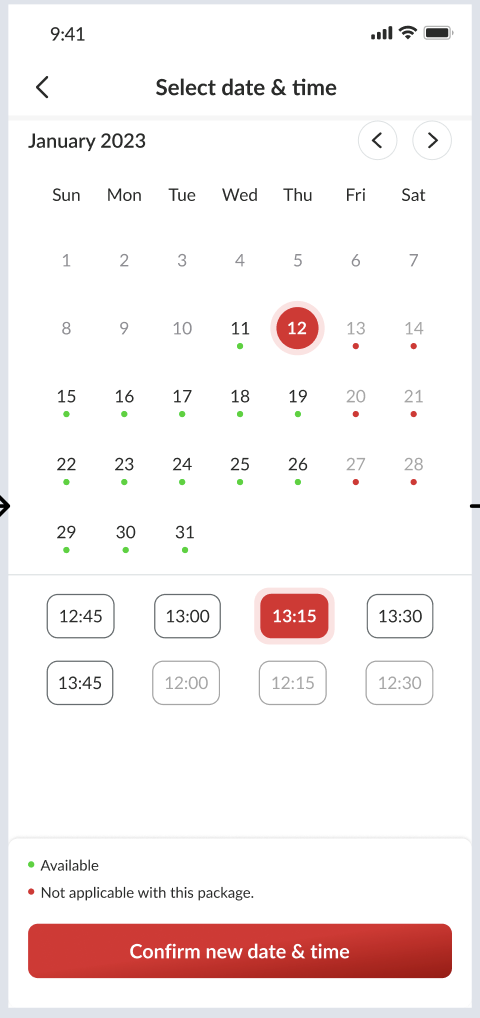
Available Date
To get the available date we can use this API:
{{ base_api }}/restaurants/{restaurant_id}/available_dates_based_on_packages.json
Payload:
{
	"adult": 2, // from selected adult
	"end_date": "2023-12-30",
	"for_delivery": false,
	"is_dine_in": true,
	"kids": 1,
	"minor_version": "4", // to get availability value
	"restaurant_package_ids": [1459], // from selected package
	"start_date": "2023-12-20"
}
Available Time
To get available time we can use this API:
{{ base_api }}/restaurants/{restaurant_id}/available_start_times_based_on_packages.json
Payload:
{
	"minor_version": "4",
	"date": "2023-12-07", // from selected date
	"adult": 1,
	"kids": 0,
	"minor_version": 4,
	"restaurant_package_ids": [2850],
	"is_order_now": false
}
Occasion Data
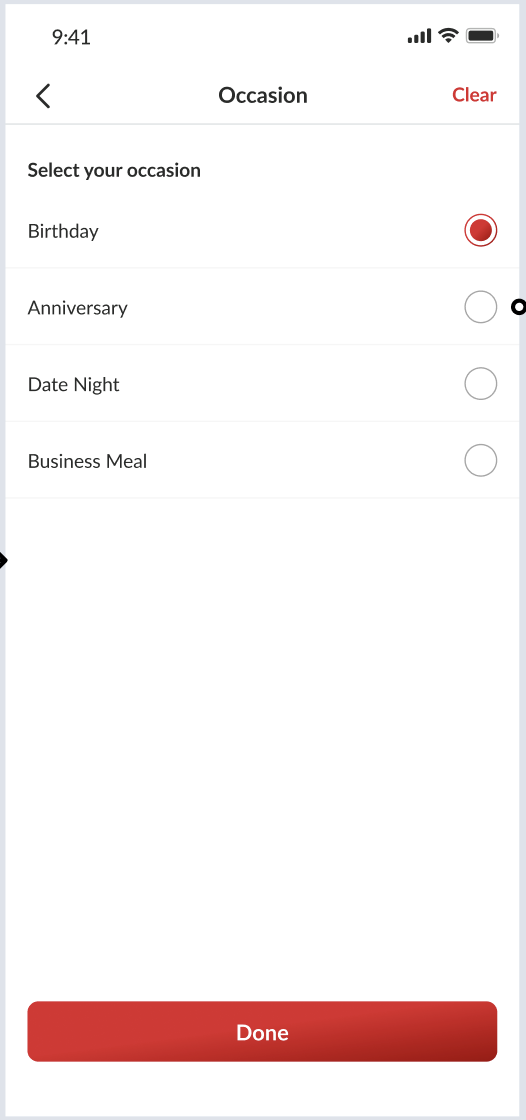
For occasion data we can use this API:
{{ base_api }}/dining_occasions.json
Save Modified Booking
API: {{ base_api }}/reservations/modify.json
Method: PUT
Payload:
{
	"encrypted_id": "a18nda", // for guest
	"access_token": "pum1NC8yulCuDFt5bipmx8vrbuxE5mfSULvuQWX2j", // for member
	"source": "website",
	"provider": "hungryhub",
	"reservation_id": "564726",
	"reservation": {
		"adult": 2,
		"kids": 0,
		"restaurant_id": "1124",
		"date": "2023-12-31",
		"start_time": "18:00",
	    "special_request": "smoking room",
	    "dining_occasion_id": "12"
	},
	"packages": [
		{
			"id": "1459",
			"quantity": 1
		}
	]
}
Validate available date/time for the package. If unavailable, fail the update.
After a successful update, trigger this event: Event Name: onModifySuccess
{
	"payment_type": "promptpay/credit_card", // leaves empty if no prepayment
	"encrypted_id": "q4lJK",
	"reservation_id": "123456789"
}
Affected Features
For booking confirmation we have this event to modify booking: Event Name: onModifyBookingClicked Payload:
{
	"modify_url": "https://hungryhub.com/reservations/my-reservation/GY0j6.html"
}
We need to update payload like this:
{
	"modify_url": "https://hungryhub.com/reservations/my-reservation/GY0j6.html",
	"encrypted_id": "q4lJK",
	"reservation_id": "123456789"
}
We keep modify_url to keep existing booking confirmation compatibility.
Update Edit Booking Logic Scope
Scope to cover
Possible changes:
- Package
- Package’s Type
- Date
- Time
- PAX (adult and kids)
- Special request and occasion
- Special Menu
- Payment (amount to be paid after modification)
Flow modify booking:
- After successful modification, old reservation ID should be cancelled
- If using prepayment modification, treat the new reservation ID as temporary.
- Cancel the old reservation ID after successful payment.
- Temporary reservation must be generated on the backend (source of truth), not on the client.
Calculations need to check:
- Normal Package
- Pax (Adult and Kid Price)
- Dynamic Pricing
- Mix and Match
- Come More Pay Less
- Add on packages
- Decimal price
Calculation reference spreadsheet: Edit Booking Simulation Sheet