CleverTap Event Adjustment
Search Term Event
Event Name: Search Keyword Event Properties:
| Parameters | Example Value | Note | Trigger |
|---|---|---|---|
search_term | “cafe” | Keyword | when user clicks Enter or searches on the search field |
Search Filter Event
Event Name: Search Filter Event Properties:
| Parameters | Example Value | Note | Trigger |
|---|---|---|---|
package_type | ayce,pp | package type | |
sort_by | price asc | sort | |
price_min | 0 | price filter min | |
price_max | 3200 | price filter max | |
price_type | per_pack | price filter type | |
cuisine_id | 7,228 | cuisine id | |
cuisine_name | Chinese,Halal | cuisine name | |
location_id | 1269 | ||
location_name | Amarin Plaza | ||
location_type | shopping_mall | ||
facility_id | 1006 | ||
facility_name | Mall Restaurant | ||
Example onSearchFinish:
{
	"search_param": {
		"page_number": 1,
		"page_size": 10,
		"cuisine_ids": [
			{
				"id": 7,
				"name": "Chinese"
			},
			{
				"id": 228,
				"name": "Halal"
			}
		],
		"location_ids": [
			{
				"id": 1269,
				"name": "Amarin Plaza",
				"type": "shopping_mall"
			}
		],
		"facility_ids": [
			{
				"id": 1006,
				"name": "Mall Restaurants"
			}
		],
		"package_type": "ayce,pp",
		"price_filter": {
			"min": 0,
			"max": 3200,
			"price_type": "per_pack",
			"symbol_currency": "฿"
		},
		"sort_by": "price asc"
	},
	"no_result_found": false,
	"search_total": 8
}
Save Selected Cuisine from Survey
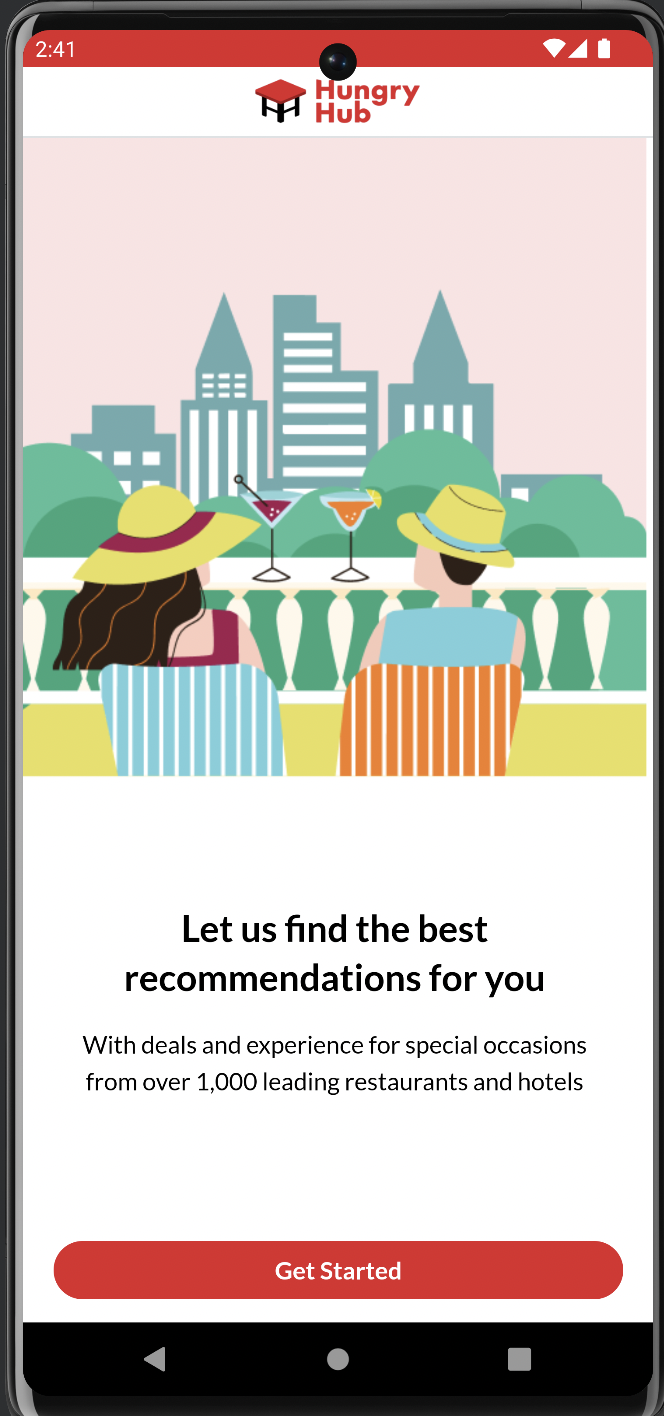
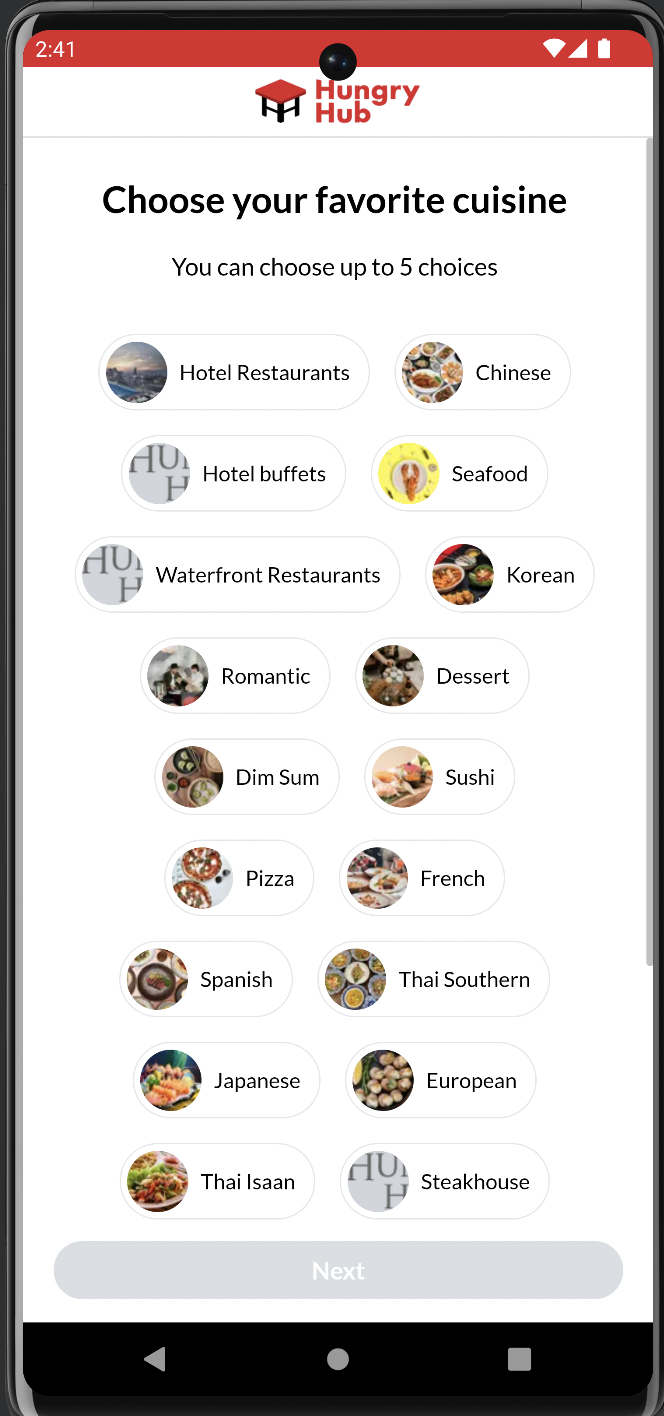
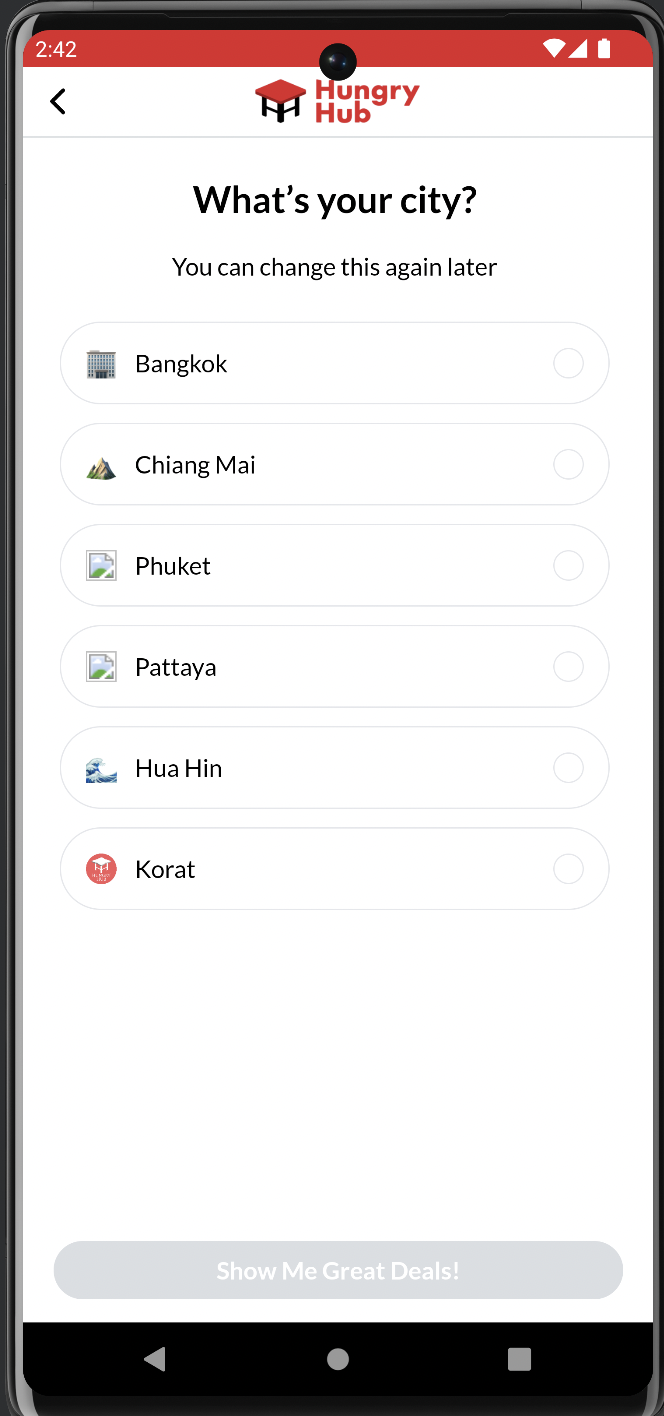
- Advise on Recommendations setup in CT (CT Team)
- HH noted that the Recommendations seem to be producing the same list of restaurants. CT team to advise and validate setup
Current payload from onSurveySubmitted:
{
	"cuisine_ids": [
		"14",
		"225",
		"35",
		"255",
		"20"
	],
// get from name_en
	"cuisine_names_en": [
		"Chinese",
		"International",
		"Japanese",
		"Sushi",
		"Dim Sum"
	],
// get from name_th
	"cuisine_names_th": [
		"วยเตี๋ยว",
		"นานาชาติ",
		"ของหวาน",
		"อาหารริมทาง",
		"อาหารทะเล"
	],
	"city_id": "1"
}
Android:
ArrayList<String> cuisineId = new ArrayList<String>();
cuisineId.add("14");
cuisineId.add("225");
cleverTap.setMultiValuesForKey("cuisine_id", cuisineId);

ArrayList<String> cuisineName = new ArrayList<String>();
cuisineName.add("Chinese");
cuisineName.add("Japanese");
cleverTap.setMultiValuesForKey("cuisine_name_en", cuisineName);

ArrayList<String> cuisineName = new ArrayList<String>();
cuisineName.add("ก๋วยเตี๋ยว");
cuisineName.add("นานาชาติ");
cleverTap.setMultiValuesForKey("cuisine_name_th", cuisineName);
iOS:
CleverTap.sharedInstance()?.profileSetMultiValues(["14", "225"], forKey: "cuisine_id")

CleverTap.sharedInstance()?.profileSetMultiValues(["Chinese", "Japanese"], forKey: "cuisine_name_en")

CleverTap.sharedInstance()?.profileSetMultiValues(["ก๋วยเตี๋ยว", "นานาชาติ"], forKey: "cuisine_name_th")
Store User’s last booking as part of User Properties
Store User’s last booking as part of User Properties. We will update property when do charged event, can get it from API get reservation detail.
{{ base_api }}/reservations/{{ booking_id}}.json member + access token/
{{ base_api }}/reservations/gbqRB/detail.json guest
- Last booking merchant id => data.attributes.
restaurant_id - Last booking cuisine / experience category => included[restaurants].attributes.cuisine
- Last booking merchant location / geolocation => included[restaurants].attributes.location
- Last booking transacted value => data.attributes.
total_priceAndroid
HashMap<String, Object> profileUpdate = new HashMap<String, Object>();
profileUpdate.put("last_booking_merchant_id", "997");
profileUpdate.put("last_booking_cuisine", "American");
profileUpdate.put("last_booking_location", "Amarin");
profileUpdate.put("last_booking_value", 2598);

cleverTap.pushProfile(profileUpdate);
iOS
let profile: Dictionary<String, AnyObject> = [
    "last_booking_merchant_id": "997",
    "last_booking_cuisine": "American",
    "last_booking_location": "Amarin",
    "last_booking_value": 2598]

CleverTap.sharedInstance()?.profilePush(profile)
Handle New Deeplink
Register: https://web.hungryhub.com/register We have a campaign that triggers users to register if they do a booking as a guest user. If the user clicks that URL, the register page will open. If the user is already signed in, they will be redirected to the profile page.
For the website, can we show a pop-up when opening that link?
App Inbox: https://web.hungryhub.com/notifications This one that we have on notification icon. Android:
ct.showAppInbox(styleConfig)
Ref: https://developer.clevertap.com/docs/android-app-inbox iOS:
if let inboxController = CleverTap.sharedInstance()?.newInboxViewController(with: style, andDelegate: self) { let navigationController = UINavigationController.init(rootViewController: inboxController) self.present(navigationController, animated: true, completion: nil) }
Ref: https://developer.clevertap.com/docs/app-inbox-ios
Vouchers: https://web.hungryhub.com/profile/voucher We’ll open my voucher page in profile
Near Me: https://web.hungryhub.com/restaurants/near-me we need to get user permission first to get user location before redirecting to search by latitude and longitude
Update 2 Aug 23
- How to store survey results as User Properties for existing Users
- Store cuisine name EN and TH for survey data
- Add the used promo code in Charge Event
- Add Transaction Completed Event for Backend
Backend
Survey results as User Properties for existing Users
In our existing app, hundreds of users already full survey forms and we only save cuisine_id array in local form. So, we need API to get cuisine name list.
My suggestion, we can use API {{ base_api }}/cuisines.json and put some query cuisine_ids, and then return cuisine array data.
In example: {{ base_api }}/cuisines.json?cuisine_ids=10,14,…
{
	"data": [
		{
			"id": "10",
			"type": "cuisines",
			"attributes": {
				"name": "นานาชาติ",
				"name_en": "International",
				"name_th": "นานาชาติ",
				"total_restaurants": 311,
				"cover": {
					"url": "https://hh-engineering.my.id/uploads/restaurant_tag/cover/10/cuisine-international.jpeg",
					"thumb_url": "https://hh-engineering.my.id/uploads/restaurant_tag/cover/10/cuisine-international.jpeg"
				}
			}
		},
		{
			"id": "14",
			"type": "cuisines",
			"attributes": {
				"name": "ก๋วยเตี๋ยว",
				"name_en": "Noodle",
				"name_th": "ก๋วยเตี๋ยว",
				"total_restaurants": 311,
				"cover": {
					"url": "https://hh-engineering.my.id/img/hh_logo.png",
					"thumb_url": "https://hh-engineering.my.id/img/hh_logo.png"
				}
			}
		},
......
From that data we’ll update user properties again for that specific users.
Add Transaction Completed Event Event to capture when a booking has been completely fulfilled (ie User has completed dining / stay) Eg: when points issued to customer or when status updated to arrived https://developer.clevertap.com/docs/upload-events-api
Create API get single restaurant by query
Currently for linked content clevertap doesn’t support custom path in the API.
Our API: {{ base_api }}/restaurants/280.json
Expected: {{ base_api }}/restaurants.json?restaurant_id=280
Can we create new API to prive restaurant data like that?
Client Update
Survey results as User Properties for existing Users Our existing app might be only store data like this:
{
	"cuisine_ids": [
		"14",
		"225",
		"35",
		"255",
		"20"
	],
	"city_id": "1"
}
Since we only show the survey for the first time, we don’t have cuisine name data from users. So, we need to hit an API with a cuisine_ids filter to get cuisine names and store them in user properties on CleverTap.
API: {{ base_api }}/cuisines.json?cuisine_ids=10,225,16,….
{
	"data": [
		{
			"id": "10",
			"type": "cuisines",
			"attributes": {
				"name": "นานาชาติ",
				"name_en": "International",
				"name_th": "นานาชาติ",
				"total_restaurants": 311,
				"cover": {
					"url": "https://hh-engineering.my.id/uploads/restaurant_tag/cover/10/cuisine-international.jpeg",
					"thumb_url": "https://hh-engineering.my.id/uploads/restaurant_tag/cover/10/cuisine-international.jpeg"
				}
			}
		},
		{
			"id": "14",
			"type": "cuisines",
			"attributes": {
				"name": "ก๋วยเตี๋ยว",
				"name_en": "Noodle",
				"name_th": "ก๋วยเตี๋ยว",
				"total_restaurants": 311,
				"cover": {
					"url": "https://hh-engineering.my.id/img/hh_logo.png",
					"thumb_url": "https://hh-engineering.my.id/img/hh_logo.png"
				}
			}
		},
......
We need to store both EN and TH Android:
ArrayList<String> cuisineId = new ArrayList<String>();
cuisineId.add("14");
cuisineId.add("225");
cleverTap.setMultiValuesForKey("cuisine_id", cuisineId);

ArrayList<String> cuisineName = new ArrayList<String>();
cuisineName.add("Chinese");
cuisineName.add("Japanese");
cleverTap.setMultiValuesForKey("cuisine_name_en", cuisineName);

ArrayList<String> cuisineName = new ArrayList<String>();
cuisineName.add("ก๋วยเตี๋ยว");
cuisineName.add("นานาชาติ");
cleverTap.setMultiValuesForKey("cuisine_name_th", cuisineName);
iOS:
CleverTap.sharedInstance()?.profileSetMultiValues(["14", "225"], forKey: "cuisine_id")

CleverTap.sharedInstance()?.profileSetMultiValues(["Chinese", "Japanese"], forKey: "cuisine_name_en")

CleverTap.sharedInstance()?.profileSetMultiValues(["ก๋วยเตี๋ยว", "นานาชาติ"], forKey: "cuisine_name_th")
Add the used promo code in Charge Event
We have used_vouchers data in booking response, we’ll put that in Charged event on clevertap like this:
Android:
....
chargedEvent.put("used_vouchers", "AISUDN98Q2,MOTHERDAYS");
.....
iOS:
.....
params["used_vouchers"] = "AISUDN98Q2,MOTHERDAYS"
.....
Check TrackingManager.swift line 334
Restaurant Review
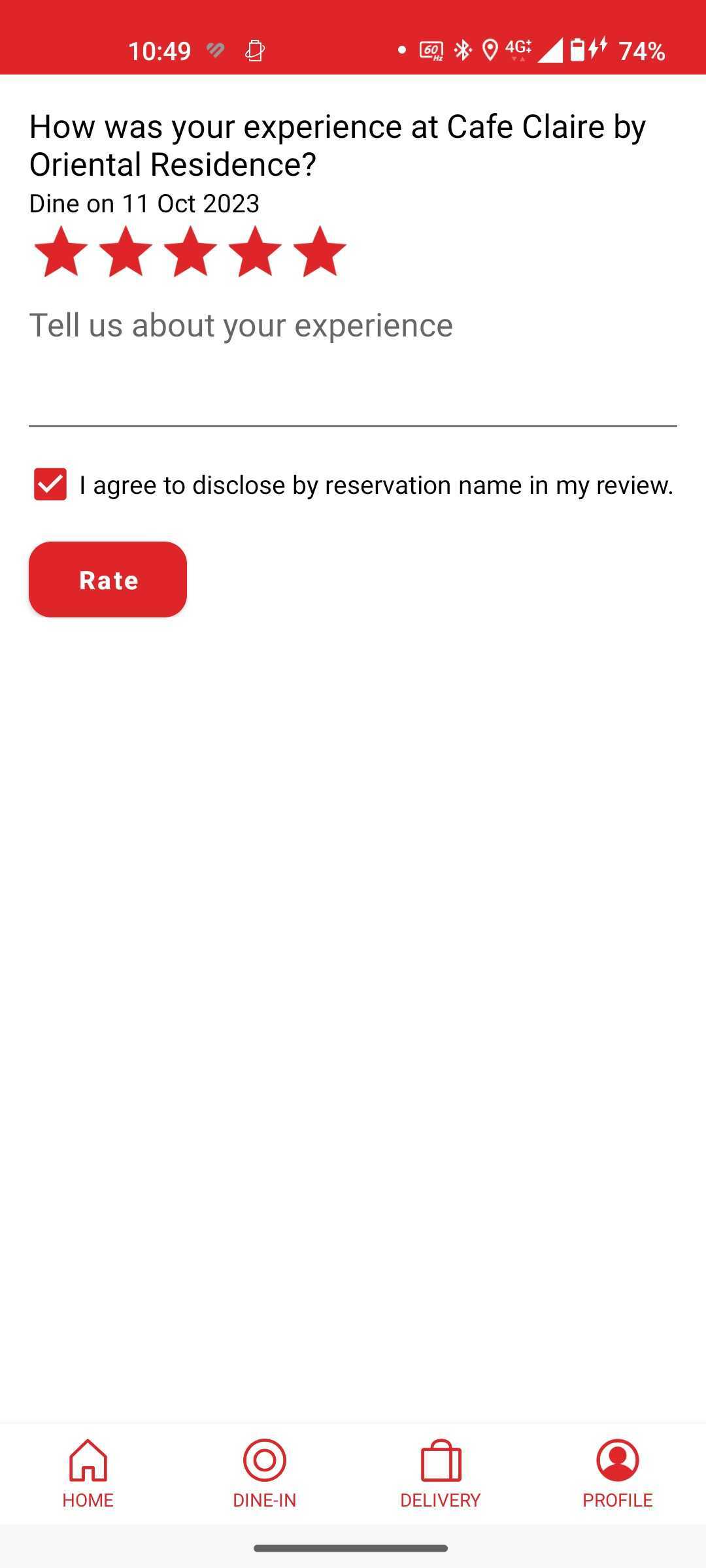 Trigger when click “Rate” on first step review.
Event Name: Restaurant Reviewed
Properties:
Trigger when click “Rate” on first step review.
Event Name: Restaurant Reviewed
Properties:
| Parameter | Example Value | Note |
|---|---|---|
restaurant_id | 837 | restaurant id |
reservation_id | 567890 | reservation id |
restaurant_name | Copper | restaurant name |
| review | Good restaurant | from text review |
| rating | 5 | from total star |
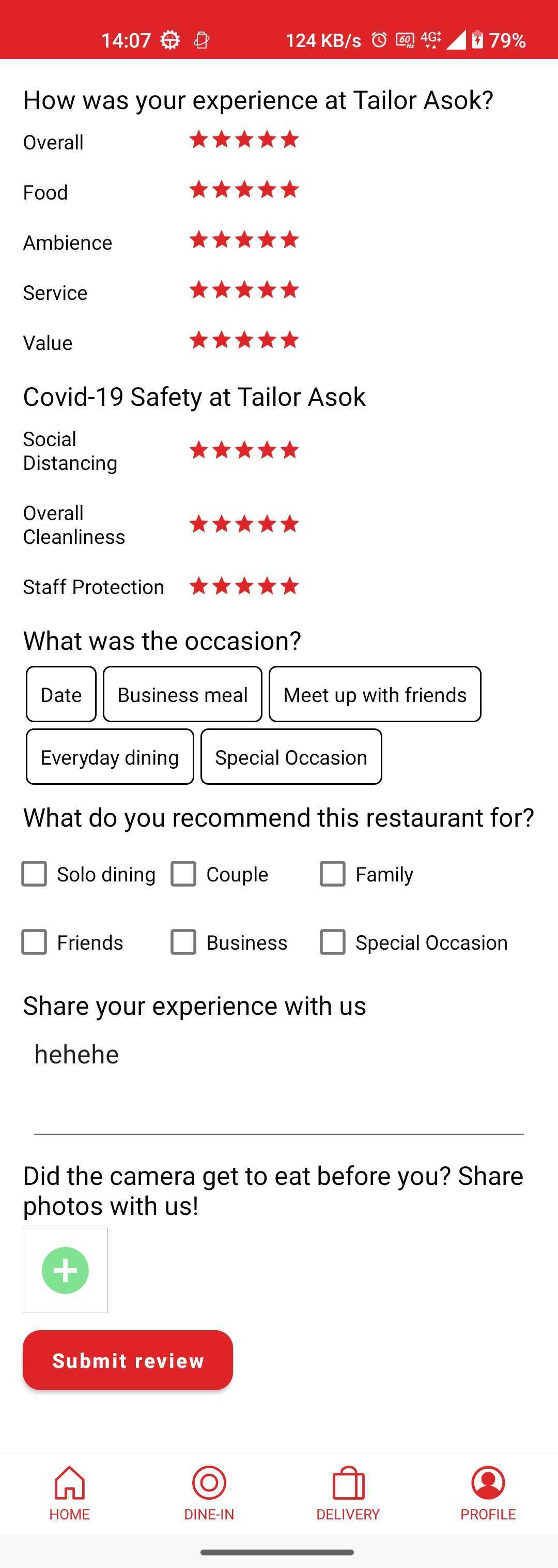 Trigger when click “submit review” on the full review
Event Name: Restaurant Complete Reviewed
Properties:
Trigger when click “submit review” on the full review
Event Name: Restaurant Complete Reviewed
Properties:
| Parameter | Example Value | Note |
|---|---|---|
restaurant_id | 837 | |
reservation_id | 567890 | |
restaurant_name | Copper | |
| review | good resto | |
| rating | 5 | |
| food | 5 | |
| ambience | 5 | |
| service | 5 | |
| value | 5 | |
occasion_name | Date | |
total_photos | 3 |
Store User’s language to User Properties
Store User’s last booking as part of User Properties. We will update language property when user sign in or changes language from profile.
Example response from sign-in:
 Trigger:
- user sign in
- user sign up
- change language
Android
HashMap<String, Object> profileUpdate = new HashMap<String, Object>();
profileUpdate.put("language", "en");

cleverTap.pushProfile(profileUpdate);
iOS
let profile: Dictionary<String, AnyObject> = [
    "language": "en"]

CleverTap.sharedInstance()?.profilePush(profile)
Store 5 last viewed restaurants to User Properties
Store last viewed restaurant in local, and update array id to clevertap properties with key last_viewed_restaurant_id
Android:
cleverTap.setMultiValuesForKey("last_viewed_restaurant_id", resIds);
iOS:
CleverTap.sharedInstance()?.profileSetMultiValues(["14", "225"], forKey: "last_viewed_restaurant_id")
Add Event Gift Card Purchase
Trigger when successful purchase giftcard Event Name: “Gift Card Purchased” Properties:
| Parameter | Example Value | Note |
|---|---|---|
total_value | 1000 | from attribute total_price |
| platform | Web | Web/iOS/Android |
| registered | Guest | Guest/User |
Loyalty Program User’s Properties
From clevertap campaign we need to track how many booking or how munch money to spend to reach next level. Instead calculate on each platform need 3 people to work, better calculate from backend and client send the data to clevertap properties:
booking_to_next_tierspend_to_next_tierWe have 2 scenario for this:- Standar Qualification
- Regain Level (if the previous level is higher than current)
If standar will use this logic:
qualification.
total_reservations(from loyalty) -total_reservations(from profile) qualification.total_spend(from loyalty) -total_spend(from profile)
if regain will use this logic:
regain.total_reservations (from loyalty) - progress_total_reservations (from profile)
regain.total_spend (from loyalty) - progress_total_spend (from profile)
Add Event Point Earned
This one trigger when the users get points, either from reservation or give reviews.
Add Event Point Used
This one trigger when the users use point on the reservations.
Set user’s properties for number booking and spend to next tier
Trigger when user see profile page (after get profile data) Android
HashMap<String, Object> profileUpdate = new HashMap<String, Object>();
profileUpdate.put("number_booking_to_next_tier", 2);
profileUpdate.put("total_spend_to_next_tier", 5000);

cleverTap.pushProfile(profileUpdate);
iOS
let profile: Dictionary<String, AnyObject> = [
    "number_booking_to_next_tier": 2,
    "total_spend_to_next_tier": 5000
]

CleverTap.sharedInstance()?.profilePush(profile)
Set user’s properties for average spend and total package reservation
Trigger when user see profile page (after get profile data) Android
HashMap<String, Object> profile update = new HashMap<String, Object>();
.....
profileUpdate.put("avg_spend_per_person", 6445);
profileUpdate.put("avg_pax_per_booking", 5);
profileUpdate.put("total_ayce_reservation", 23);
profileUpdate.put("total_pp_reservation", 5);
profileUpdate.put("total_xp_reservation", 2);

cleverTap.pushProfile(profileUpdate);
iOS
let profile: Dictionary<String, AnyObject> = [
    .....
    "avg_spend_per_person": 6445,
    "avg_pax_per_booking": 5,
    "total_ayce_reservation": 23,
    "total_pp_reservation": 5,
    "total_xp_reservation": 2
]

CleverTap.sharedInstance()?.profilePush(profile)
Update 30 January 2024
Store all clevertap_props to user properties
Based on this slack discussion we’ll put all clevertap_props to clevertap user properties.
Everytime we hit get profile we’ll have this data:
"clevertap_props": {
			"Email": "tioo@yahoo.com",
			"Name": "tio",
			"Phone": "+6282198472226",
			"Identity": "188686",
			"provider": "hungryhub",
			"photo": "https://hh-engineering.sgp1.digitaloceanspaces.com/assets/fallback_avatars/default-43f3008b9022d3987b7eab0f71ec2ba434b3b78fb89959454d33ed04a3c29cd7.jpg",
			"credits": 6326,
			"all_reservations_count": 101,
			"active_reservations_count": 46,
			"no_show_reservations_count": 0,
			"cancel_reservations_count": 43,
			"language": "en",
			"age": 0,
			"total_booking": 46,
			"total_spending": 0,
			"early": 1,
			"subscribe_transaction_email": true,
			"subscribe_marketing_email": true,
			"top_loyalty_level_id": 4,
			"top_loyalty_level": "Platinum",
			"last_loyalty_level_id": 3,
			"last_loyalty_level": "Gold",
			"current_loyalty_level_id": 4,
			"current_loyalty_level": "Platinum",
			"current_loyalty_level_expiry_date": "22/05/2024",
			"ny23_qualification": "no"
		}
Android
HashMap<String, Object> profile update = new HashMap<String, Object>();
.....
profileUpdate.put("Email", "tioo@yahoo.com");
profileUpdate.put("Name", "tio");
profileUpdate.put("Phone", "+6282198472226");
profileUpdate.put("Identity", "188686");
........

cleverTap.pushProfile(profileUpdate);
iOS
let profile: Dictionary<String, AnyObject> = [
    .....
    "Email", "tioo@yahoo.com",
    "Name", "tio",
    "Phone", "+6282198472226",
    "Identity", "188686",
    .....
]

CleverTap.sharedInstance()?.profilePush(profile)
Notes: if subscribe_marketing_email is missing or the user skips subscribing to marketing emails, the default value is false. And we need to add this parameter also:
Android:
profileUpdate.put("MSG-email", false);
iOS:
...
"MSG-email", false,
...
Those params will update email subscriptions false on this communication preference:
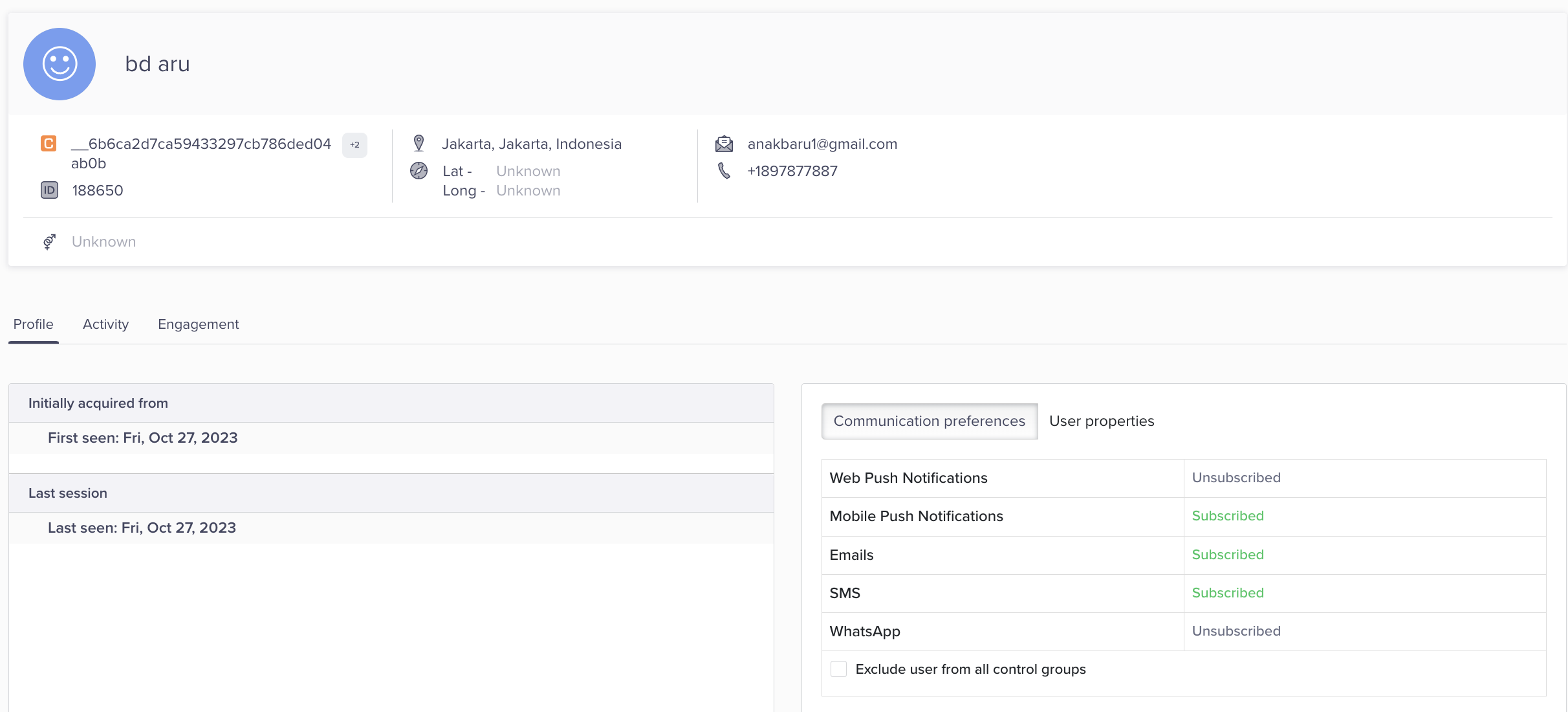
Backend Task Backend also need to update MSG-email false when user register without subscribe marketing email and also when skip marketing email from admin. https://developer.clevertap.com/docs/upload-user-profiles-api